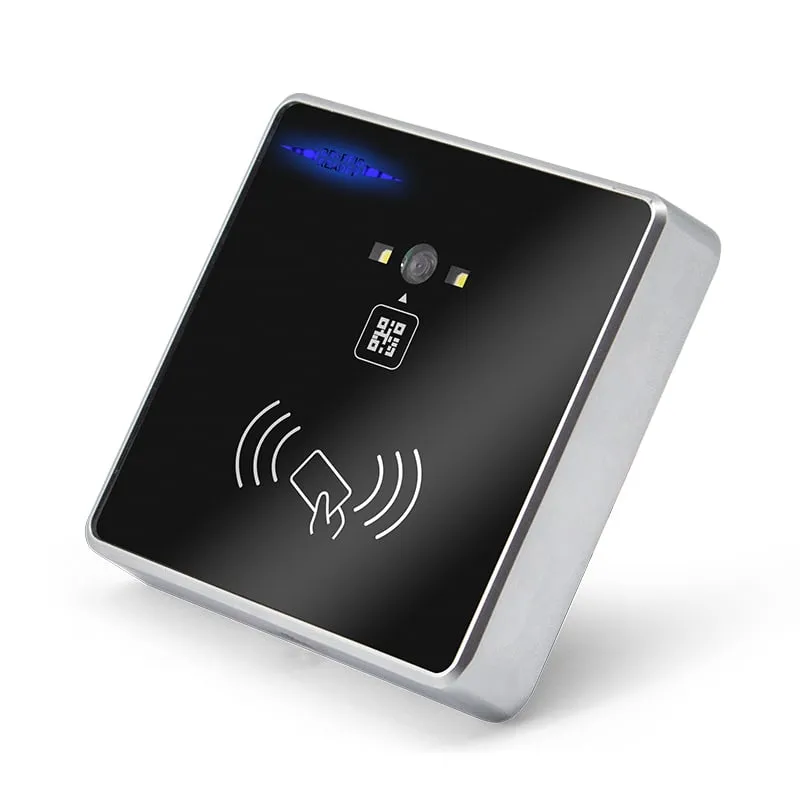
 QR + RFID
 Q420-M
QR Code + RFID Access Reader, Wiegand 26/34, RS485, Slim 86-Box
- RS232
- RS485
- Wiegand
- Wall-mount
Read range: 3–6 cm
RFID readers
86 × 86 mm wall readers that decode visitor QR codes and read staff EM or MIFARE cards, then pass the result to a door controller, turnstile board, elevator controller or PC. Choose the slim Q420-M on flying leads, or the Q430-M with a terminal block and USB.
QR + RFID Q420-M
Read range: 3–6 cm
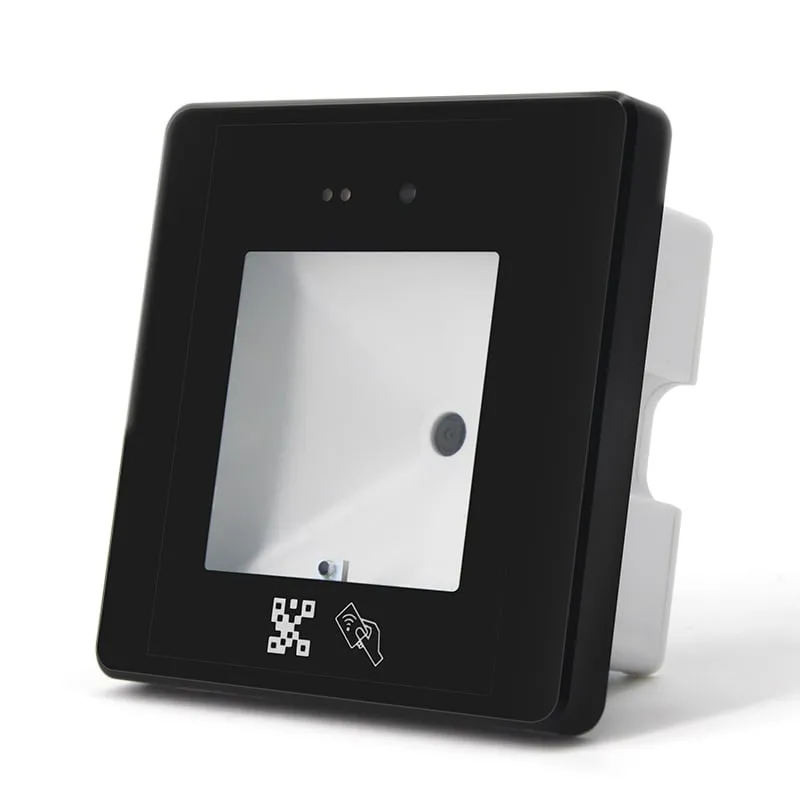 QR + RFID
 Q430-M
Read range: 3–6 cm
A QR code access control reader decodes a QR code held up to its window and sends the content to the system that decides access: a door controller, a turnstile board, an elevator controller or visitor software on a PC. Both readers on this page also read 125 kHz EM and 13.56 MHz MIFARE cards, so visitors can use a QR code while staff keep their cards at the same reader. Both are read-only: they send QR content and card numbers and never write to cards.
The Q420-M slim QR code reader with Wiegand and RS485 is 18 mm deep, with a zinc-alloy frame and color-coded flying leads, and outputs Wiegand 26/34, RS232, RS485 or TTL. The Q430-M QR code reader with USB, Wiegand and RS485 is 42 mm deep with a 10-way terminal block, and adds mini-USB keyboard or virtual COM output for PC software. Both read QR codes at 0–20 cm and cards at 3–6 cm, start scanning automatically when a code is presented and decode in under 200 ms.
Typical buyers are turnstile and elevator integrators, visitor-management and booking software vendors, access-control installers and distributors. For card-only doors on an existing Wiegand controller, the resin-potted Wiegand 26/34 access control readers are simpler and draw 0–100 mA instead of 800 mA.
Both readers read QR codes at 0–20 cm and EM or MIFARE cards at 3–6 cm, and both need 8–12 V DC at 800 mA. Test with your own cards and visitor codes before a rollout; neither reader writes to cards.
The reader does not decide who gets in. It decodes the code and forwards the content; permissions, validity periods and visitor records live in the controller or the visitor system. A typical flow:
Because the reader only forwards data, one wiring scheme serves staff and visitors. A static QR code can be copied or forwarded like any image, so give visitor codes a short validity in the visitor system rather than reusing one code per guest.
| Host | Output | What to plan |
|---|---|---|
| Door access controller | Wiegand (Q420-M: Wiegand 26 or 34, set by setting code) | The controller stores numbers, not text. Issue QR codes whose content it can store as a card number: the Q420-M expects a hex card-number string, and the Q430-M sends QR content as decimal by default. |
| Turnstile board or elevator controller | RS485, or RS232 / TTL | Connect RS485 A and B to the board's A and B, and match the baud rate by setting code (Q420-M: 9600, 19200 or 115200). The board parses the QR content or card number itself. |
| Embedded host board | TTL serial | TTL-TX and TTL-RX on the Q430-M terminal block; on the Q420-M the TTL pin assignment is confirmed with your order. |
| PC, kiosk or check-in desk | RS232, or USB on the Q430-M | In keyboard mode the Q430-M types the content into the active field; in virtual COM mode software reads it from a serial port. Windows XP/7/8/10 and Linux are listed hosts. |
| Network (TCP/IP) | Q430-M, on request | Not part of the confirmed specification. Ask for TCP/IP in your RFQ; availability is confirmed in your quotation. The Q420-M has no TCP/IP. |
Free-text QR content, such as a URL or a booking reference, cannot pass through a Wiegand controller as a card number. Send it over RS232, RS485 or TTL to a host that parses it, or have the visitor system encode a card number instead.
RS485 is a differential link and handles longer cable runs than RS232, which is why turnstile and elevator boards often use it. Wiegand is one-way, from reader to controller. USB vs RS232 vs RS485 vs Wiegand compares the links, Wiegand 26 vs Wiegand 34 shows the bit layouts, and other serial-output models are grouped under RS232 and RS485 RFID readers.
| Signal | Q420-M wire | Q430-M terminal |
|---|---|---|
| +12 V power | Red | 12 V |
| Ground | Black | GND |
| Wiegand D0 / D1 | Green / White | WG-D0 / WG-D1 |
| RS485 A / B | Brown / Orange | 485-A / 485-B |
| RS232 RX / TX | Blue / Yellow | 232-RX / 232-TX |
| TTL RX / TX | Confirmed with your order | TTL-RX / TTL-TX |
| USB | — | Mini-USB port |
Choose the Q420-M for a slim reader on flying leads at doors and turnstiles wired to a Wiegand or RS485 controller. Choose the Q430-M when the same reader must also feed PC software over USB, when cable is terminated on site in a turnstile cabinet, or when you want to ask about a TCP/IP build.
| Spec | Q420-M | Q430-M |
|---|---|---|
| Codes | QR and 1D/2D codes, printed or on a phone screen | QR and 1D/2D codes |
| Decoding | Image decoding | CMOS |
| Cards | 125 kHz EM and 13.56 MHz MIFARE, card number read | 125 kHz EM and 13.56 MHz MIFARE, card number read; IC only or IC + ID mode |
| QR distance and angle | 0–20 cm, 45° | 0–20 cm, 45° |
| Card range | 3–6 cm | 3–6 cm |
| Read speed | < 200 ms | < 200 ms |
| Outputs | Wiegand 26/34, RS232, RS485, TTL | Wiegand, RS232, RS485, TTL, mini-USB (keyboard or virtual COM) |
| TCP/IP | Not available | On request; availability confirmed in your quotation |
| Connection | Color-coded flying leads | 10-way terminal block |
| Power | 8–12 V DC, 800 mA | 8–12 V DC, 800 mA |
| Size and weight | 86 × 86 × 18 mm, 150 g | 86 × 86 × 42 mm, 150 g |
| Housing | Zinc-alloy frame, acrylic panel | PC, tempered-glass scan window |
| Indicators | Blue work light, green feedback light | Red work light, green feedback light, green network light |
| Operating conditions | -20 °C to +70 °C, 10–90 % RH | -20 °C to +70 °C, 10–90 % RH |
State your controller's Wiegand format, the baud rate of your turnstile or elevator board and your card base in the RFQ, and the configuration is confirmed in your quotation. Integrators who resell under their own brand can review OEM and ODM options. To test with your own visitor codes and cards first, order a sample.
It is a wall reader that decodes a QR code, usually shown on a visitor's phone or a printed pass, and sends the content to a door controller, turnstile board, elevator controller or PC, which decides whether to grant access. The Q420-M and Q430-M also read 125 kHz EM and 13.56 MHz MIFARE cards, so one reader serves visitors and staff.
Yes, if the QR content is a number the controller can store as a card. The Q420-M expects a hex card-number string and outputs Wiegand 26 or 34; the Q430-M sends QR content over Wiegand as decimal by default. Your visitor system generates the number, registers it in the controller and encodes it in the QR code. For free-text QR content, use a serial output to a host that parses it.
If the turnstile or elevator board has a Wiegand input, wire the reader like a door reader. If it takes serial data, use RS485 (brown and orange wires on the Q420-M, 485-A and 485-B terminals on the Q430-M), or RS232 or TTL, and match the baud rate by setting code. The board parses the data and decides which gate to open or which floors to enable.
They suit different users. QR codes fit visitors and temporary access, because the visitor system can send a code to a phone with no card to issue or collect. Cards fit staff and daily users, who present the card within 3–6 cm without needing a phone. A static QR code can be copied, so give visitor codes a short validity. Both readers accept QR codes and EM or MIFARE cards, so one site can use both.
The Q420-M does not. The Q430-M's confirmed outputs are Wiegand, RS232, RS485, TTL and mini-USB. If your project needs a network connection, ask for TCP/IP in your RFQ; whether a network build of the Q430-M can be supplied is confirmed in your quotation.
The Q420-M and Q430-M each need 8–12 V DC rated for 800 mA, far more than a card-only Wiegand reader such as the L410-W, which draws 0–100 mA. Check the controller's reader output rating before powering a QR reader from it, or use a separate supply with a common ground.
Tell us your card, interface and quantity
Send the card or tag type, the host system and your volume. We reply within 1 business day with a suggested model and sample options.