 125kHz
 Application
USB Card Enrollment Readers That Match Your Door Readers
Register new cards at a desk instead of keying in printed numbers. A USB card enrollment reader, or a keypad reader when the operator also types a user number, enters the card's ID in your access-control software with no driver. Ordered with the right output format, it types the same number your Wiegand door readers send, so the desk and the door agree on one number.
Typical system architecture
- 01
Card or fob
A 125 kHz EM4100/TK4100 card or fob, or a 13.56 MHz MIFARE Classic card. Each carries a fixed ID set in the chip; the readers read that ID and never write or re-number cards.
- 02
Enrollment desk
A USB card enrollment reader (L150-U or L110-U for 125 kHz, H110-U for MIFARE) or an L310-U/H310-U keypad reader types the card's ID into the access-control software, where it is linked to the cardholder.
- 03
Format check
Before issuing cards in bulk, compare the number typed at the desk with the number the controller receives over Wiegand. The card number converter shows both views of one ID.
- 04
Door and controller
A Wiegand wall reader sends the same ID to the access controller, which compares it with the enrolled list and switches the lock. The reader only reports the ID; the controller decides.
Recommended readers
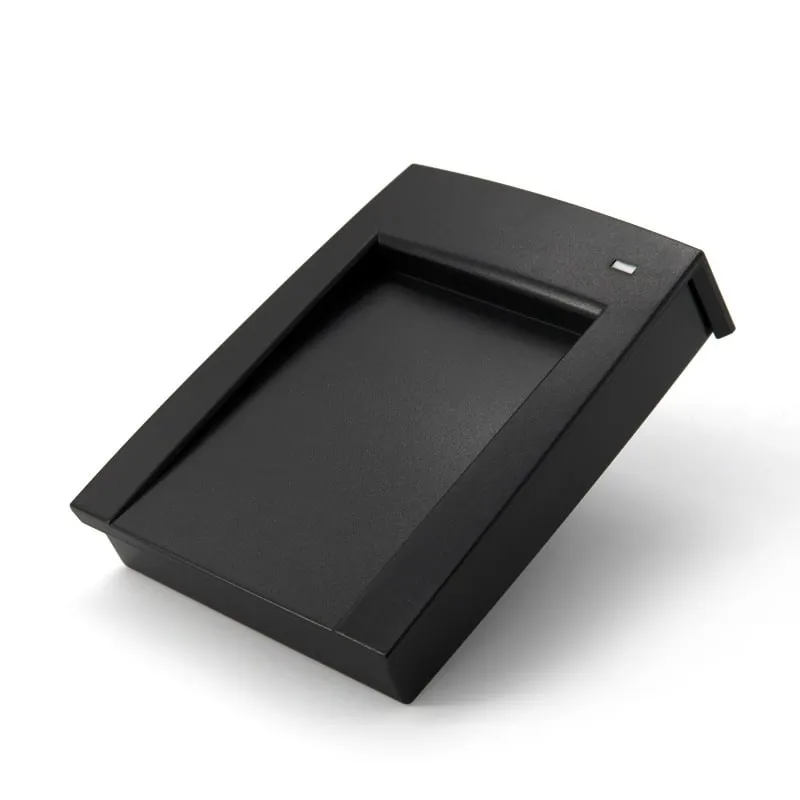
125kHz Angled 125 kHz enrollment reader with a card recess. Types the 10-digit number of EM4100/TK4100 cards and fobs at the cursor of the enrollment screen, with no driver; a DIP-switch version lets the installer choose the output format on site.
 13.56MHz
 H110-U
13.56MHz USB NFC / MIFARE Card Reader, Slim Pad, No Driver
- USB
- Desktop
Read range: Up to 80 mm
Slim USB pad for enrolling 13.56 MHz MIFARE Classic 1K/4K cards (NTAG203 is also listed). By default it types the card's 4-byte UID as a 10-digit decimal number; other output formats are available on request.
 125kHz
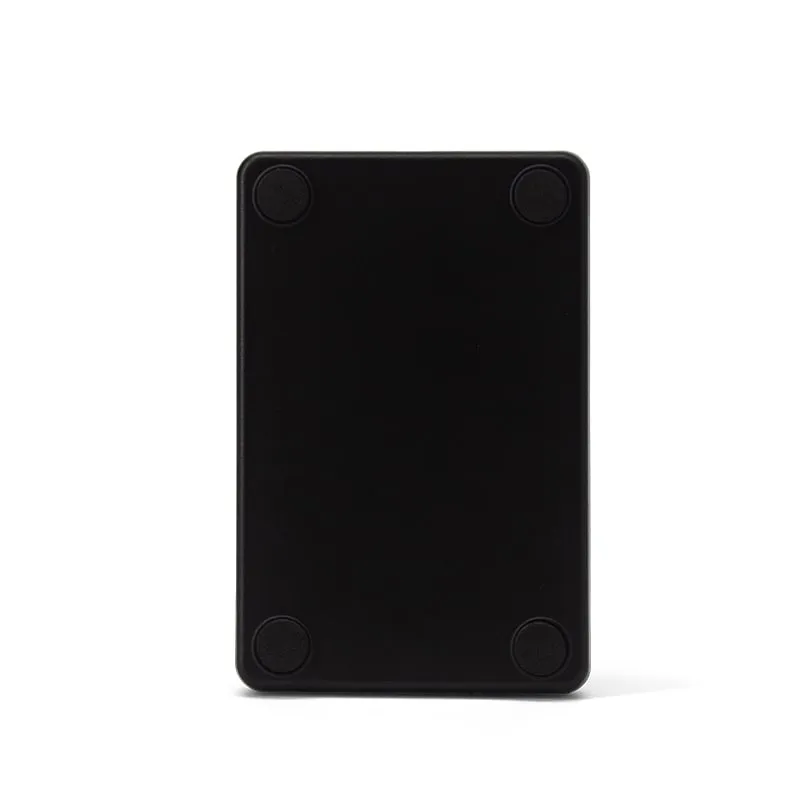
 Slim 104 × 68 × 10 mm 125 kHz USB pad for installers and software vendors who enroll EM4100/TK4100 cards and fobs; 10-digit decimal output by default, custom formats on request.
13.56MHz H150-U
13.56MHz USB MIFARE Reader, Angled Desktop with Card Recess
- USB
- RS232
- Desktop
Read range: Up to 80 mm
Angled 13.56 MHz desk reader with a card recess for enrollment software that reads a serial port: USB with RS232 UART emulation, MIFARE Classic and NTAG UIDs as 10 digits by default.
 125kHz
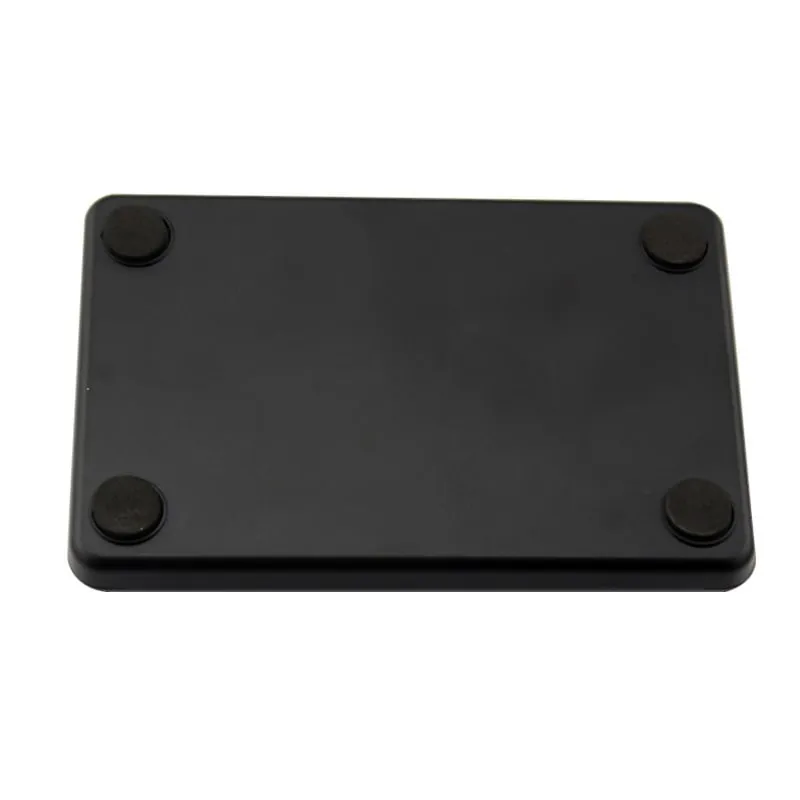
 125 kHz EM4100/TK4100 pad with an RS232 (DB9) port, for enrollment stations and kiosks that take card numbers from a COM port at 9600 bps by default.
13.56MHz H110-R
13.56MHz RS232 MIFARE Card Reader, Slim Pad, DB9 Serial
- RS232
- Desktop
Read range: Up to 80 mm
13.56 MHz MIFARE Classic and NTAG pad with an RS232 (DB9) port and 9600 bps, 8-N-1 default settings, for enrollment software that reads a COM port.
The problem: cards that are enrolled but do not open the door
Every new card or fob has to be registered in the access-control software before it opens anything. Typing the number printed on the card is slow and error-prone, and many cards carry no printed number at all. Enrolling at the door is worse: someone has to present the card at a wall reader and then find the event in the software.
Even with a desk reader, the same card passes through three places. The enrollment desk registers it, the door reader reads it, and the controller decides whether to release the lock. Each step can use a different frequency, interface and number format. A mismatch shows up on site as a card that is “enrolled” but does not open the door.
The causes are usually simple:
- Wrong frequency. A 125 kHz reader cannot read a 13.56 MHz MIFARE card, and a 13.56 MHz reader cannot read an EM4100 card.
- Wrong number format. A USB desktop reader types the full ID as a 10-digit decimal number. A Wiegand 26 door reader sends only 24 bits of it, split into a facility code and a card number. Unless the software converts one to the other, the two numbers never match.
- Wrong interface. The controller expects Wiegand pulses or RS485 data. The enrollment PC expects keyboard input or a COM port.
How a USB card enrollment reader solves it
Every card and fob in these systems carries a fixed ID number set in the chip. A USB card enrollment reader reads that ID in under 200 ms and types it at the cursor of the enrollment screen, as if it came from a keyboard. There is no driver to install and no digits to key in by hand. A 125 kHz model is an EM4100 enrollment reader and a 13.56 MHz model is a MIFARE enrollment reader, so choose the one that matches your cards.
A keypad reader combines the card reader with a USB numeric keypad. The operator can type a user number or a PIN on the keys, then present the card, and the reader sends the card number followed by Enter. At a busy enrollment desk this keeps both steps on one device.
The desk reader and the door reader must agree on the number. When both use matching output formats, the number stored at the desk is the number the controller receives at the door. The worked example further down shows how to check this before you issue cards in bulk.
All our 125 kHz and 13.56 MHz readers are read-only. They read the card ID; they do not write, encode or re-program cards.
Choosing a card enrollment reader
Start with the card frequency, then with how your software takes the number: typed into a field, or read from a COM port.
| Enrollment task | Cards | Output | Reader |
|---|---|---|---|
| Enrollment desk, 125 kHz cards and fobs | EM4100/TK4100 | USB keyboard emulation, 10-digit decimal; optional DIP-switch format selection | L150-U 125kHz USB enrollment reader with card recess |
| Enrollment desk, MIFARE cards | MIFARE Classic 1K/4K, NTAG203 | USB keyboard emulation, 10-digit decimal UID | H110-U 13.56MHz USB MIFARE enrollment reader |
| Card plus a typed user number or PIN | EM4100/TK4100 (L310-U); MIFARE Classic 1K/4K (H310-U) | USB keypad; card number + Enter | L310-U 125kHz RFID reader with keypad / H310-U NFC reader with keypad |
| Slim pad, for example on an installer’s laptop | EM4100/TK4100 | USB keyboard emulation, 10-digit decimal | L110-U 125kHz USB EM4100 reader |
| Enrollment software that reads a COM port | EM4100 (L110-R); MIFARE Classic (H110-R, H150-U) | RS232 (DB9), 9600 bps default; USB with RS232 UART emulation on the H150-U | L110-R / H110-R / H150-U |
Not sure which frequency your cards use? Check the card print or send us a sample. The guide to 125 kHz vs 13.56 MHz readers explains how to tell them apart. Desk readers are listed by frequency under 125kHz EM4100 USB readers and 13.56MHz MIFARE and NFC readers, and every driver-free model is on the keyboard-emulation readers page.
Door and desk agree on one number
A USB enrollment reader types the full 32-bit card ID as a 10-digit decimal number. A Wiegand 26 door reader sends only the low 24 bits, split into an 8-bit facility code and a 16-bit card number. Take one card whose 32-bit ID is 0012D687 (hex). The desk reader types 0001234567. A Wiegand 26 door reader typically sends facility code 18 and card number 54919. It is the same card, but the two numbers do not match unless something converts them.
There are three ways to make the desk and the door agree:
- Use Wiegand 34 at the door. It carries all 32 bits, so the controller receives the full ID. The L410-W switches from Wiegand 26 to Wiegand 34 when its purple wire is connected to GND.
- Let the software convert. If your access-control software can convert between the 10-digit view and the facility-code view, enroll with the default output and let it convert.
- Order the desk reader in the controller’s format. The enrollment readers can be supplied with a custom output format set before shipment, so the desk types exactly what the controller stores. The DIP-switch versions of the L150-U and H150-U let an installer change the format on site. The available formats are confirmed in your quotation.
Before you issue cards in bulk, enroll one card at the desk, present it at the door and compare the two numbers in the controller’s event log. The card number converter shows every view of an ID side by side, and the guide to RFID card number formats explains where each one comes from.
Integration notes for enrollment desks
USB keyboard readers (L150-U, L110-U, H110-U). No driver is needed: plug in, click into the card-number field and present the card. Keep the PC’s input language on English (US) so digits arrive unchanged. The default output is the 10-digit decimal of the card ID. Other output formats are available on request, so the desk reader can match what your controller stores.
Keypad readers (L310-U, H310-U). Each is a USB numeric keypad with keys 0–9, F1–F5, Esc, Clear and Enter, plus a built-in card reader, and needs no driver. A card read arrives as a 10-digit decimal number followed by Enter. Cards read at up to 50 mm, about 30 mm for consistent reads, and key fobs at up to 15 mm.
Serial readers (L110-R, H110-R, H150-U). Use these when the enrollment software opens a COM port instead of reading keyboard input. The L110-R and H110-R have an RS232 DB9 connector and run at 9600 bps by default; the L110-R can also be set to 19200 or 115200 bps. The H150-U connects over USB and emulates an RS232 UART. All three send a 10-digit decimal number by default.
Door readers that pair with your enrollment desk
The desk only has to agree with the readers on the doors. Our Wiegand access control card readers cover that side. The L410-W resin-potted Wiegand 26/34 reader reads EM4100/TK4100 cards at 0–100 mm, runs on 9–16 V DC at up to 100 mA and is rated for -25 °C to +75 °C. The H410-W version reads MIFARE Classic S50/S70 cards, and a dual-frequency D410-W version is also listed; confirm its availability in your quotation. The Wiegand line can run up to 100 m on shielded cable, and the grey wire lets the controller drive the green LED and buzzer. See Wiegand 26 vs 34 and Wiegand reader wiring.
For turnstiles, lobby lanes and visitor passes, our QR code + RFID access readers, the Q420-M and Q430-M, read QR codes at 0–20 cm and EM or MIFARE cards at 3–6 cm. They output Wiegand, RS232 or RS485, and the Q430-M adds USB. Visitors get a QR code from the visitor system, so no temporary cards have to be enrolled. Both readers draw 8–12 V DC at 800 mA, so check that the controller’s reader port can supply it. Because Wiegand carries only numbers, a QR code sent over Wiegand must hold a card number: a hex string on the Q420-M, and a decimal number by default on the Q430-M.
For vehicle gates on the same site, see the UHF long-range readers and the notes on parking and boom barrier access.
What to send us for a quote
A short, specific brief gets you an accurate quotation sooner:
- A card or fob sample, or a clear photo, plus the chip type if you know it (EM4100, TK4100, MIFARE Classic 1K/4K).
- The enrollment software and how it takes card numbers: typed into a field, or read from a COM port.
- The number format your controller stores, ideally a screenshot of one enrolled card next to the number printed on it.
- The door side: Wiegand 26, Wiegand 34, RS485 or RS232, and whether you also need door or QR readers.
- Quantities: enrollment desk readers, keypad readers and door readers per site.
- OEM requirements, such as a fixed output format, your own branding or packaging. See OEM and ODM options.
Price, MOQ, lead time and warranty are confirmed in your quotation. To test before you commit, request samples or contact us with the list above.
Frequently asked questions
What is a card enrollment reader?
A desktop reader at the enrollment desk that reads a new card's ID and enters it in the access-control software, so nobody keys in printed numbers. Our USB models work as a keyboard: no driver, and the ID is typed at the cursor. RS232 and USB serial versions suit software that reads a COM port. All are read-only; they read the card ID and do not write cards.
Which enrollment reader do I need for EM4100 or MIFARE cards?
Match the reader to the card frequency. For 125 kHz EM4100/TK4100 cards and fobs, use the L150-U, the L110-U or the L310-U keypad reader. For 13.56 MHz MIFARE Classic 1K/4K cards, use the H110-U, the H150-U or the H310-U keypad reader. A 125 kHz reader cannot read MIFARE cards and a 13.56 MHz reader cannot read EM4100 cards, so a site that uses both needs one reader of each type.
Can a USB enrollment reader and a Wiegand door reader show the same card number?
Yes, but not by default. A USB desktop reader types the full 32-bit ID as a 10-digit decimal number, while a Wiegand 26 reader sends only the low 24 bits as an 8-bit facility code and a 16-bit card number. To make them match, use Wiegand 34 at the door (all 32 bits), have the software convert one view to the other, or order the desk reader with a custom output format that matches your controller. Compare the two views with the card number converter.
Do these readers write or program access cards?
No. All our 125 kHz and 13.56 MHz readers are read-only. They read the card's ID (UID) and pass it to the controller or PC. They do not write data to cards and cannot change a card's number.
Can the output format be changed on site?
On the L150-U and H150-U, yes, if you order the optional DIP-switch version: the installer selects the format with switch positions we confirm for your project. The other enrollment readers output a fixed format: 10-digit decimal by default, or a custom format set before shipment (on the L310-U and H310-U keypad readers, feasibility is confirmed in your quotation). Tell us in your RFQ what your controller stores.
Which Wiegand formats does the L410-W door reader support?
Wiegand 26 by default, and Wiegand 34 when the purple wire is connected to GND. The reader runs on 9–16 V DC at up to 100 mA, and the Wiegand cable can run up to 100 m. Use shielded cable with a common ground to the controller.
Do you supply long-range readers for vehicle gates?
Yes. Our UHF integrated long-range readers read EPC Gen2 (ISO 18000-6C) tags at several meters, depending on the model, tag and site, and output Wiegand 26/34, RS232 or RS485 to a gate controller. See parking & vehicle access for system notes.
Related guides
Tell us your card, interface and quantity
Send the card or tag type, the host system and your volume. We reply within 1 business day with a suggested model and sample options.