Selection guides
USB, RS232, RS485 or Wiegand? How to Choose an RFID Reader Interface
By Henrium · · 11 min read
Quick answer
Choose the interface from the device that receives the card number. USB keyboard emulation suits PC and Android software that accepts typed input. RS232 suits a COM port within about 15 m. RS485 suits long or shared runs up to about 1,200 m. Wiegand suits door access controllers, and TCP/IP suits readers that report to a networked server.
The interface is the part of an RFID reader that your software or controller actually sees. It decides how the card number arrives, how far the cable can run, how many readers can share one line and how much code your team has to write. The card technology tells you which reader family to look at. The interface tells you which model in that family will work in your system.
This guide compares the interfaces you will find on RFID readers: USB keyboard emulation, USB virtual COM, RS232, RS485, Wiegand and TCP/IP, plus Bluetooth for mobile use. Distances and limits below are typical values from the electrical standards and common practice. The datasheets of the reader and the host always take priority.
Start with the host, not the reader
First ask what will receive the card number. The answer usually settles the interface.
| Receiving device | Usual interface | Why it fits |
|---|---|---|
| PC software, web app or spreadsheet | USB keyboard emulation | No driver and no code: the number is typed at the cursor |
| PC software that must read in the background | USB virtual COM or RS232 | The application reads a port, so input does not depend on window focus |
| Android phone or tablet | USB-C (OTG) keyboard emulation, or Bluetooth | Works with any app that has a text field |
| Kiosk, industrial PC or PLC with a serial port | RS232 | Simple point-to-point link over a few meters |
| Turnstile, elevator or gate board; long cable runs | RS485 | The differential pair tolerates noise and runs up to about 1,200 m |
| Door access controller | Wiegand | Most access controllers have Wiegand reader inputs |
| Server on the site network | TCP/IP (Ethernet) | The reader reports over the LAN, with no serial cable back to a PC |
The interfaces side by side
| Interface | Signal | Data direction | Typical cable limit | Readers per line | Integration work |
|---|---|---|---|---|---|
| USB keyboard (HID) | USB 2.0 | Reader to host, as typed text | 5 m | 1 per port | None: test in a text editor |
| USB virtual COM | USB 2.0 | Two-way, if the reader accepts commands | 5 m | 1 per port | Open a serial port and parse data |
| RS232 | Single-ended, ±3 to ±15 V | Two-way (TX and RX) | About 15 m | 1 (point to point) | Parse a frame on a COM port |
| RS485 | Differential pair (A/B) | Two-way, half-duplex on 2 wires | Up to about 1,200 m at ≤100 kbit/s | Up to 32 unit loads | Parse frames; addressing if shared |
| Wiegand | Pulses on D0 and D1, usually 5 V | Reader to controller only | About 100–150 m, varies by vendor | 1 per controller port | None, if the bit format matches |
| TCP/IP | Ethernet | Two-way | 100 m per copper segment | Many, by IP address | Socket or SDK code, network setup |
USB: keyboard emulation or virtual COM
Most USB RFID readers sold for desk use are keyboard-emulation readers, also called keyboard-wedge or USB HID readers. They enumerate as a standard USB Human Interface Device, the same device class as a keyboard, so the operating system’s built-in driver handles them. When a card is presented, the reader types its number, usually followed by Enter, into whatever field has focus.
That makes keyboard emulation the fastest route into existing software: web forms, spreadsheets, POS screens and time and attendance systems accept the number with no changes. The limits are just as clear:
- Input goes to the focused window. Unattended kiosks and background services are better served by a serial port.
- It is one-way. The host cannot tell the reader to beep, flash red or skip a card.
- The host keyboard layout applies. On an AZERTY layout, the top-row keys produce symbols and accented letters unless Shift is held, so a 10-digit number arrives as
&é"'(and similar characters. Set the input language to English (US) for the reader’s session.
A virtual COM reader appears as a serial port instead: COM3 on Windows, or /dev/ttyUSB0 or /dev/ttyACM0 on Linux. Your application opens the port and reads the data whether or not it has focus. Some USB-serial chips need a driver; others use the operating system’s built-in class driver.
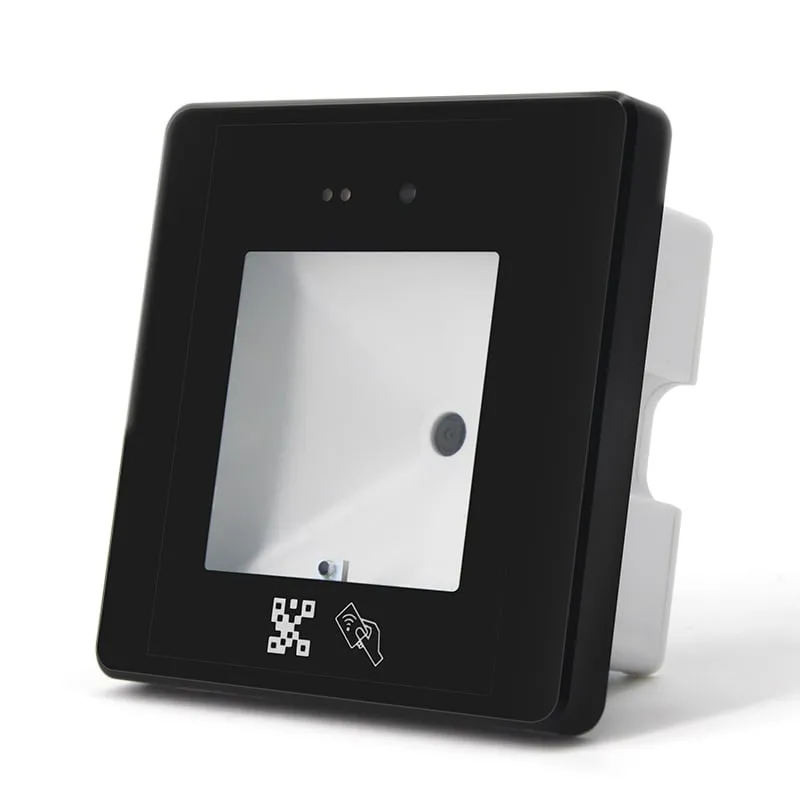
In our catalogue, most 125 kHz and 13.56 MHz USB readers, such as the L110-U 125kHz USB EM4100 reader and H110-U 13.56MHz USB MIFARE reader, are keyboard-emulation readers. The USB UHF desktop reader/writers, such as the U120-U, use keyboard output by default, with a virtual serial port in a customized version. The Q430-M QR code + RFID access reader offers both keyboard and virtual COM modes on its mini-USB port. The full list is on the keyboard-emulation readers page.
A third USB mode, PC/SC (CCID), lets software send commands to smart cards. It is standard for many NFC and smart-card applications. No reader in our current catalogue is specified for PC/SC. Our keyboard-wedge guide compares the three USB modes in detail.
USB 2.0 limits a cable to 5 m. Beyond that, use a powered hub or active extension, or move to RS485 or Ethernet. Long passive extension cables are a common cause of dropped reads.
RS232: simple point-to-point serial
RS232 (TIA-232) sends data on a TX line and receives on an RX line, both referenced to a common ground, at levels between ±3 V and ±15 V. It connects one reader to one host, usually over a DB9 connector. That makes it the traditional choice for kiosks, industrial PCs, terminals and older software that reads a COM port. Cable length is typically about 15 m; low baud rates and low-capacitance cable can go further.
Points that matter in practice:
- Match the settings. Our RS232 desktop readers default to 9600 bps, with 19200 and 115200 bps selectable. The 13.56 MHz models document 8 data bits, no parity, 1 stop bit (8-N-1).
- Know the frame. The H110-R and H150-R document the frame
STX(0x02) Len CardType SNR[5] BCC ETX(0x03). The 125 kHz L110-R, L120-R and L150-R use a frame that starts with STX (0x02) and ends with ETX (0x03). Capture a few reads in a serial terminal, in hex view, before you write the parser. - RS232 is not TTL. Do not wire a DB9 RS232 reader straight to a 3.3 V or 5 V microcontroller UART. Put an RS232 transceiver in between, or use a reader with TTL output, such as the Q420-M slim QR code + RFID reader and the Q430-M.
- Check TX and RX. On a PC’s DB9 port, pin 2 is RX, pin 3 is TX and pin 5 is ground, and the reader’s TX must reach the host’s RX. A reader lead made for a PC port is already wired this way; a null-modem adapter or a custom cable in between can swap the lines.
- Plan power. A DB9 port does not normally supply power. Our RS232 desktop readers run on 5 V DC. The L120-R, L150-R and H150-R have a USB lead alongside the DB9 cable, so confirm the power arrangement for your host when you request a quotation.
If the host PC has no COM port, a USB-to-RS232 adapter creates one, and the reader works as if it were plugged into a native port.
RS485: long cable runs and shared buses
RS485 (TIA-485) sends data as the voltage difference between two wires, A and B. Noise picked up along the cable affects both wires equally, so the receiver rejects it. A twisted pair can run up to about 1,200 m at data rates up to 100 kbit/s. Two-wire RS485 is half-duplex: devices take turns to transmit.
- Terminate long buses. Fit a 120 Ω resistor at each end of the cable, matched to its impedance. Short runs at 9600 bps often work without termination.
- Daisy-chain, do not star. Run the bus from device to device. Long branches cause reflections and intermittent errors.
- Carry a reference. Receivers tolerate a common-mode range of −7 V to +12 V. On long runs, add a ground or reference conductor alongside the pair.
- A and B labels are not consistent between vendors. If no data arrives, swapping A and B does no harm.
- The standard covers only the wiring. Several readers on one pair need a protocol with device addresses and polling. Confirm that the reader supports addressing before you plan a shared bus.
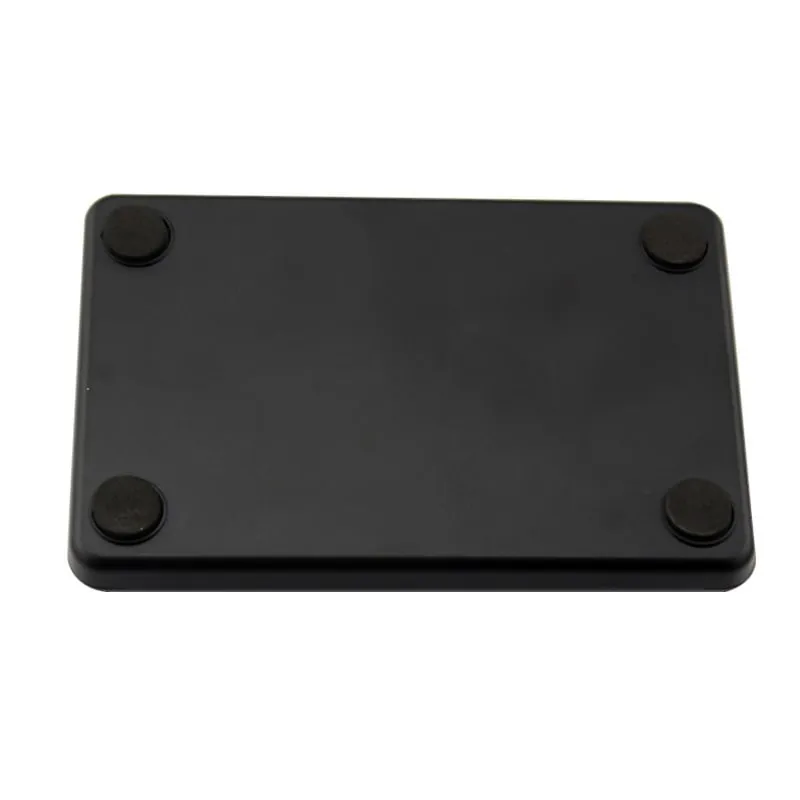
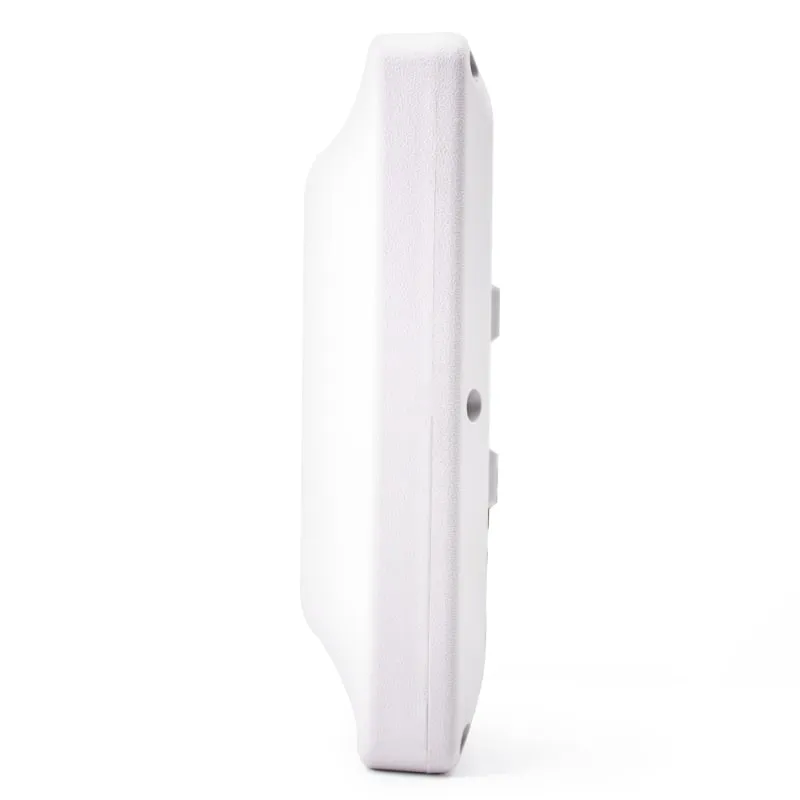
RS485 is common on turnstiles, elevator controllers, UHF vehicle gates and livestock feeding stations. In our catalogue it is offered on the U610-M to U650-M UHF integrated readers (with RS232, USB and Wiegand), the A660-M 134.2 kHz animal tag panel reader (with RS232), and the Q420-M and Q430-M QR code and card readers for turnstiles and doors. All are listed on the RS232 and RS485 readers page.
Wiegand: the access-control reader interface
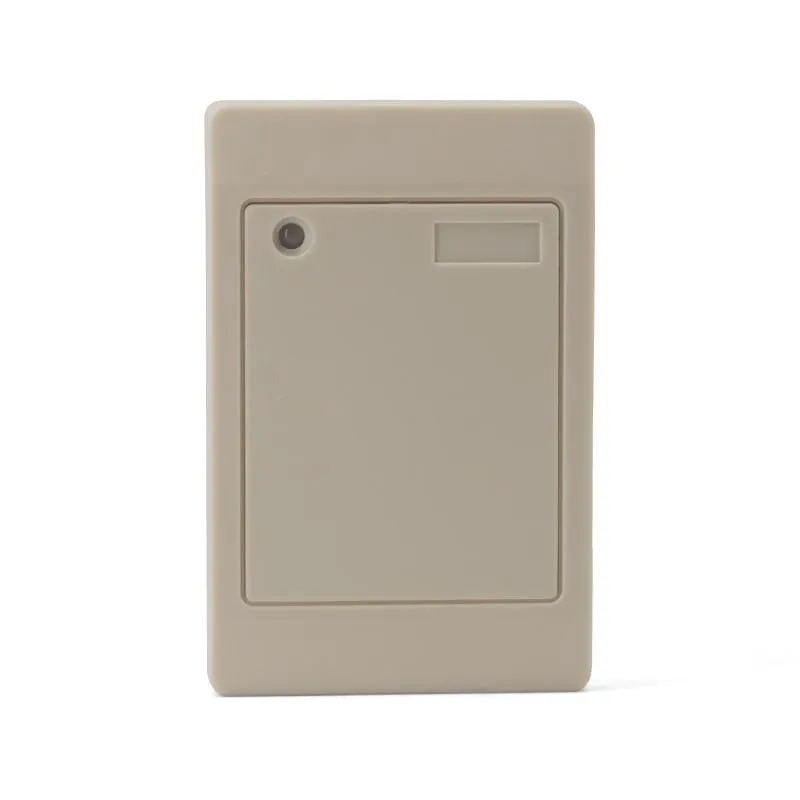
Wiegand is the de facto link between a card reader and an access controller, and it is the output on our Wiegand 26/34 access control readers. The reader sends each bit as a short low pulse on one of two data lines: a pulse on D0 is a 0, and a pulse on D1 is a 1. Pulse width and spacing vary by vendor; pulses of about 50 µs, 1 to 2 ms apart, are common. The controller counts the bits and decodes the number.
The 26-bit format carries 1 even-parity bit, an 8-bit facility code (0–255), a 16-bit card number (0–65,535) and 1 odd-parity bit. With only 24 data bits, a Wiegand 26 reader sends part of a card’s ID rather than all of it. An EM4100 card with the ID 3A 00 9C 5E 41 is typically sent as facility code 156 and card number 24129. Wiegand 34 carries 32 data bits and 2 parity bits. See Wiegand 26 vs 34 for the bit layouts.
Know the limits before you choose it:
- One-way only. The controller cannot configure the reader. LED and buzzer control use separate wires.
- No encryption and no supervision. A cut cable looks the same as no card presented. OSDP, a Security Industry Association standard that runs over RS485, adds two-way supervision and an encrypted secure channel. Our current catalogue has no OSDP reader.
- The format must match the controller. The L410-W resin-potted 125kHz Wiegand reader sends Wiegand 26 by default and Wiegand 34 with its purple wire tied to GND. The UHF integrated readers offer Wiegand 26 and 34, and the U610-M also lists Wiegand 98. The Q420-M and Q430-M offer Wiegand alongside serial outputs.
- Distance depends on the reader and cable. Around 150 m with 22 AWG shielded cable is a common industry figure. The L410-W is specified for up to 100 m over shielded cable. On any run, connect the reader’s GND to the controller’s GND so the data lines share a reference.
- Wire colors vary between vendors. Always check the datasheet. Our Wiegand wiring guide covers colors, grounding and common faults.
TCP/IP and wireless readers
TCP/IP readers connect to the site LAN. They send reads to a server, or accept commands over a socket. One server can manage many readers without long serial runs, but you take on network setup: fixed IP addresses, firewall rules and, where possible, a separate VLAN for security devices. In our catalogue, the E-type variants of the UHF integrated readers, U610-N to U650-N, add TCP/IP Ethernet to the Wiegand, RS232/RS485 and USB outputs (on the U620-N, RS485 is confirmed at order).
Bluetooth readers pair with phones, tablets and PCs and usually behave as a keyboard, so the no-code rule of USB keyboard emulation still applies. 2.4 GHz models use a paired USB dongle instead. The H510-B pocket Bluetooth NFC reader (13.56 MHz, with a 125 kHz L510-B version), the U510-B and the U550-M UHF handheld support both. See handheld and Bluetooth RFID readers.
How to choose: an eight-point checklist
- Receiving device. PC application, browser, Android app, access controller, PLC or server?
- Focus. Must the software capture reads with no text field selected? Then use virtual COM, RS232, RS485 or TCP/IP, not keyboard emulation.
- Cable length. Up to 5 m: USB. Up to about 15 m: RS232. Longer: RS485, Wiegand or Ethernet.
- Number of readers. Several readers on one cable need RS485 with addressing, or TCP/IP.
- Commands to the reader. If the host must control the LED and buzzer or write tags, pick a two-way interface and a reader whose protocol accepts commands. Our 125 kHz and 13.56 MHz readers are read-only; tag writing is available only on our UHF reader/writers and integrated readers.
- Number format. Which Wiegand format, or which string (10-digit decimal, hex, with or without Enter), does the host expect? Check it with the RFID card number and Wiegand converter.
- Electrical noise. Near motors, drives or mains cables, prefer RS485 or Ethernet over shielded cable.
- Power at the reader. USB bus power is 5 V. The L410-W needs 9–16 V DC, and the UHF integrated panels run from a 12 V DC supply.
Mistakes that look like a broken reader
| Symptom | Likely cause | Fix |
|---|---|---|
| Garbled characters in a serial terminal | Baud rate or framing mismatch, or binary frame shown as text | Set the documented default (9600 bps); switch the terminal to hex view |
| Nothing arrives over RS232 | Reader TX not reaching host RX, or reader not powered | Check DB9 pins 2 and 3, any adapter in the line, and the power lead |
| Nothing arrives over RS485 | A and B swapped, or no common reference | Swap A and B; add a reference conductor |
| Errors only on long RS485 runs | Missing termination, or star wiring | 120 Ω at both ends; daisy-chain the bus |
| Controller shows the wrong card number | Wiegand 26/34 mismatch, or D0 and D1 swapped | Match the format; swap D0 and D1 |
| Symbols instead of digits from a USB reader | Host keyboard layout, such as AZERTY | Set the input language to English (US) |
If the reader still stays silent, work through our troubleshooting checklist.
Unsure which interface your system needs? Tell us your host and cable run: the device or controller that receives the number, the cable length and route, and the card or tag type. We will recommend the interface and a reader model, and the sample can ship configured with that output.
Frequently asked questions
What is the maximum cable length for RS232, RS485 and Wiegand RFID readers?
As a rule of thumb, RS232 runs about 15 m, RS485 up to about 1,200 m at low data rates, and Wiegand roughly 100–150 m depending on the reader, cable gauge and controller. USB 2.0 cables are limited to 5 m. The reader's datasheet figure takes priority: the L410-W, for example, is specified for Wiegand runs of up to 100 m over shielded cable.
Can I connect a Wiegand reader directly to a PC?
No. A PC has no Wiegand input, so you need a Wiegand-to-USB converter or an access controller that passes the data on. If the card number has to reach PC software, a reader with a USB output is simpler. The Q430-M, for example, has USB keyboard or virtual COM output as well as its Wiegand terminals.
Is RS485 better than Wiegand for access control?
Technically yes, but only when the controller speaks the reader's RS485 protocol. RS485 is two-way and runs up to about 1,200 m, so the controller can poll, configure and supervise the reader. Wiegand is one-way and unencrypted, but almost every access controller accepts it, so it remains the safe choice when you do not control the controller's software. OSDP is the standard access-control protocol over RS485 and adds supervision and encryption; our current catalogue has no OSDP reader.
Does a USB RFID reader need a driver?
A keyboard-emulation reader does not. It uses the standard USB HID class, so the operating system's built-in keyboard driver handles it and the card number is typed at the cursor. A virtual COM reader may need a USB-serial driver, depending on the chip inside. PC/SC readers use a CCID driver and a smart-card API.
Can several RFID readers share one RS485 cable?
Electrically, yes. A standard RS485 bus supports up to 32 unit loads when it is daisy-chained and terminated at both ends. The reader's protocol must also support device addresses, so the host can poll each reader in turn. Confirm addressing for the exact model before you design a multi-drop bus.
Readers mentioned in this guide
 125kHz
  UHF
UHF U610-M+1 variant
UHF Integrated RFID Reader, 7 dBi, 0–5 m, Wiegand/RS485/USB
- USB
- RS232
- RS485
- Fixed / long-range
Read range: 0–5 m
 125kHz
 L410-W+2 variants
Waterproof 125kHz Wiegand 26/34 RFID Access Reader, Resin-Potted
- Wiegand
- Wall-mount
Read range: 0–100 mm
 QR + RFID
 Q430-M
QR Code + RFID Access Reader with USB, Wiegand and RS485, 86-Box
- USB
- RS232
- RS485
- Wall-mount
Read range: 3–6 cm