 Magstripe
 Card readers
USB Magnetic Stripe Readers (MSR): 3-Track and Track 2 Models
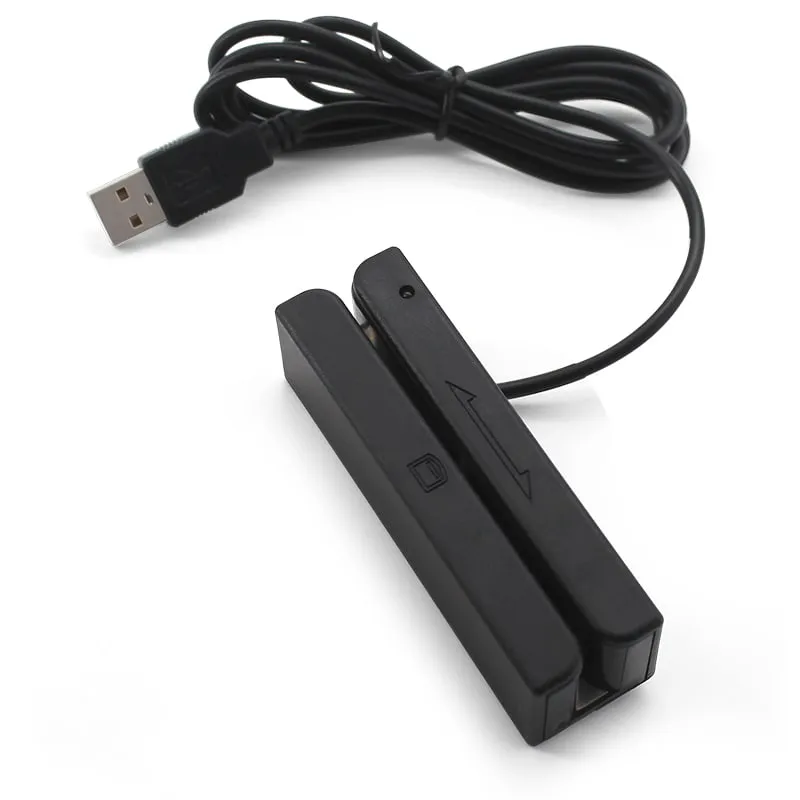
Read-only USB swipe readers for ISO magnetic stripe cards. Choose the compact M170-U for tracks 1, 2 and 3 with driver-free keyboard output, or the long-body M180-U for Track 2 membership and ID numbers.
Magstripe 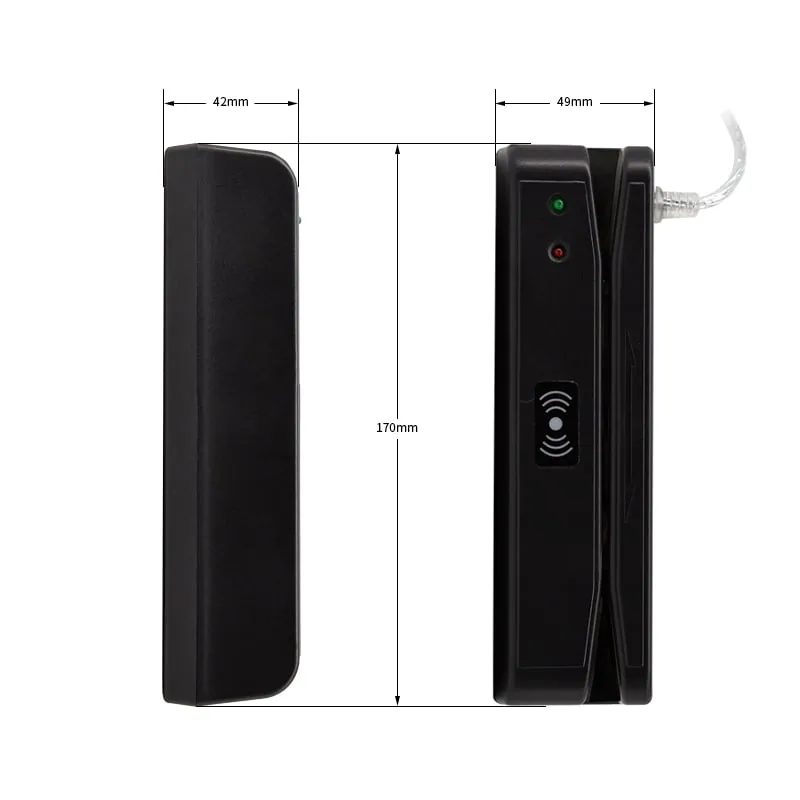 Magstripe
 A USB magnetic stripe reader (MSR) decodes the data on a card's stripe as it is swiped and passes it to a PC or POS terminal. These readers keep existing card programs running: gym and club membership check-in, loyalty lookups at the checkout, hotel front desks, library and student cards, and staff attendance or ID checks. Both models here are read-only desktop readers for ISO cards on 0.76 mm PVC.
Three things decide which reader fits. First, which tracks carry your data: Track 2 holds up to 40 numeric characters and is often the only track a membership system reads, while Track 1 adds letters such as a name. Second, how the data must reach your software: a plug-and-play magnetic stripe reader with keyboard output types the track data into any field without a driver. Third, the physical setup: footprint, cable length and head life for your daily swipe count.
The M170-U reads all three tracks, lets you choose which ones are sent and weighs 80 g. The M180-U reads Track 2 only, in a 170 mm body with red and green LEDs and a buzzer. Both accept swipes in either direction at up to 120 cm/s.
Model comparison
Both readers are read-only USB swipe readers for 0.76 mm PVC cards and accept swipes in either direction. They differ in track support (tracks 1, 2 and 3 vs Track 2 only), output configuration and body size.
How to choose a USB magnetic stripe reader
- Tracks. Check which tracks your cards are encoded on. If the member or account number sits on Track 2 and nothing else is needed, a Track 2 reader is enough. If your software reads a name from Track 1, or data from Track 3, you need a 3-track magnetic stripe card reader. If you are unsure, send us sample cards and we will check them before you order.
- Output. A keyboard-emulation (keyboard-wedge) reader needs no driver: the data is typed wherever the cursor is. Check whether your software expects start/end sentinels and an Enter after each swipe; on the M170-U both are configurable.
- Interface. Both current models connect by USB. There is no RS232 or Bluetooth version in the current range.
- Swipe handling and wear. Rated head life is ≥ 800,000 passes on the M170-U and 600,000 passes on the M180-U. The M170-U is rated for 15–120 cm/s and the M180-U for up to 120 cm/s, both in either direction.
- Footprint. The M170-U measures 91.4 × 27.6 × 28.2 mm with a 1420 mm cable; the M180-U measures 170 × 42 × 49 mm with a 1350 mm cable.
- Read-only. Neither model writes or encodes stripes. If you issue new cards, have them encoded by your card supplier.
Tracks 1, 2 and 3 compared
An ISO magnetic stripe has three tracks side by side. Each has its own density and character set, which is why a reader's track support matters more than any other spec.
| Track | Density | Character set | Max. characters | Common content | Read by |
|---|---|---|---|---|---|
| Track 1 (IATA) | 210 bpi | Alphanumeric | 79 | Name plus member or account number | M170-U |
| Track 2 (ABA) | 75 bpi | Numeric | 40 | Card, member or account number | M170-U, M180-U |
| Track 3 | 210 bpi | Numeric | 107 | Issuer-defined data, often unused | M170-U |
The maximum character counts include the start sentinel, end sentinel and LRC check character, so the usable data on each track is three characters shorter. For a fuller explanation, including how HiCo and LoCo cards differ, read Magnetic Stripe Tracks 1, 2 and 3 Explained.
Which reader for which job
| If you need… | Choose | Why |
|---|---|---|
| A Track 1 name plus a Track 2 number | M170-U | Reads all three tracks and sends one, two or all three |
| Only a Track 2 member or staff number | M180-U or M170-U | The M180-U reads Track 2 only; the M170-U can be set to send Track 2 only |
| Driver-free typing into Excel, a browser or a POS screen | M170-U | Works as a USB keyboard on Windows, Linux and Android |
| Minimal desk space | M170-U | 91.4 mm long, 80 g |
| A longer, heavier reader for a busy counter | M180-U | 170 mm long, 167.2 g, red and green LEDs and a buzzer |
| Contactless cards instead of stripes | An RFID reader | 125kHz or 13.56MHz readers with keyboard output |
Integration notes: keyboard output, sentinels and migration
A magnetic stripe reader with keyboard output is the simplest integration: plug it in, put the cursor in the right field and swipe. What Is a Keyboard-Wedge Reader? explains the method for RFID readers, and it works the same way for stripe data.
- Sentinels. ISO track data is framed by start and end characters; on Track 2 that is
;before the digits and?after them. Keep them if your software parses the raw track, and strip them if the field expects only the number. - Keyboard layout. A keyboard-wedge reader sends key codes, not characters. On a non-US keyboard layout some symbols or digits can come out differently, so test a swipe on the target PC before rollout.
- Only send what you need. Set the M170-U to output only the track your application reads, so unneeded data is not typed onto the screen.
- Test with real cards. Include older, worn cards in your sample test, not only new ones.
If you plan to replace stripe cards with contactless cards, compare 125kHz vs 13.56MHz readers. Our keyboard-emulation RFID readers type a card number into the same field, which keeps the software change small. For logo, packaging or output presets on volume orders, see Sourcing OEM/ODM readers, or order evaluation samples first.
Frequently asked questions
Can these magnetic stripe readers write or encode cards?
No. The M170-U and M180-U are read-only: they decode the stripe and send the data to the host. Neither can write, encode or copy a card, so new cards should be encoded by your card supplier.
Do I need a 3-track magnetic stripe reader?
Only if your software reads Track 1 or Track 3. Many membership and staff ID systems read just the Track 2 number, which the M180-U covers. If you need a name from Track 1, choose the 3-track M170-U. If you are unsure, send us a sample card and we will check which tracks are encoded.
Do the readers work without a driver?
The M170-U works as a USB keyboard with no driver on Windows, Linux and Android hosts and types the track data into the active field. For the M180-U, tell us how your software expects the data and we confirm the output configuration in your quotation.
Do they read HiCo and LoCo cards?
Coercivity (HiCo or LoCo) matters mainly when a card is encoded, and our specifications do not list it separately. If your program uses HiCo cards, send a sample and we confirm reading before you order. Our tracks and HiCo vs LoCo guide explains the difference.
Is there an RS232 or USB-C version?
Not in the current range. Both models connect by USB, and neither has an RS232, USB-C or Bluetooth option. If your terminal needs a different connection, describe it in your RFQ and we will tell you what we can offer.
Can I use a magnetic stripe reader for door access?
These are desktop USB readers for a PC or POS terminal and have no Wiegand output for a door controller. For doors and turnstiles, use a contactless Wiegand access control reader. A USB magnetic stripe reader can stay at the front desk for checking existing stripe cards.
Tell us your card, interface and quantity
Send the card or tag type, the host system and your volume. We reply within 1 business day with a suggested model and sample options.