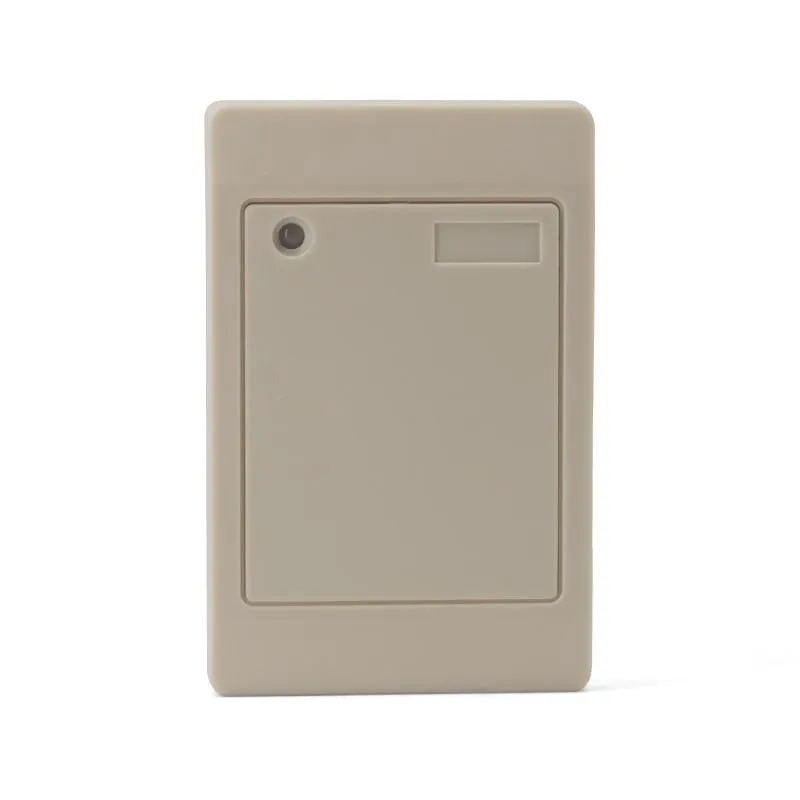
 125kHz
 L410-W+2 variants
Waterproof 125kHz Wiegand 26/34 RFID Access Reader, Resin-Potted
- Wiegand
- Wall-mount
Read range: 0–100 mm
RFID readers
Resin-potted wall readers that send the card number to a door, attendance or parking controller over Wiegand 26 or 34. The L410-W reads 125 kHz EM4100/TK4100 cards, the H410-W reads MIFARE Classic, and the D410-W reads both (availability confirmed in your quotation).
125kHz L410-W+2 variants
Read range: 0–100 mm
A Wiegand card reader is the input device at a door. It reads an RFID card or key fob and sends the card number to an access controller over two data lines, D0 and D1, in a fixed bit format. The controller holds the permissions and drives the lock. The readers on this page are read-only: they send the card number and never write to cards.
The range is one reader family in three card frequencies. The L410-W 125kHz Wiegand 26/34 card reader reads EM4100 and TK4100 cards and key fobs at 0–100 mm. The H410-W is the 13.56 MHz version for MIFARE Classic S50 (1K) and S70 (4K) cards, and the D410-W reads both bands for sites changing card technology (availability confirmed in your quotation). All three share the 114 × 76 × 16 mm resin-potted housing, the six-wire lead and the Wiegand output.
Typical buyers are access-control installers replacing or adding door readers, integrators building attendance or parking systems on a Wiegand controller, and distributors who stock a standard proximity reader. If visitors will open doors or turnstiles with a QR code, see the QR code access control readers, which read QR codes as well as EM and MIFARE cards. To register new cards at a desk before they reach the door, see USB card enrollment readers.
| Your requirement | Choose | Why |
|---|---|---|
| EM4100/TK4100 cards or key fobs, Wiegand controller | L410-W | 125 kHz, 0–100 mm, Wiegand 26 or 34 set by one wire |
| MIFARE Classic S50/S70 cards, Wiegand controller | H410-W (see the L410-W page) | 13.56 MHz version in the same housing with the same wiring; sends the card UID |
| EM and MIFARE cards at the same door during a card changeover | D410-W (see the L410-W page) | 125 kHz + 13.56 MHz in one reader; availability confirmed in your quotation |
| Visitor QR codes as well as staff cards | Q420-M or Q430-M | QR code + RFID readers with Wiegand, RS485, RS232 and TTL outputs |
| Enrolling card numbers at a desk into access-control software | L110-U 125kHz USB EM4100 reader or H110-U 13.56MHz USB MIFARE reader | USB desktop readers that type the card number, 10-digit decimal by default |
| Spec | L410-W family |
|---|---|
| Frequency | 125 kHz (L410-W); 13.56 MHz (H410-W); 125 kHz + 13.56 MHz (D410-W) |
| Cards | EM4100 / TK4100 (L410-W); MIFARE Classic S50 / S70, UID read (H410-W) |
| Read range | 0–100 mm, card and environment dependent |
| Read time | < 200 ms; read interval < 0.5 s |
| Output | Wiegand 26 (default) or Wiegand 34 (purple wire to GND) |
| Cable distance | Up to 100 m, shielded cable |
| Wiring | 180 mm lead, six wires: power, ground, D0, D1, LED/buzzer control, format select |
| Power | 9–16 V DC, 0–100 mA |
| Housing | ABS, sprayed finish, filled with black resin; beige |
| Size and weight | 114 × 76 × 16 mm, approx. 190 g |
| Operating conditions | -25 °C to +75 °C, < 90 % RH non-condensing |
| Indicators | Red LED on standby; green LED and buzzer on read |
Wiegand is a one-way link from reader to controller on two data lines, D0 and D1. Wiegand 26 sends 26 bits: an even-parity bit, an 8-bit facility code (0–255), a 16-bit card number (0–65535) and an odd-parity bit. Wiegand 34 sends 32 data bits between two parity bits. Reader and controller must use the same format; a mismatch gives rejected reads or numbers that do not match the card. Bit diagrams are in Wiegand 26 vs Wiegand 34.
The format decides how much of the card ID reaches the controller. An EM4100 card carries a 5-byte ID: Wiegand 34 sends the last 4 bytes and Wiegand 26 the last 3. For the ID 0A 00 7B 1C 3E, the 10-digit number printed on many cards is 0008068158 (last 4 bytes), while a Wiegand 26 controller logs facility 123 and card 7230. On the H410-W, Wiegand 34 carries the whole 4-byte MIFARE Classic UID and Wiegand 26 carries 3 of its 4 bytes.
Before you register a batch of cards, check one printed number against the controller log with the Wiegand 26/34 calculator. The RFID card number formats guide explains decimal, hex and Wiegand numbering.
| Wire | Function |
|---|---|
| Red | VCC, 9–16 V DC |
| Black | GND |
| White / Green | Wiegand data D0 / D1 (assignment confirmed with your order) |
| Gray | Green LED and buzzer control |
| Purple | Format select: open = Wiegand 26, to GND = Wiegand 34 |
A Wiegand card reader reads a card and sends its number to an access controller over two data lines, D0 and D1, in a fixed bit format such as Wiegand 26 or 34. The controller decides whether to open the door. The L410-W is a 125 kHz Wiegand reader that outputs either format.
Match the format your controller expects. Wiegand 26 carries an 8-bit facility code and a 16-bit card number, which is 3 bytes of the card ID; Wiegand 34 carries 32 data bits, or 4 bytes. The L410-W outputs Wiegand 26 by default and switches to Wiegand 34 when the purple wire is tied to GND, so you can decide on site.
The electronics are sealed in black resin inside an ABS shell, the housing is specified as waterproof, and the reader operates from -25 °C to +75 °C at under 90 % RH, non-condensing. No IP rating is published. If your project specification requires a rated enclosure for an exposed door or gate, state it in your RFQ.
No. EM4100/TK4100 cards work at 125 kHz and MIFARE at 13.56 MHz, and a reader only detects cards on its own frequency. Choose the H410-W for MIFARE Classic, or the D410-W for both bands (availability confirmed in your quotation). The QR code + RFID readers also read EM and MIFARE cards.
It works with access control, attendance and parking controllers that accept a standard Wiegand 26 or Wiegand 34 reader and can supply 9–16 V DC at up to 100 mA. It has Wiegand output only, with no OSDP. Send the controller model with your RFQ and we confirm the format and wiring in your quotation.
Neither. The L410-W family is a card-only reader with no PIN keypad, and it reads the card number without writing, encoding or copying cards. To add new cards to a system, read their numbers at a desk with a USB reader such as the L110-U or H110-U and register them in the controller software.
Tell us your card, interface and quantity
Send the card or tag type, the host system and your volume. We reply within 1 business day with a suggested model and sample options.