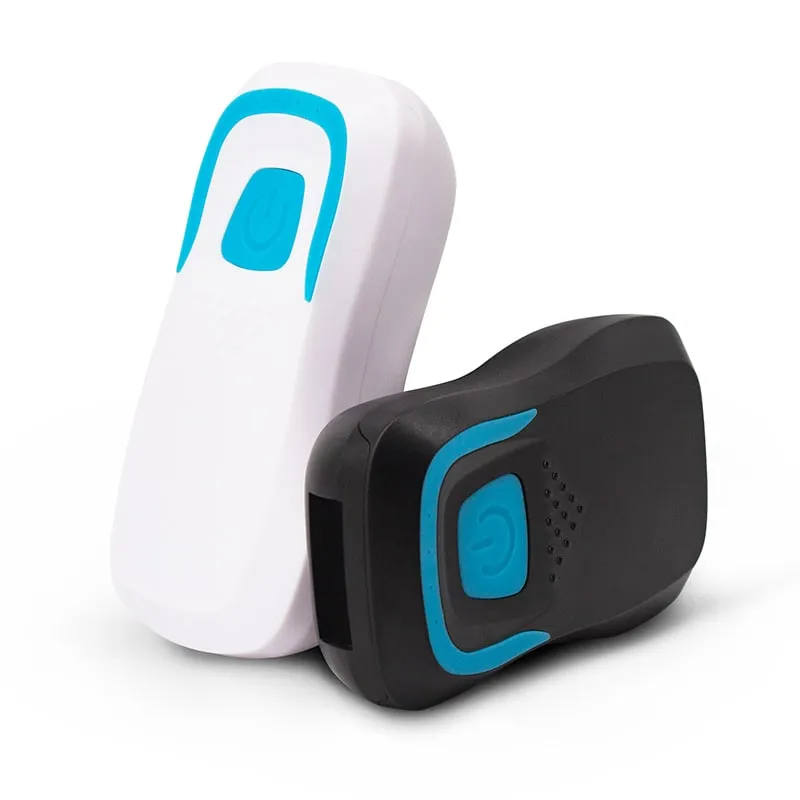
 13.56MHz
 H510-B+2 variants
Bluetooth RFID Card Reader, 13.56MHz NFC / 125kHz, Pocket
- Wireless
- Handheld
Read range: 20–60 mm
RFID readers
Battery-powered RFID readers that send card and tag IDs to phones, tablets and PCs over Bluetooth or a 2.4G receiver. Choose a pocket reader for 13.56MHz or 125kHz cards, or one of four UHF handhelds, two with a barcode scanner.
13.56MHz H510-B+2 variants
Read range: 20–60 mm
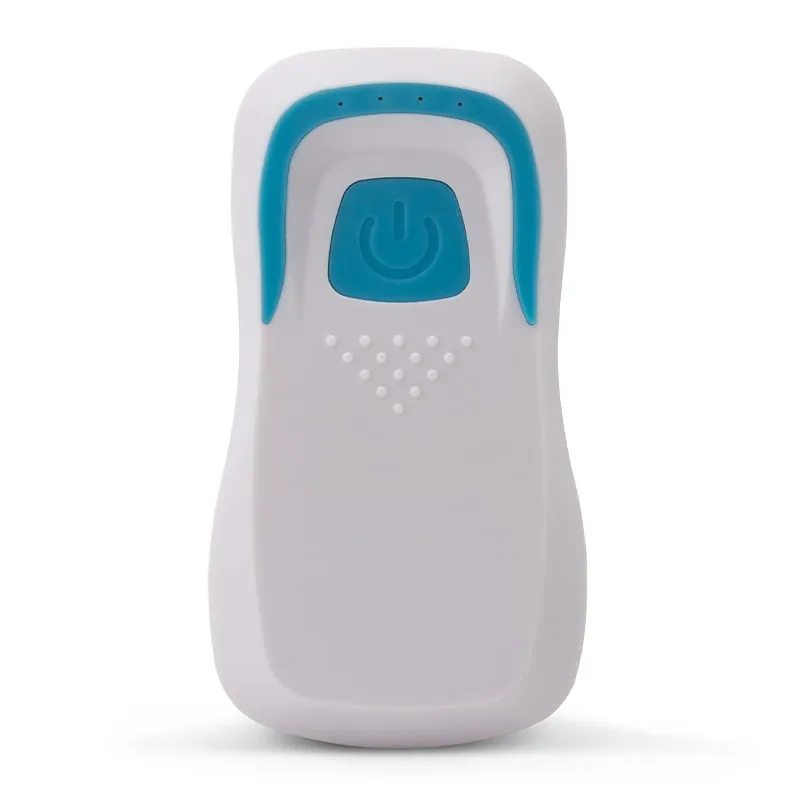 UHF
UHF 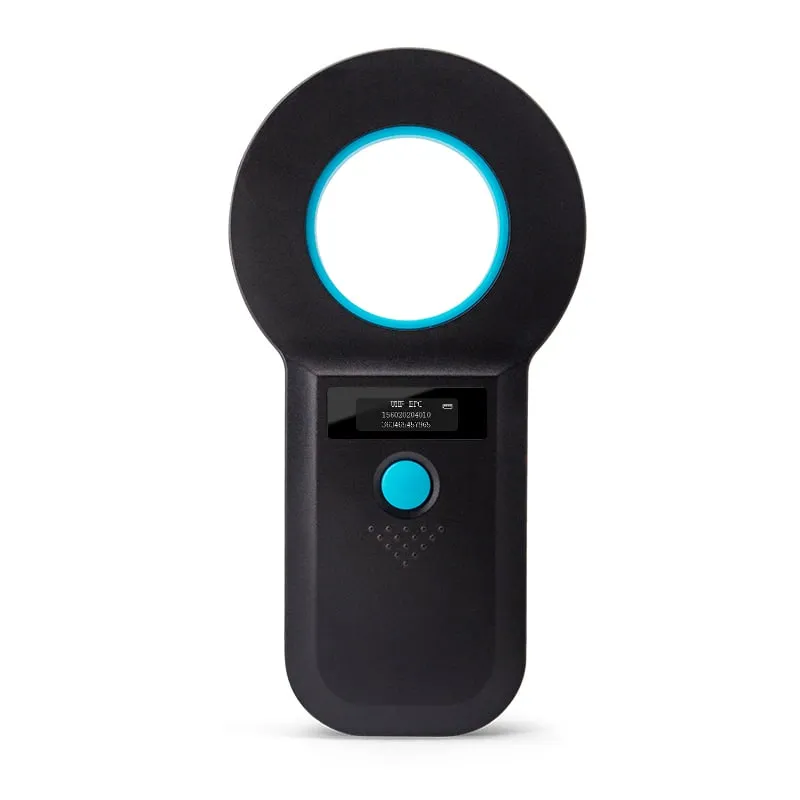 UHF
UHF 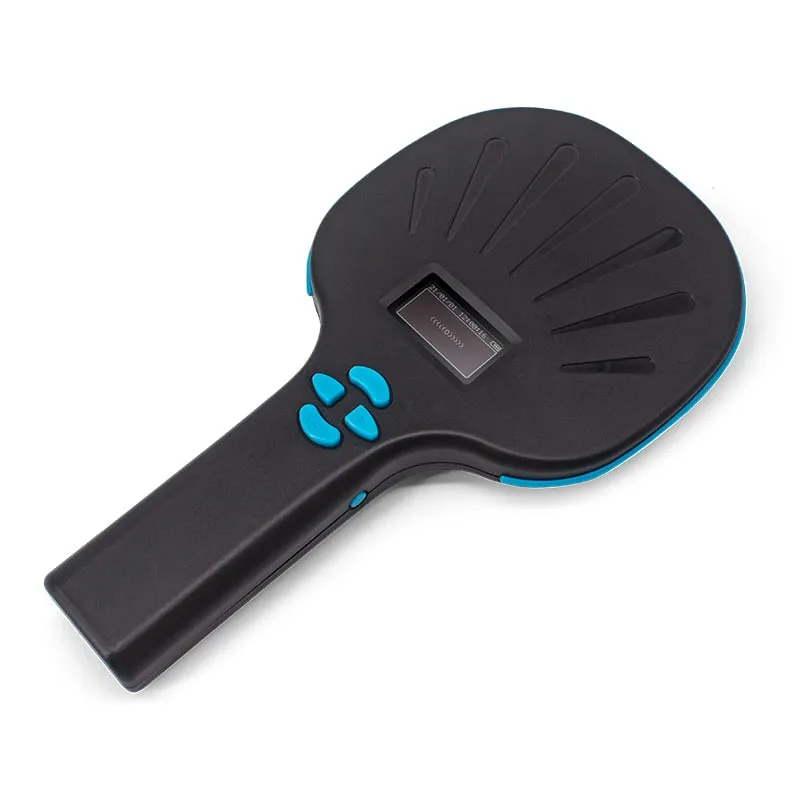 UHF
UHF 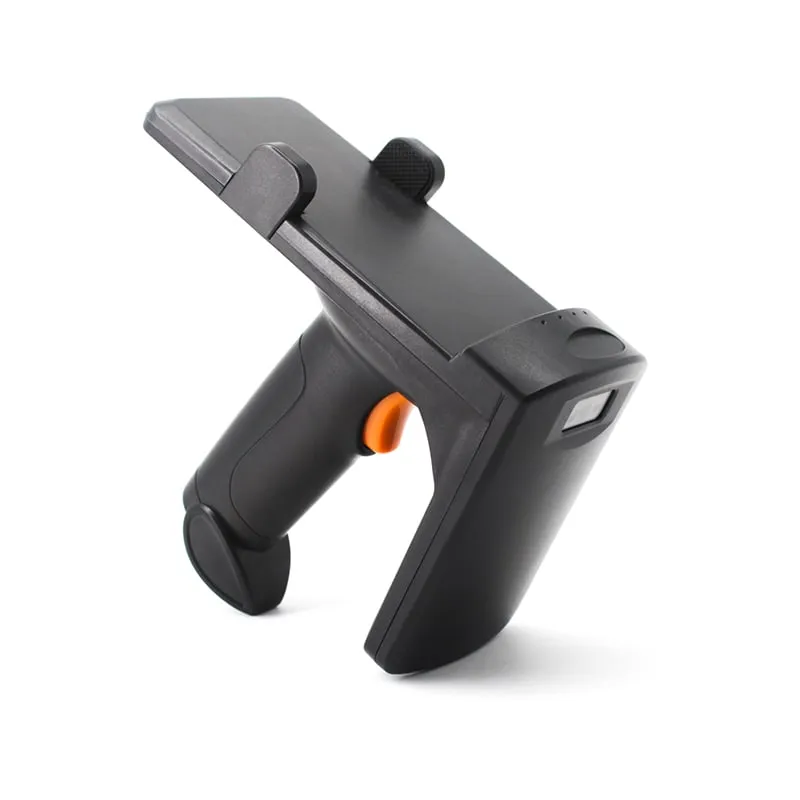 UHF
UHF U550-M
Read range: 0–3 m
A Bluetooth RFID reader does the job of a desktop USB reader without the cable. It reads a card or tag and sends the number to a phone, tablet or PC over Bluetooth, or to a PC through a 2.4G wireless USB receiver. Most models here pair as a keyboard-type device, so the ID is typed into whatever app has the cursor: no driver, app or SDK to install.
Buyers are usually software vendors, integrators and distributors whose users work away from a desk: membership and attendance check-in on tablets, stock and asset checks on phones, and field staff who need a wireless RFID reader that fits in a pocket. The range covers two technologies. The H510-B is a Bluetooth RFID card reader for 13.56MHz MIFARE Classic and NTAG cards, with an L510-B version for 125kHz EM4100 cards. Four UHF handhelds read ISO 18000-6C (EPC Gen2) tags for inventory and asset work.
Four questions decide the model: which card or tag your users carry; whether the host is a phone, tablet or PC; whether the ID should be typed into an existing app or shown and stored on the reader; and how far away the tags will be.
Figures below are as stated for each model. Read range depends on the card or tag and the item it is fixed to, so test a sample unit with your own tags before a rollout.
Work through these points in order. The first two usually narrow the choice to one or two models.
All five models are readers, not encoders: they output the card UID or tag ID. To write UHF tags, use a UHF desktop reader/writer.
| Model | Reads | Form | Link to host | Output | Stated range | Typical job |
|---|---|---|---|---|---|---|
| H510-B / L510-B | 13.56MHz MIFARE Classic, NTAG203/213 / 125kHz EM4100 | Pocket, 50 g | Bluetooth, 2.4G dongle | Keyboard-type, 8-digit hex default | 20–60 mm | Membership and attendance checks on tablets and phones |
| U510-B | UHF EPC Gen2 | Bluetooth, 2.4G dongle | Keyboard-type, adjustable | 0–50 cm | Single-item lookups in a phone app | |
| U520-M | UHF ISO 18000-6C | Ring antenna, OLED, 120 g | USB 2.0, 2.4G, Bluetooth | On screen; 128 records, real-time or batch upload | 0–35 cm | Spot checks with no host nearby |
| U540-M | UHF ISO 18000-6C + 1D/2D barcodes | Paddle, OLED | USB, 2.4G, Bluetooth | Agreed with your host software | Measure with your tags | Sites using both barcodes and RFID; band customizable |
| U550-M | UHF ISO 18000-6C + 1D/2D barcodes | Pistol grip, phone clamp, 400 g | Bluetooth, 2.4G receiver, USB | Keyboard-type, Enter appended | 0–3 m | Phone-based stock and asset counts |
Bluetooth connects the reader directly to a phone, tablet or PC. The H510-B, U510-B and U550-M pair without a PIN, and the H510-B and U550-M state a stable Bluetooth range of 10 m.
2.4G wireless uses a small USB receiver in the PC. It suits a fixed workstation or a PC without Bluetooth. The U550-M states up to 150 m outdoors on its 2.4G link.
Keyboard-type output means the reader sends the ID as keystrokes, followed by Enter. Any app with a text field receives it: POS and membership software, spreadsheets, web forms, inventory apps. Two details matter in practice:
Frequency band. UHF RFID bands differ by country, for example 902–928 MHz in the US and 865–868 MHz in the EU. The U540-M ships for 902–928 MHz with a customizable band; the U510-B, U520-M and U550-M are specified in the 915 MHz band. Give the destination country in your RFQ and see UHF frequency bands by country.
Read range. Stated ranges assume a suitable tag. Small labels and tags on metal or liquid-filled items read closer, so test a sample unit with your own tags before a rollout.
Integration depth. No SDK is documented for these handhelds. They suit apps that take IDs as typed input or as uploaded records. If your software must control RF power, read tag memory or run large multi-tag inventories, look at the integrated long-range readers, which come with an SDK. The fixed vs integrated vs handheld guide compares the options, and all UHF readers are listed on one page.
OEM options. Output format, prefix/suffix (U510-B), OLED display language (U520-M), UHF band (U540-M), housing color and the Bluetooth device name can be set for private-label orders, confirmed in your quotation. See OEM/ODM or order a sample.
The H510-B and U510-B list iOS, Android and Windows; the U550-M lists iOS, Android, Windows XP/7/10 and Linux. They pair as keyboard-type Bluetooth devices, so no app is needed. For the U520-M and U540-M, host compatibility is confirmed with a sample.
Yes. The L510-B version of the H510-B reads 125kHz EM4100/TK4100 ID cards, and the H510-B itself reads 13.56MHz MIFARE Classic and NTAG cards. Each version reads one band, at 20–60 mm.
No. Every model in this category is a reader: it outputs the card UID or tag ID. For UHF encoding, use a desktop reader/writer such as the U120-U.
Bluetooth pairs directly with phones, tablets and PCs. 2.4G needs a USB receiver in the PC but no Bluetooth on the host. All five models list both; the U520-M, U540-M and U550-M also connect by USB. On the H510-B the USB cable only charges the battery.
The U550-M pistol-grip reader is rated 0–3 m, depending on tag type. The pocket U510-B (0–50 cm) and ring-antenna U520-M (0–35 cm) are for close checks of single items. For gates and dock doors, use an integrated long-range reader instead of a handheld.
Yes, on request: output format (for example 8-digit hex or 10-digit decimal), prefix/suffix on the U510-B, OLED language on the U520-M, UHF band on the U540-M, housing color and the Bluetooth device name. Details are confirmed in your quotation.
Tell us your card, interface and quantity
Send the card or tag type, the host system and your volume. We reply within 1 business day with a suggested model and sample options.