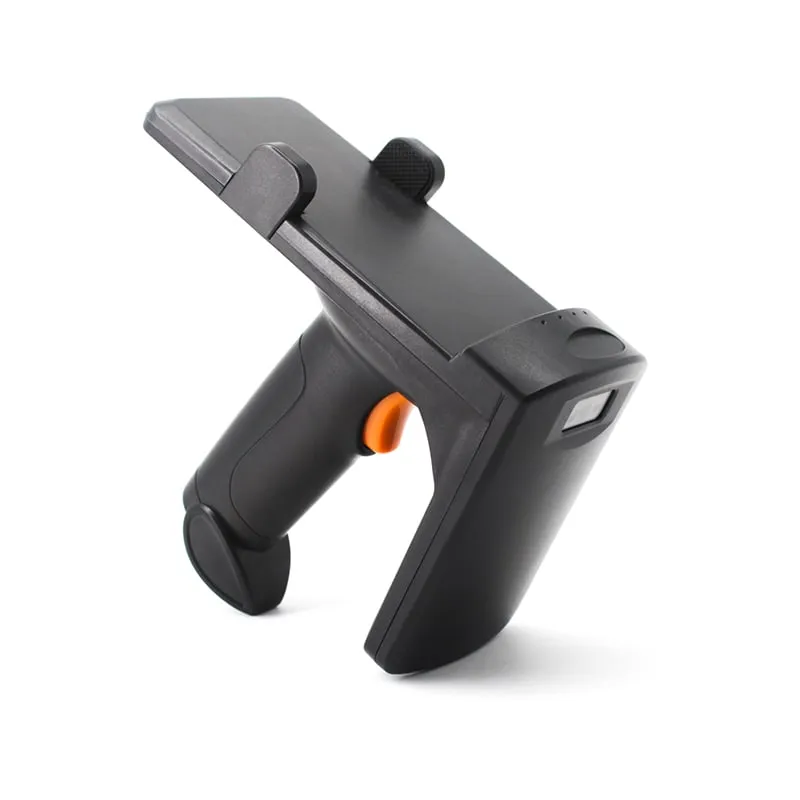
 UHF
UHF U550-M
Bluetooth UHF RFID Pistol-Grip Reader with Phone Holder
- USB
- Wireless
- Handheld
Read range: 0–3 m
Application
Identify stock and assets by reading EPC Gen2 tags, without lining up a barcode for every item. Encode tags at a desk, count with a Bluetooth handheld, and log movements at doorways with a fixed reader.
Tag
Each item, case or asset carries an EPC Gen2 (ISO 18000-6C) label or hard tag. Metal assets need on-metal tags; files and library stock may use ISO 15693 HF tags.
Encoding
A USB desktop reader/writer checks or writes each tag at issue, so its EPC matches the item or asset number in your system.
Reading
Staff count with a handheld. Fixed readers log tags passing a doorway, dock or workstation, either continuously or when a sensor fires the trigger input.
Software
IDs reach your WMS, ERP or asset register as keyboard input, as serial or TCP/IP data, or through the SDK supplied with the fixed readers.
UHF U550-M
Read range: 0–3 m
Pistol-grip UHF handheld with a phone holder, 0–3 m range, 1D/2D barcode reading and Bluetooth, 2.4G or USB output, for walk-around stock counts.
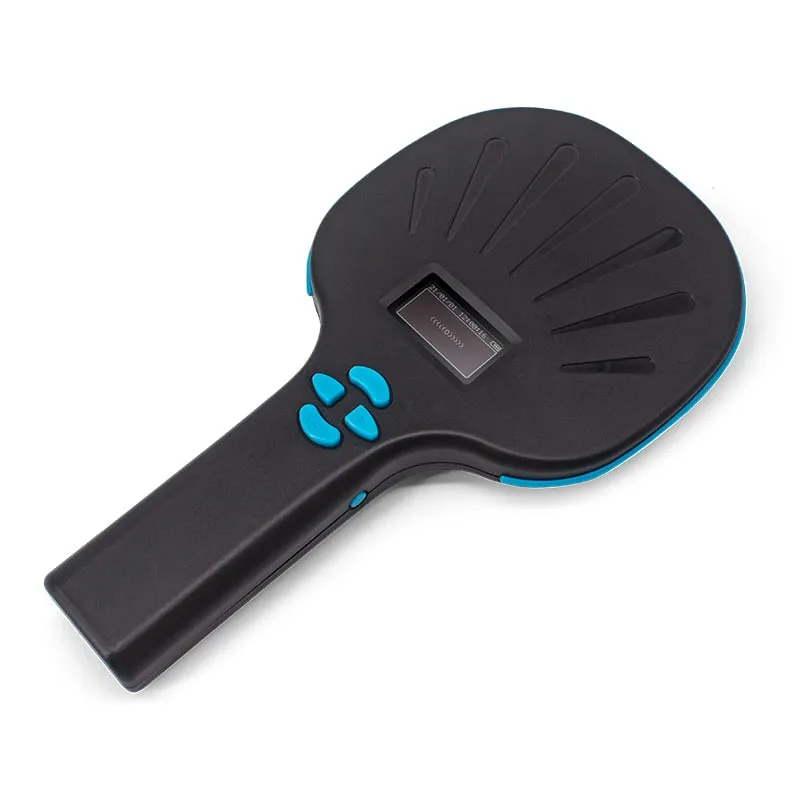 UHF
UHF Paddle handheld that pairs a UHF reader with a CMOS 1D/2D barcode imager and an OLED display, for shelves where tagged and barcoded items sit together.
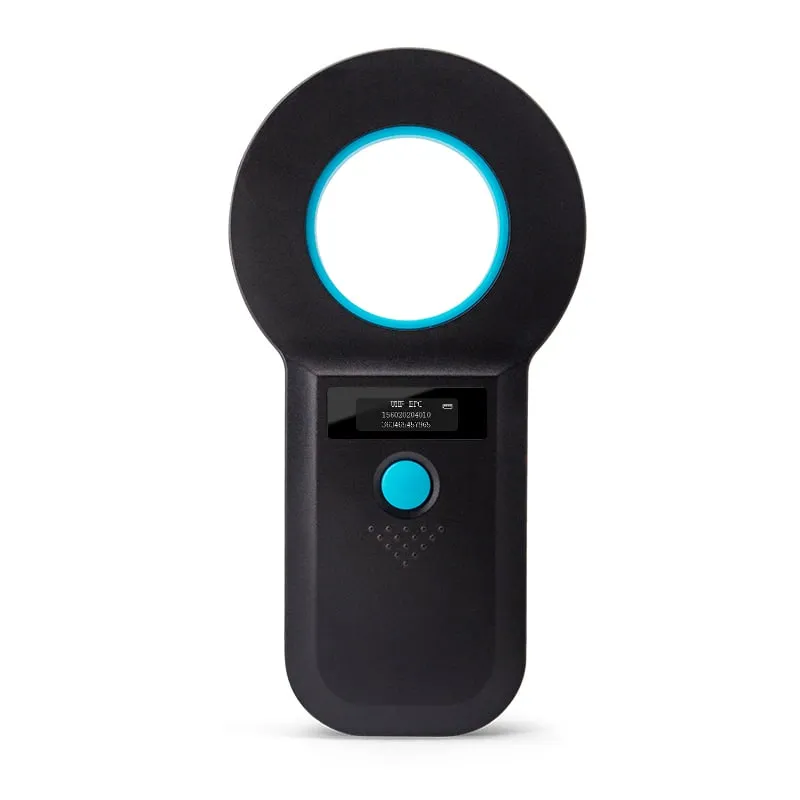 UHF
UHF Ring-antenna UHF handheld with an OLED screen and 128-record memory, reading at 0–35 cm, for spot checks away from a phone or PC.
U160-U
Read range: Up to 0.5 m
USB desktop reader/writer that reads tags at up to 0.5 m and writes at up to 0.2 m, for encoding and checking tags before they go onto assets.
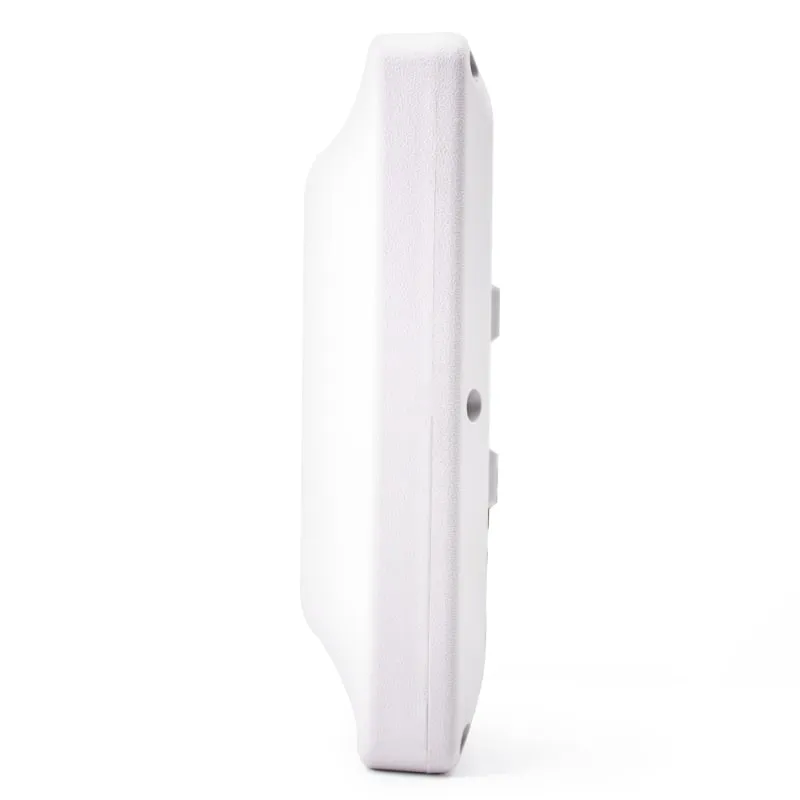 UHF
UHF U610-M+1 variant
Read range: 0–5 m
Fixed reader with a 7 dBi built-in antenna, 0–5 m range, a trigger input and an SDK, for doorways, dock doors and tool-room exits.
 13.56MHz
 H155-U
Read range: Up to 80 mm
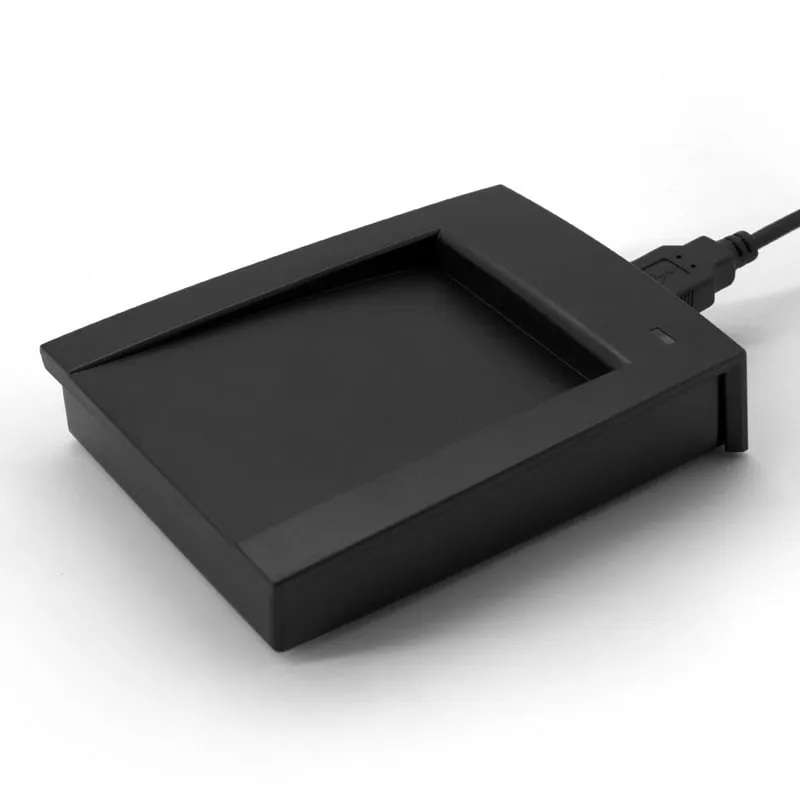
ISO 15693 (I-CODE 2) desktop reader for HF-tagged files, library items and samples; reads the tag UID at up to 80 mm.
Registers drift away from what is actually on the shelf. Items move without being scanned, barcodes get damaged or hidden, and a full count means aiming a scanner at every label in turn. Audits of tools, IT equipment, files or returnable containers take staff away from their normal work, and the results start going out of date as soon as they are finished.
The same gap appears in warehouses, retail stockrooms, labs, hospitals, schools and offices. Integrators and software vendors in this space usually need two things from a reader supplier: hardware that outputs IDs in a form their software already accepts, and a clear statement of what each reader can and cannot do.
A passive UHF tag built to EPC Gen2 (ISO 18000-6C) carries a unique EPC number and needs no battery. The reader does not need line of sight, so it can read through cardboard and plastic packaging. Depending on reader and tag, range runs from a few centimeters to several meters. That changes three steps in the process:
Metal and liquids detune standard UHF tags. Use on-metal tags for metal assets, and test tags on the real item before you order in volume. UHF RFID read range explains what affects distance. Items handled one at a time at a desk, such as files or library stock with ISO 15693 tags, are better served by an HF reader such as the H155-U ISO 15693 USB reader.
Match the reader to the task rather than buying one type for every step. A practical split is a desktop unit for encoding, handhelds for counts and a fixed reader for the busiest doorway. The full range is on the UHF RFID readers hub. For a pilot, start with one USB UHF desktop reader/writer and one or two handhelds, then add fixed readers once the tag choice and the process are proven.
| Task | Reader | Why it fits |
|---|---|---|
| Encode and check tags before issue | U160-U or U120-U | Reads up to 0.5 m, writes up to 0.2 m; USB keyboard output, virtual COM on request |
| Walk-around counts with a phone | U550-M pistol-grip UHF handheld | Pistol grip and phone holder, 0–3 m; also reads 1D/2D barcodes; Bluetooth, 2.4G or USB |
| Shelves with tagged and barcoded items | U540-M | UHF plus CMOS 1D/2D imager and OLED display; USB, 2.4G or Bluetooth |
| Pocket spot checks | U510-B | 0–50 cm; Bluetooth or 2.4G dongle; keyboard-type output to any app |
| Audits away from a phone or PC | U520-M | OLED screen, 128-record memory, 0–35 cm; stores reads for upload later |
| Android tablet workstation | U220-C USB-C UHF reader | USB-C OTG plug-in, 0–5 cm; types the EPC followed by Enter |
| Doorway, dock door or tool-room exit | U610-M 7 dBi integrated UHF reader, or U610-N with TCP/IP | 7 dBi, 0–5 m, trigger input, SDK |
| Wider fixed read zone | U630-M | 9 dBi, 0–6 m; same RS232/RS485/USB ports, trigger input and SDK |
| HF ISO 15693 files and library items | H155-U | I-CODE 2 UID at up to 80 mm; 10-digit decimal output by default |
Ranges are from the product specifications and depend on the tag, the item material and the surroundings.
Keyboard-type output. The desktop reader/writers, the U510-B, the U550-M and the U220-C send each tag ID as keyboard input, so no driver or SDK is needed; see keyboard-emulation readers. The U510-B, U550-M and U220-C add Enter after each ID by default. The U510-B output format is adjustable, with a prefix or suffix of up to 4 bytes. Keyboard output carries the ID only; it does not let your application control the reader. During a count, your software should ignore repeat reads of the same EPC.
Wireless links. The U510-B and U550-M pair over Bluetooth without a PIN or use a 2.4G USB receiver. The U550-M specifies Bluetooth up to 10 m and 2.4G up to 150 m outdoors, and it has a 3,500 mAh built-in battery. Browse the handheld and Bluetooth readers for the complete list.
Fixed readers and SDK. The integrated UHF readers output over RS232, RS485 and USB, add TCP/IP on E-type (-N) versions, and also offer Wiegand for access-style use. The SDK includes sample code in C#, VC, VB, Java and Delphi. Wire a photo-eye to the trigger input so the reader reads only when something passes, and adjust RF power (0–30 dBm) to keep the read zone inside the doorway. For bulk reads, see improving UHF multi-tag read rates.
Writing tags. Only the desktop reader/writers and the integrated readers are specified to write. The handhelds read. For desktop encoding, tell us your operating system so we can confirm the writing software for your setup. The tag-writing guide covers EPC, TID and user memory.
Tag numbering. Inventory software usually keys each item on its EPC. Some write their own item number into the EPC at issue; others keep the EPC the tag ships with and store it against the item record. Decide this before you order tags, because it decides whether you need a writer.
Frequency band. The handhelds are specified for 902–928 MHz. The desktop units come in 902–928 MHz or 920–925 MHz, and the fixed readers in 902–928 MHz or 865–868 MHz. If your site uses 865–868 MHz, confirm handheld availability before you plan. See UHF frequency bands by country.
Please include:
Price, MOQ and lead time are confirmed in your quotation. To test readers with your own tags first, see samples, or contact us with your process.
The USB desktop reader/writers (U120-U, U130-U, U140-U, U160-U), with a write range of up to 0.2 m, and the integrated fixed readers (U610-M to U650-M), which come with an SDK and a read/write/issuing demo. The handheld, pocket and USB-C models are specified as readers.
Not for the U510-B, U550-M or U220-C, or for the desktop reader/writers. These send each tag ID as keyboard input, so a spreadsheet, a web form or your existing inventory app receives it directly. The U520-M and U540-M have no SDK documented; tell us your software and we confirm the upload method in your quotation.
The handheld specifications do not state a multi-tag read rate, so we cannot quote a tags-per-second figure. If you need to count densely packed items, order samples and test them with your own tags and item layout before rollout. Our guide to UHF multi-tag read rates explains the settings that matter.
The handheld and pocket readers are specified for 902–928 MHz (915 MHz). The desktop reader/writers come in 902–928 MHz or 920–925 MHz, and the fixed readers in 902–928 MHz or 865–868 MHz. For other regions, state the country of use and we confirm availability in your quotation.
HF ISO 15693 tags suit items handled one at a time at a desk, such as files, library stock or sample boxes. The H155-U reads their UID at up to 80 mm. For shelf counts and doorways, UHF gives far more range.
Tell us your card, interface and quantity
Send the card or tag type, the host system and your volume. We reply within 1 business day with a suggested model and sample options.