Photos on request
13.56MHz H310-U
13.56MHz NFC Card Reader with Numeric Keypad, USB
- USB
- Keypad
Read range: Cards up to 50 mm (about 30 mm for consistent reads)
Application
A membership or loyalty card only helps if the counter can read it in a second. Our readers read the card's ID number, or its magnetic stripe, and type it into the POS or CRM field on a Windows PC, Android terminal or iPad.
Member credential
A 13.56 MHz MIFARE Classic card or NTAG tag, a 125 kHz EM4100/TK4100 card or fob, or a magnetic-stripe card. Its chip ID or stripe data serves as the member key.
Counter reader
A USB pad, USB stick, keypad reader, USB-C plug-in or Bluetooth pocket reader at the till reads the card when the member presents or swipes it.
Keyboard input to the POS
The reader types the number into the active field of the POS or CRM screen, the same way a keyboard-wedge barcode scanner does. No driver or SDK is involved.
Member lookup
The POS or loyalty software finds the account by that number and applies points, discounts or a prepaid balance held in its own database, not on the card.
H310-U
Read range: Cards up to 50 mm (about 30 mm for consistent reads)
USB numeric keypad with a built-in 13.56 MHz reader for member counters: the cashier taps a MIFARE card or keys in a member number or PIN on the same device. Each card read is typed as a 10-digit decimal number followed by Enter.
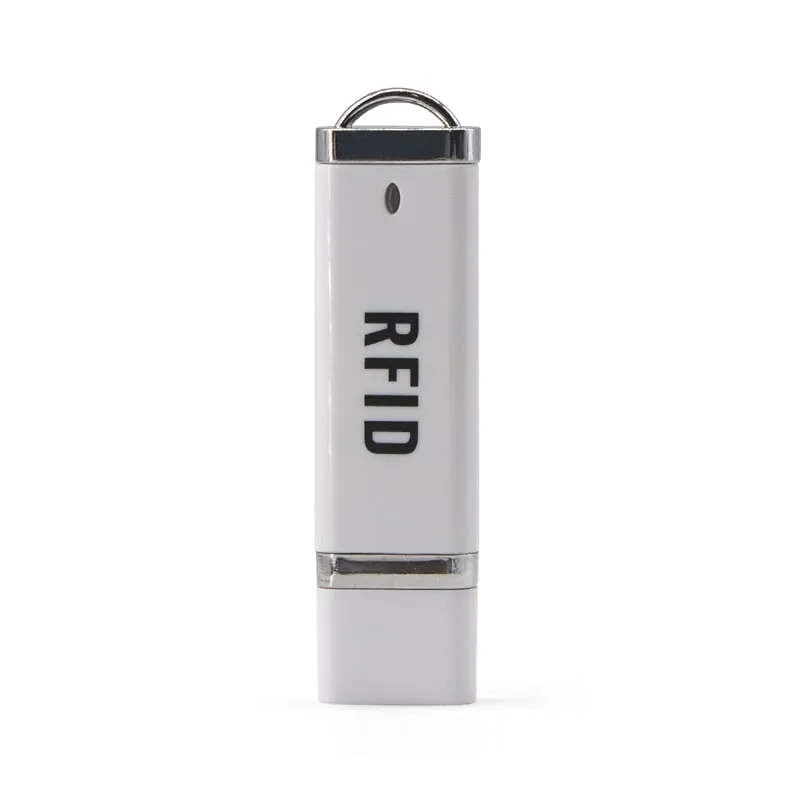 13.56MHz
 75 × 21 × 7 mm USB-A stick that plugs straight into the POS PC and types the UID of MIFARE Classic 1K/4K or NTAG203 member cards at the cursor, leaving the counter clear.
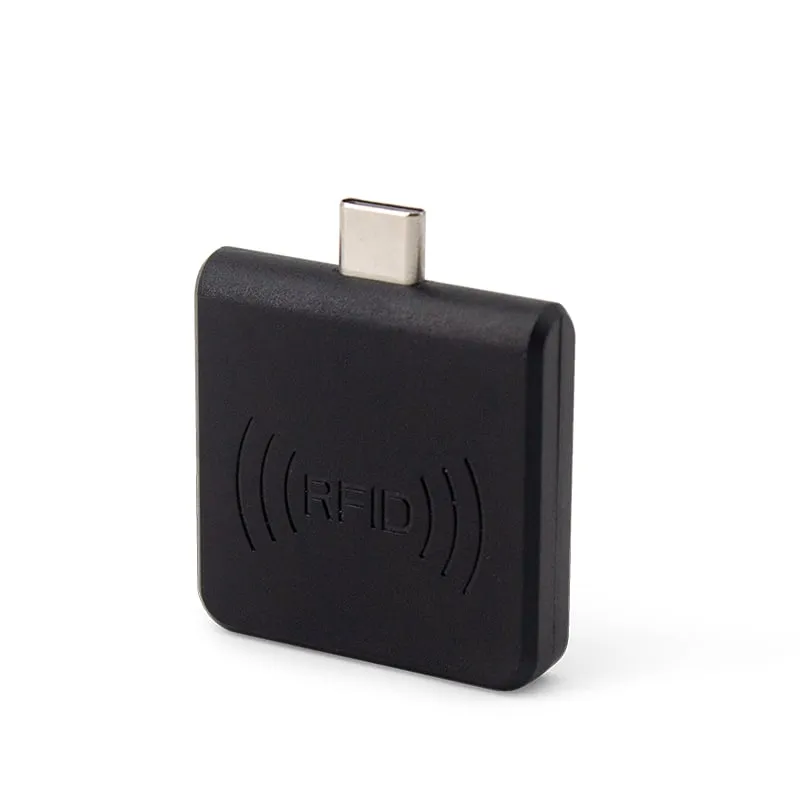 125kHz
 L220-C
Read range: 0–30 mm front and back, 0–10 mm from the side
USB-C plug-in reader for OTG-capable Android POS terminals and tablets that reads 125 kHz EM4100/TK4100 member cards and fobs at 0–30 mm, with no app to install.
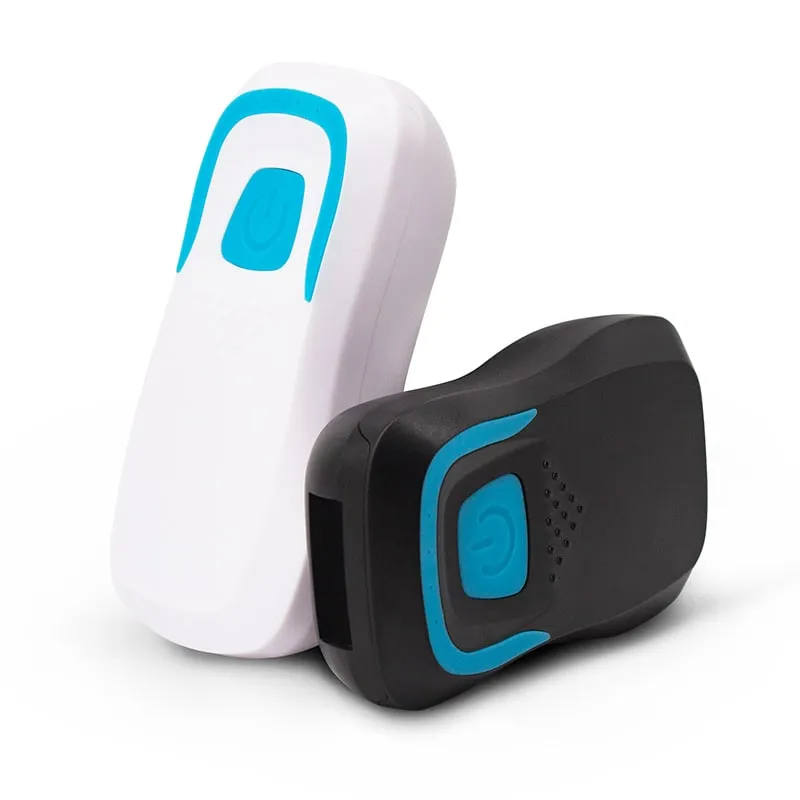 13.56MHz
 H510-B+2 variants
Read range: 20–60 mm
Pocket Bluetooth reader that pairs with iOS, Android or Windows as a keyboard-type device for iPad and mobile POS; 8-digit hex output by default, 10-digit decimal configurable.
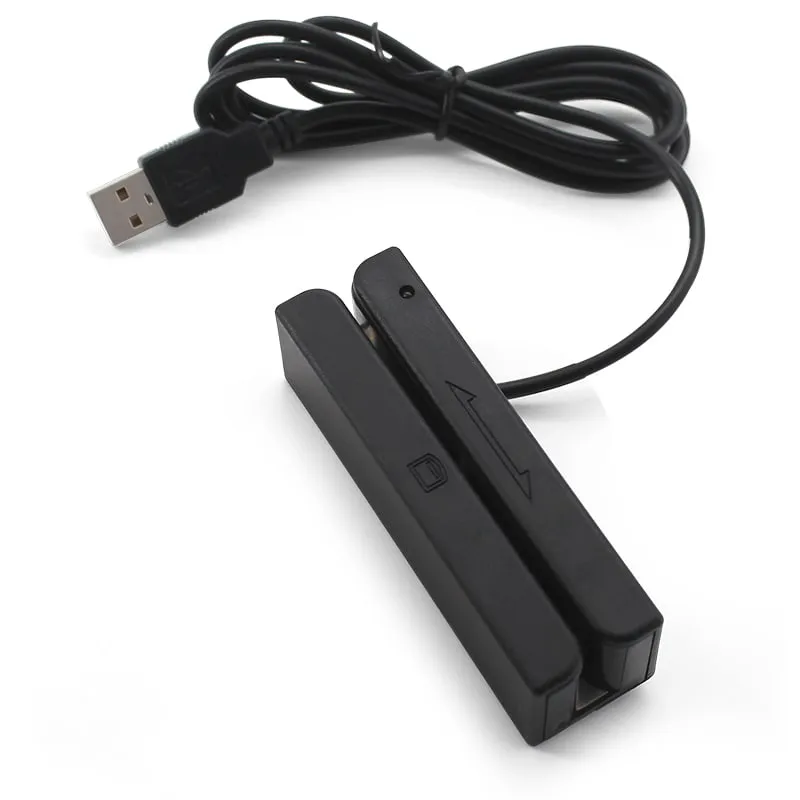 Magstripe
 USB swipe reader for existing magnetic-stripe membership, loyalty, hotel and ID cards that reads tracks 1, 2 and 3 (or any two) and types the data as keyboard input.
When a cashier asks for a phone number or copies a member ID from a card, the queue slows down and points land on the wrong account. Each error then needs a manual correction and an apology to the member.
POS and loyalty software vendors want a reader that fills the member field on any till without drivers or device code. Retailers, gyms, clubs, canteens and hotels often add a second problem: a mixed card estate. Older magnetic-stripe cards sit alongside newer contactless cards and fobs, and the tills range from Windows PCs to Android terminals and iPads.
A member card already carries a unique number: the chip ID of an RFID card or fob, or the data on its magnetic stripe. The reader reads it when the member presents or swipes the card and types it into the active POS field, just as a keyboard-wedge barcode scanner would. The POS looks up the account and applies points, discounts or a prepaid balance from its own database.
That last point matters. Our 125 kHz and 13.56 MHz readers are read-only and use only the card’s UID, so balances and points must live in your software, keyed to the card number. A lost card is then blocked and replaced in software, and nothing of value is stored on the card itself.
These readers identify members. They are not payment terminals and do not process bank cards.
| Counter setup | Member card | Reader | Output |
|---|---|---|---|
| Windows POS PC, card laid on the counter | MIFARE Classic 1K/4K, NTAG203 | H110-U slim USB MIFARE pad | USB keyboard, 10-digit decimal UID |
| POS PC with no counter space | MIFARE Classic (H210-U); EM4100/TK4100 (L210-U) | H210-U / L210-U USB stick | USB keyboard, 10-digit decimal |
| Cashier also keys in member numbers or PINs | MIFARE Classic (H310-U); EM4100/TK4100 (L310-U) | H310-U / L310-U keypad reader | USB keypad; card number + Enter |
| Android POS terminal or tablet (USB-C, OTG) | EM4100/TK4100 (L220-C); MIFARE Classic (H220-C) | L220-C 125kHz USB-C reader / H220-C USB-C NFC reader | Keyboard input, 10-digit decimal |
| iPad, phone or mobile POS | MIFARE Classic, NTAG203/213 | H510-B Bluetooth pocket reader | Bluetooth keyboard-type, 8-digit hex default |
| Existing magnetic-stripe cards | ISO cards, tracks 1, 2 and 3 | M170-U 3-track magstripe swipe reader | USB keyboard, selected tracks |
Starting a new card program? Choose the card first, then the reader. A lookup-based loyalty scheme only needs a unique ID, so 125 kHz EM4100/TK4100 cards and fobs are enough. Choose 13.56 MHz MIFARE Classic if the same card must also work with other 13.56 MHz systems on site, such as door access or a canteen, or if some tills are iPads, because the Bluetooth H510-B reads 13.56 MHz cards. Before the card print run, test one printed card on the reader you plan to use: the number printed on the card should match the number the reader types into the POS.
A Track 2 USB magstripe reader, the M180-U, is also available; see all magnetic stripe card readers. For more RFID options, browse USB-C OTG readers for Android terminals, Bluetooth RFID card readers and the keyboard-emulation readers.
Keyboard input. The reader types into whichever field has focus, so the cursor must be in the member field (or the POS must keep it there) when the card is presented. Keep the till’s input language on English (US) so digits arrive unchanged. The guide to keyboard-wedge RFID readers covers focus and layout pitfalls.
Number format. The USB and USB-C RFID models in the table output the 10-digit decimal of the 32-bit ID by default. The H510-B outputs 8-digit hex by default and can be set to 10-digit decimal or 10-digit hex. If you are replacing readers in a running scheme, send an example card with the number your system already holds for it; the pad, stick and USB-C readers can be supplied with a matching custom output format. The RFID card number converter is a quick way to check.
MIFARE and NTAG. The 13.56 MHz models read the UID only, not the card’s data sectors. MIFARE Classic 1K/4K cards usually have a 4-byte UID, which fits the 10-digit default. NTAG tags have a 7-byte UID, so if members use NTAG stickers or fobs, tell us and we confirm the output format first. See MIFARE Classic vs Ultralight vs NTAG213.
Magnetic stripe. The M170-U reads tracks 1, 2 and 3, all tracks or any two, with a bi-directional swipe at 15–120 cm/s and a head life of at least 800,000 passes. A PC setting utility selects the tracks, start and end sentinels, Enter and the beeper. Check which track holds your member number with magnetic stripe tracks 1, 2 and 3 explained.
Tablets and iPads. The USB-C models need OTG support on the terminal and read at 0–30 mm from the front or back. The H510-B pairs over Bluetooth without a password (stable to 10 m) or through its 2.4G USB dongle, and appends Enter by default. Its USB cable is for charging only, not data.
POS and loyalty software vendors can have readers supplied with the output their software expects. Price, MOQ and lead time are confirmed in your quotation. Request samples to test at a real till, or contact us with the details above.
No. They are identification readers. They read a membership card's ID number or magnetic stripe and type it into your software. They do not process bank-card payments and are not payment terminals.
Not with these readers. Our 125 kHz and 13.56 MHz models are read-only and read only the card's UID. Keep points and balances in your POS or loyalty database, keyed to the card number. A lost card can then be blocked and replaced in software without losing the member's balance.
If your POS has a field where a member number can be typed or scanned, a keyboard-emulation reader will fill it. The quickest test is a sample: open the POS, place the cursor in the member field and present the card. Request samples to try it on your own system.
For iPad and iPhone, use the H510-B Bluetooth reader, which lists iOS support. For Android terminals and tablets with USB-C and OTG support, the H220-C (13.56 MHz) or L220-C (125 kHz) plugs straight in. Both types enter the number into any app field.
No. The M170-U reads tracks 1, 2 and 3 of ISO magnetic-stripe cards over USB keyboard emulation, so existing cards keep working. New members can receive RFID cards, and your software links each card number to one member record.
Usually the printed number is a different view of the same chip ID: decimal instead of hex, or only the low 24 bits printed as a facility code and card number, such as 018,54919. Compare the two with the card number converter; if they match, the pad, stick and USB-C readers can be supplied with a custom output format that types the printed view. If no view matches, the printed number is probably a separate serial number with no link to the chip, and your software has to map one to the other.
Tell us your card, interface and quantity
Send the card or tag type, the host system and your volume. We reply within 1 business day with a suggested model and sample options.