Selection guides
125kHz vs 13.56MHz: Which RFID Card Reader Do You Need?
By Henrium · · 9 min read
Quick answer
A 125kHz reader reads only 125kHz proximity cards such as EM4100 and TK4100. A 13.56MHz reader reads only HF cards such as MIFARE Classic, NTAG or ICODE. Neither reads the other's cards, so identify the card first. Match existing cards; for a new project, 13.56MHz offers more chip choice, on-card memory and phone compatibility.
A 125kHz reader and a 13.56MHz reader are not a basic and a premium version of the same product. They work on different frequencies, talk to different chips and cannot read each other’s cards. So the first question is not which band is better, but which card you already have or plan to issue.
This guide compares the two bands the way we do when quoting a reader: card types, read range, memory, security, interfaces and output format. It ends with four quick checks for identifying an unknown card and a checklist for choosing the reader.
The short answer
- Choose a 125kHz reader when your cards or key fobs are EM4100, TK4100 or another EM4100-compatible proximity card. Suppliers often call these “ID cards”. They are common in existing door, time and attendance, locker and parking systems.
- Choose a 13.56MHz reader when your cards are MIFARE Classic, NTAG or other ISO/IEC 14443A cards (often sold as “IC cards”), or ICODE labels under ISO/IEC 15693.
- For a new project, 13.56MHz is usually the better base: more chip choice, on-card memory, anti-collision, and cards that NFC phones can also detect.
- During a migration from 125kHz to 13.56MHz, a reader that reads both bands lets old and new cards work side by side.
How 125kHz and 13.56MHz differ
Both bands are near-field technologies. The reader’s antenna coil creates a magnetic field. A passive card in that field takes its power from it and answers by varying the load it places on the field. Neither card type has a battery. The practical differences come from the carrier frequency and the chips designed for it.
| Feature | 125kHz (LF) | 13.56MHz (HF) |
|---|---|---|
| Supply-chain name | “ID card”, proximity card | “IC card”, smart card, NFC card |
| Typical chips | EM4100, TK4100, SMC4001 and compatibles | MIFARE Classic 1K/4K, NTAG203/213, MIFARE Ultralight (ISO/IEC 14443A); ICODE (ISO/IEC 15693) |
| Standard | De facto chip format (EM4100), not an ISO card standard | ISO/IEC 14443 (proximity), ISO/IEC 15693 (vicinity) |
| Wavelength | About 2,400 m | About 22 m |
| Data rate | About 2 kbit/s (EM4100 at 64 carrier cycles per bit) | 106 kbit/s base rate (ISO/IEC 14443); about 26 kbit/s (ISO/IEC 15693) |
| Memory | 64-bit fixed code, no user memory | From 48 bytes of user memory (MIFARE Ultralight) and 144 bytes (NTAG213) up to 4 KB (MIFARE Classic 4K) |
| Who talks first | Card sends its ID continuously while powered | Reader sends commands, card replies |
| Several cards in the field | No anti-collision; usually no read | Anti-collision defined in the standard |
| NFC phone reacts | No | Yes for most cards; data access varies by chip and phone |
| Our desktop pad range | Up to 80 mm | Up to 80 mm |
Which cards live on each band
125kHz: EM4100 and compatible chips
An EM4100-type chip holds a 64-bit code fixed at manufacture. Forty of those bits are data: an 8-bit version or customer code and a 32-bit ID number. The rest are a header, parity bits and a stop bit. TK4100 and SMC4001 are compatible chips; a reader cannot tell them apart and outputs the same kind of number. The card stores nothing else, and its number cannot be changed. The full bit layout is in EM4100 and TK4100 cards explained.
Not every 125kHz card is EM4100. Some access-control systems use proximity formats with FSK or PSK modulation instead of EM4100’s ASK and Manchester coding. A reader built for EM4100 does not read them, even though both boxes say “125kHz”. Our 125kHz readers are specified for EM4100-compatible cards only.
13.56MHz: ISO/IEC 14443A and ISO/IEC 15693
13.56MHz is a band, not a single protocol. ISO/IEC 14443A dominates access, membership and NFC tags: MIFARE Classic 1K (S50) and 4K (S70), NTAG203 and NTAG213 all use it. ISO/IEC 15693 “vicinity” labels such as ICODE are common in libraries and item labeling. Readers support specific standards, so an ISO/IEC 14443A reader will not see an ISO/IEC 15693 label.
Our 13.56MHz readers read the UID of ISO/IEC 14443A cards, and the H155-U USB reader for ICODE labels covers ISO/IEC 15693. ISO/IEC 14443B, FeliCa and MIFARE DESFire are not listed for our readers. For the HF standards in detail, see ISO 14443 vs ISO 15693.
Read range: the housing matters more than the band
At card-reader distances, the band is not what decides range. Antenna size, reader power, card form factor and mounting do. Our 125kHz and 13.56MHz siblings share housings, and their specified ranges are the same:
| Housing | 125kHz model | 13.56MHz model | Specified range (both bands) |
|---|---|---|---|
| Slim USB desktop pad | L110-U | H110-U | Up to 80 mm |
| USB numeric keypad | L310-U | H310-U | Cards up to 50 mm (about 30 mm for consistent reads), key fobs up to 15 mm |
| USB-C plug for Android | L220-C 125kHz USB-C reader | H220-C USB-C NFC reader | 0–30 mm face-on, 0–10 mm from the side |
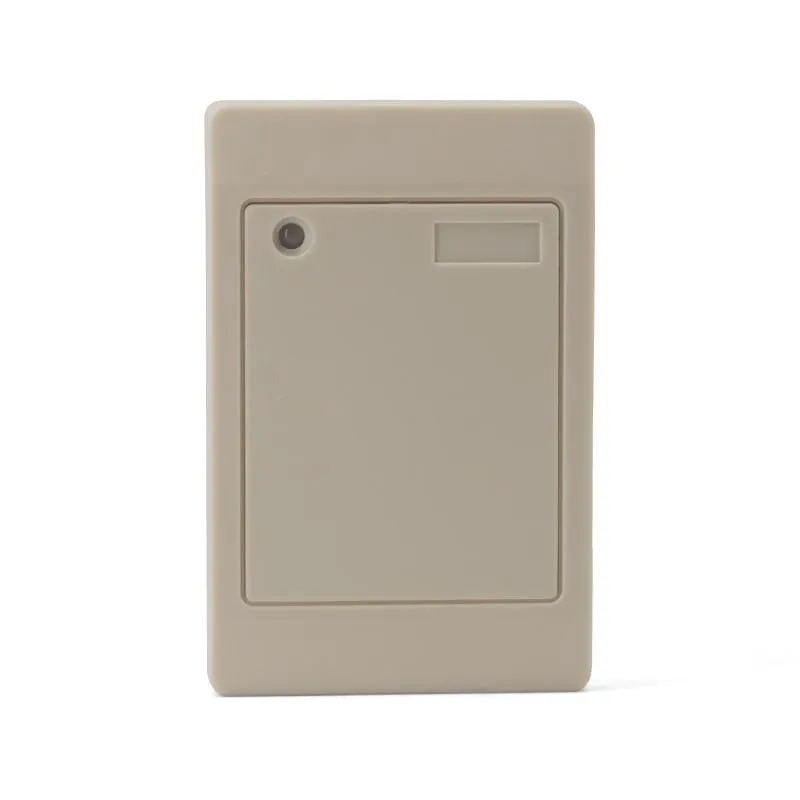
| Wiegand wall reader | L410-W | H410-W version of the L410-W | 0–100 mm |
Key fobs read at shorter range than ISO cards because their coil is much smaller, as the keypad reader’s 50 mm versus 15 mm shows. Metal behind the reader or the card detunes both bands. If you need to read passive tags at 1 m or more, neither band is the right tool; look at UHF RFID readers instead.
Security: what each band can and cannot protect
- EM4100 has no security features. There is no password, no encryption and no authentication. The ID is sent in the clear to any 125kHz reader in range, so the number alone cannot prove that a card is genuine. It works for identification where convenience matters more than strong protection.
- 13.56MHz chips vary widely. MIFARE Classic protects each sector with keys, but its proprietary cipher has published weaknesses. AES-based chips are the current choice for secure credentials.
- A UID-only system is an identification system on either band. Most keyboard-emulation and Wiegand card readers, including all our 125kHz and 13.56MHz models, read only the card UID. A UID can be read by any compatible reader without a key. Moving from EM4100 to MIFARE UID reading gives you more chip choice and phone compatibility, but not cryptographic security.
If your project needs cards that authenticate with keys, you need suitable HF cards plus a reader and software that perform the authentication. Our current 125kHz and 13.56MHz readers are read-only UID readers and do not do this.
Interfaces and output: the same options on both bands
The band decides which cards a reader can read. The interface decides how the number reaches your system, and here the two bands offer the same choices:
| Reader type | 125kHz | 13.56MHz | What the host receives |
|---|---|---|---|
| USB desktop pad | L110-U | H110-U | Number typed at the cursor (keyboard emulation), 10-digit decimal by default |
| RS232 (DB9) desktop pad | L110-R | H110-R | Serial data, 9600 bps by default (19200/115200 selectable) |
| USB stick | L210-U | H210-U | Keyboard emulation, no driver |
| USB-C for Android | L220-C | H220-C | Number typed into any app with the cursor |
| Bluetooth pocket reader | L510-B version | H510-B | 8-digit hex by default, configurable |
| Wiegand wall reader | L410-W | H410-W version | Wiegand 26 (default) or Wiegand 34 |
| ISO/IEC 15693 desktop | — | H155-U | USB output, 10-digit decimal by default |
Because most USB and RS232 models on both bands default to a 10-digit decimal number, one software field can accept either card type. The value comes from different data: the 32-bit EM4100 ID on 125kHz and the 4-byte UID on 13.56MHz. NTAG203 and NTAG213 tags, MIFARE Ultralight and some MIFARE Classic cards carry a 7-byte UID, which does not fit in a 10-digit decimal number, so tell us if you use them and the output format will be confirmed before shipment. The card number formats guide and the card number converter show how one ID looks in each format.
How to identify an unknown card: 4 checks
- Read the print. “EM”, “ID”, “TK4100” or “125KHz” points to LF. “IC”, “M1”, “S50”, “S70”, “1K” or “NTAG” points to HF. Many EM4100 cards also carry a 10-digit number plus a pair such as “212,12687”.
- Try an NFC phone. Switch NFC on and hold the card to the phone’s NFC area. Any reaction, such as a sound, an app opening or an “unsupported tag” message, means 13.56MHz. No reaction does not prove 125kHz: the card could be UHF, or you may have missed the antenna spot.
- Hold the card up to a bright light. On many thin white cards, a 125kHz card shows a small, dense coil with many turns, while a 13.56MHz card shows a few turns of antenna running near the card edge. Thick clamshell cards and heavily printed cards hide this.
- Ask for the chip name. The card supplier or the system’s documentation should state it. The chip, not only the frequency, decides which reader works.
If you are still unsure, send a photo of both sides of the card, or a sample card, with your inquiry, and we will confirm the band and suggest a matching reader.
Migrating from 125kHz to 13.56MHz
Sites rarely replace every card in one day. Three approaches are common:
- Dual-band readers at the door. Install readers that read both bands, then reissue cards department by department.
- Dual-technology cards. Some cards contain a 125kHz chip and a 13.56MHz chip in one card body, so the same card works on old and new readers. Each chip has its own number, so the software must store the right one.
- Separate enrollment. Register the new 13.56MHz UID for each person while the old 125kHz number stays valid until the cut-over date.
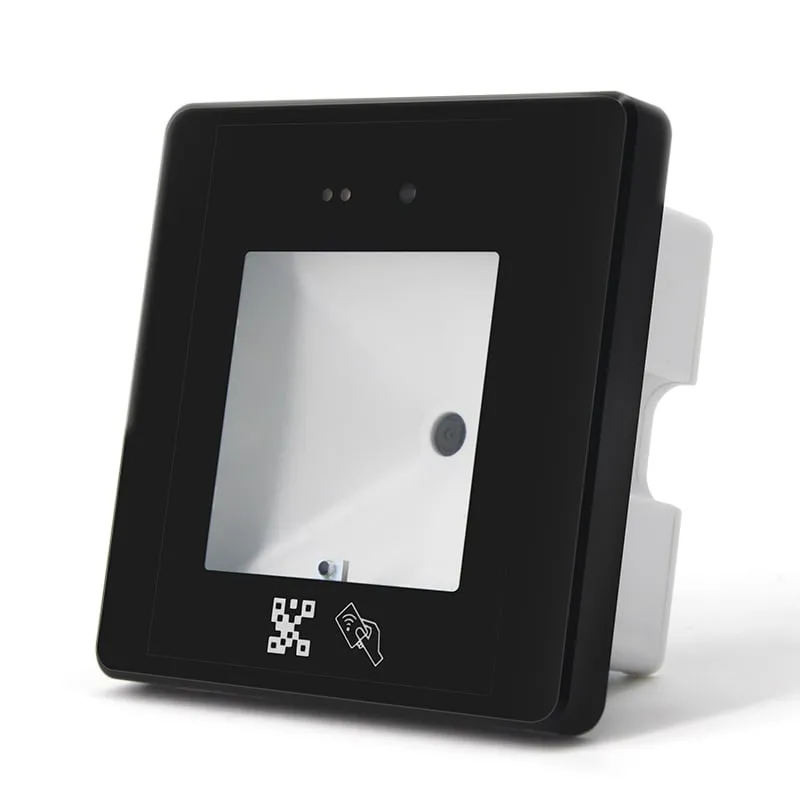
For dual-band doors, our 86-box wall readers, the Q420-M slim QR code + RFID reader and the Q430-M QR code + RFID reader with USB output, read EM (125kHz) and MIFARE (13.56MHz) cards as well as QR codes; on the Q430-M, setting codes select IC-only or IC + ID reading. The Wiegand wall reader also has a dual-frequency D410-W version, with availability confirmed in your quotation. Our current USB desktop pads are single-band, so an enrollment desk that handles both card types uses one L-series and one H-series pad, or a Q430-M connected over its USB port, which can type the card number like a keyboard.
Checklist: how to choose the reader
- Identify the chip, not just the frequency: EM4100-compatible, ISO/IEC 14443A (MIFARE, NTAG) or ISO/IEC 15693 (ICODE).
- Match what is installed. Existing controllers and printed cards fix the band and often the number format.
- For a new system, start from 13.56MHz ISO/IEC 14443A cards unless you need ISO/IEC 15693 item labels.
- Decide what the reader must deliver. Our readers deliver the card UID. Reading or writing card memory needs a different class of reader.
- Pick the interface for the host: USB keyboard emulation for PC software and spreadsheets, RS232 for serial hosts, Wiegand for access controllers, USB-C RFID readers for Android phones and tablets, Bluetooth for mobile use (iOS and Android are listed for the H510-B).
- Fix the output format your software expects: 10-digit decimal, hex, reversed byte order, or a Wiegand facility code and card number.
- Check range against the credential. Plan on a shorter range for key fobs and small tags, and avoid mounting readers directly on metal.
- Test before rollout. Order sample readers and try them with your own cards. For volume orders with your logo or a custom output format, see private-label RFID readers; terms are confirmed in your quotation.
Frequently asked questions
Can a 13.56MHz reader read 125kHz cards?
No. The two bands use different frequencies, antennas and protocols, so a 13.56MHz reader (including an NFC phone) does not detect EM4100 or TK4100 cards at all, and a 125kHz reader does not detect MIFARE or NTAG cards. To read both card types at one point, use a dual-frequency reader, such as the Q430-M wall reader.
Is 13.56MHz more secure than 125kHz?
Only if the system uses the security features of the chip. EM4100 cards have none. 13.56MHz chips range from MIFARE Classic, whose cipher has published weaknesses, to AES-based cards. A reader that reads only the card UID, as all our 125kHz and 13.56MHz readers do, gives you identification on either band, not cryptographic authentication.
Which band has the longer read range?
For cards at a desk or a door, neither in any practical sense. Our 125kHz and 13.56MHz versions in the same housing have the same specified range: up to 80 mm on the slim USB pad and 0–100 mm on the Wiegand wall reader. Card size, key fob size and metal nearby make a bigger difference than the band.
Can your 125kHz or 13.56MHz readers write or program cards?
No. All our 125kHz and 13.56MHz readers are read-only. They read the card ID (UID) and output it as a number. Among our readers, only the UHF desktop reader/writers and UHF integrated readers support writing, and only to EPC Gen2 UHF tags.
Do 125kHz and 13.56MHz readers output the same number format?
On most of our USB and RS232 models, both default to a 10-digit decimal number, so one software field can accept either. The number comes from different data: the 32-bit ID of an EM4100 card on 125kHz, and the 4-byte UID of a MIFARE card on 13.56MHz. Other formats, such as hex, are available on request.
Readers mentioned in this guide
 125kHz
  13.56MHz
 H110-U
13.56MHz USB NFC / MIFARE Card Reader, Slim Pad, No Driver
- USB
- Desktop
Read range: Up to 80 mm
 QR + RFID
 Q430-M
QR Code + RFID Access Reader with USB, Wiegand and RS485, 86-Box
- USB
- RS232
- RS485
- Wall-mount
Read range: 3–6 cm
 125kHz
 L410-W+2 variants
Waterproof 125kHz Wiegand 26/34 RFID Access Reader, Resin-Potted
- Wiegand
- Wall-mount
Read range: 0–100 mm