Animal ID
Can You Scan a Microchip with Your Phone? Pet Chips, NFC and 134.2kHz
By Henrium · · 7 min read
Quick answer
No. A phone's NFC works only at 13.56MHz, while ISO pet microchips work at 134.2kHz, so no app can read an implanted chip with the phone alone. A phone can show the number if you add a 134.2kHz reader: a USB-C plug-in for Android, or a handheld scanner that sends the ID over Bluetooth.
Can you scan a microchip with your phone? Not with the phone alone. The NFC chip in a phone works at 13.56MHz. An ISO pet microchip works at 134.2kHz, about a hundred times lower. The phone cannot power the microchip or hear its reply, and no app, setting or update changes that.
A phone can still be part of the answer. With the right add-on reader, the phone becomes the screen and the keyboard, and the reader does the radio work. This guide explains why phones cannot read implants, what “microchip scanner” apps actually do, and which setups work for owners, clinics, shelters and app developers.
Why phone NFC cannot read a pet microchip
A pet microchip is a passive transponder: a small coil and chip sealed in a glass capsule, commonly about 2 × 12 mm. It has no battery. It works only when a reader’s magnetic field at its own frequency powers it, and it replies on that same frequency.
| Device or tag | Frequency | Standard |
|---|---|---|
| Phone NFC (Android and iPhone) | 13.56MHz | ISO/IEC 14443, ISO/IEC 15693, FeliCa and NFC Forum specifications |
| ISO pet microchip | 134.2kHz | ISO 11784/11785, almost always FDX-B |
| Older non-ISO pet microchips | 125kHz or 128kHz | Manufacturer formats, including FDX-A |
| EMID animal tags | 125kHz | EM4100-type code |
The phone’s NFC antenna is a coil tuned to 13.56MHz, and its NFC controller generates and decodes only 13.56MHz signals. At 134.2kHz it produces no usable field and cannot demodulate the chip’s reply. This is a hardware limit, the same reason a phone cannot read 125kHz door cards. NFC reader vs RFID reader maps which reader reads which band.
What “microchip scanner” apps actually do
Searches for a microchip scanner app return several kinds of app. None of them reads an implant through the phone’s own hardware.
| App type | What it does | What else it needs |
|---|---|---|
| Registry lookup | Finds the registry or owner contact for a number you type in | A number read by a real scanner |
| Scanner companion app | Shows, stores or forwards IDs read by an external scanner | A Bluetooth or plug-in 134.2kHz reader |
| NFC or QR collar tag app | Reads a tag hanging on the collar and opens the pet’s profile | An NFC or QR tag on the collar, not the implant |
| Claims to read implants with phone NFC | Cannot work for 134.2kHz chips | Nothing will make it work |
NFC and QR collar tags are useful for a found pet that is still wearing its collar. The implanted chip is the backup when the collar is gone, and reading it needs 134.2kHz hardware.
Setups that do work
| Setup | How the phone gets the ID | Read range (tag dependent) | Example |
|---|---|---|---|
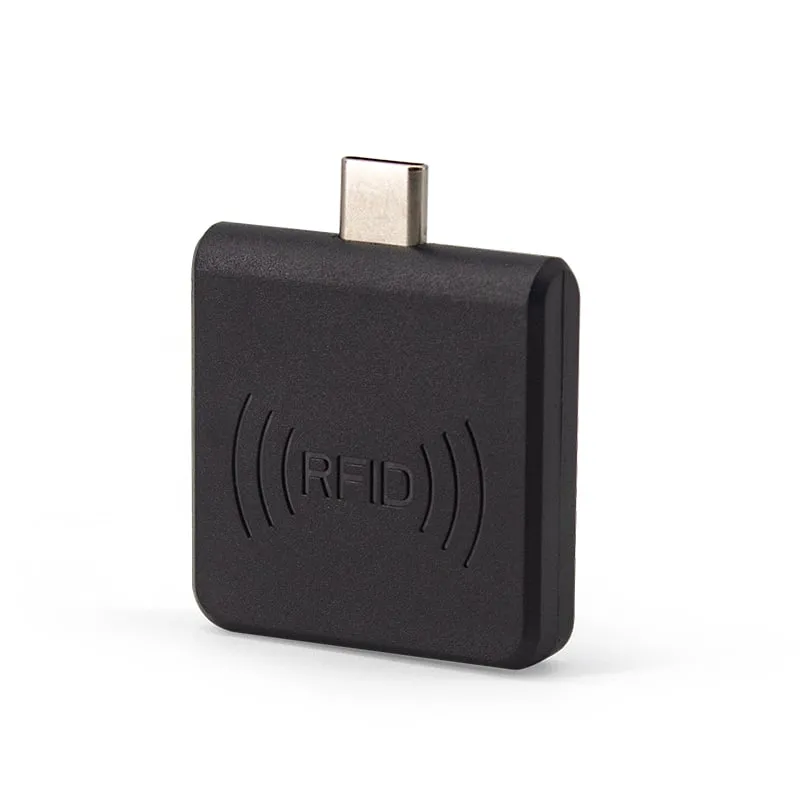
| USB-C plug-in reader on an Android phone | The reader types the number into whichever app has the cursor | 0–30 mm | A220-C USB-C microchip reader |
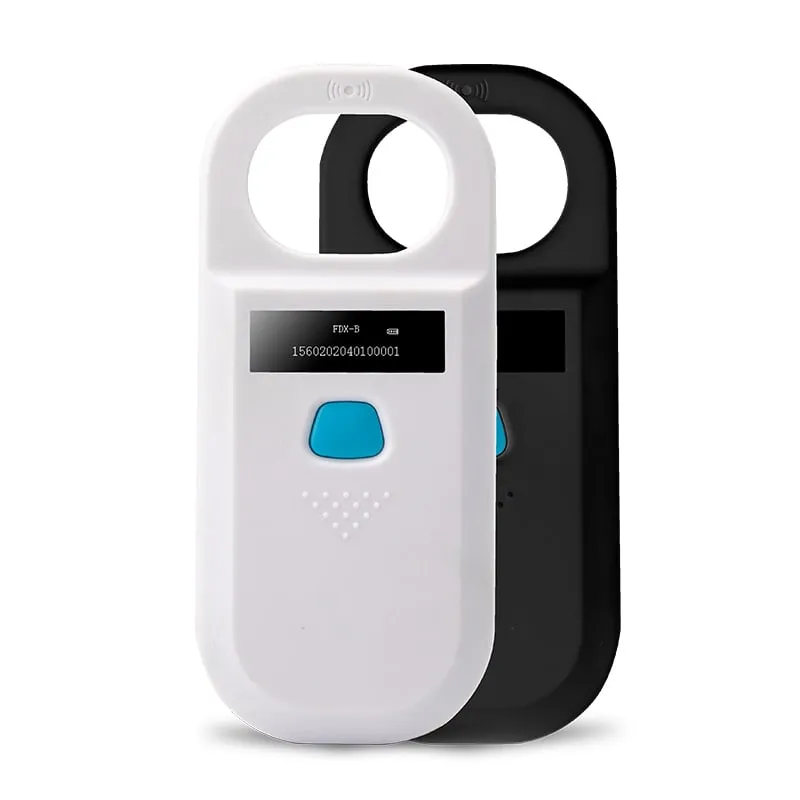
| Handheld scanner with Bluetooth | The scanner reads, then sends each ID to a paired host | Glass tube > 8 cm; ear tag > 20 cm | A520-M |
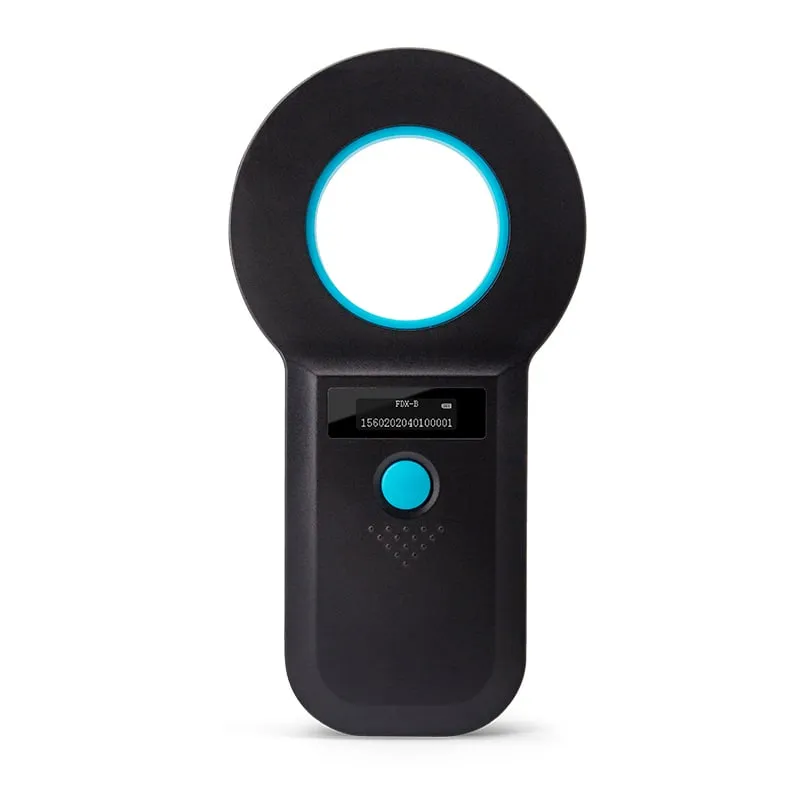
| Handheld scanner with a screen | Staff read the ID on the scanner’s display and type it into the phone; stored reads upload later over USB | Glass tube > 5 cm; ear tag > 15 cm | A530-U |
| Vet clinic or shelter | Staff scan with their own reader and give you the number | Depends on their reader | Ask your local clinic or shelter |
USB-C plug-in. The A220-C measures 35 × 35 × 7 mm without the connector, draws 5 V at 100 mA from the phone and needs no app: it acts like a keyboard, so the ID appears in a notes app, a web form or your own app. The phone must support USB OTG (host mode). Its default output is a 10-digit decimal number (4 bytes), which is shorter than the 15-digit ISO ID and cannot be looked up in a registry. If you need the full ID, ask for a custom output format when you order; the output format is confirmed in your quotation. The Android OTG checklist covers phone compatibility, keyboard layout and output settings.
Bluetooth handheld. The scanner does the reading with its own battery and a larger antenna, so range is longer and the phone’s battery is not used for the radio field. The A520-M sends IDs over Bluetooth, a 2.4G receiver or USB, and stores 128 records for batch upload. No SDK is published for it, so tell us which phone platform and app should receive the data; compatibility is confirmed in your quotation.
Standalone handheld. For occasional checks, a one-button scanner with a screen may be enough: read the ID on the display and type it where it is needed.
How to scan a pet with a phone plug-in reader
- Check the phone. It needs a USB-C port with OTG support. Plug in the reader and confirm the status light comes on.
- Open a text field in any app, such as a note, a form or a spreadsheet cell, and tap it so the cursor is active.
- Keep the animal calm and still. A second person helps.
- Start where chips are usually placed. In dogs and cats that is under the skin between the shoulder blades; some countries use the left side of the neck.
- Scan slowly and closely. Hold the reader against the coat and move it in small, overlapping passes. With a 0–30 mm range, a quick sweep can miss the chip.
- Widen the search. Chips can move from the implant site, so cover the neck, shoulders, sides and front legs before concluding there is none.
- Try another angle. Read range changes with the angle between the chip and the reader. Rotate the reader a quarter turn and repeat.
- Check the result. A full ISO ID has 15 digits. The first three are a country code or, if 900–998, a manufacturer code. If you see only 10 digits, the reader is using a short output format, and that number will not match a registry entry. How the 15-digit animal ID is built explains the structure.
No read does not prove there is no chip. The chip may be a type the reader does not support, it may sit deeper than the reader’s range, or it may have failed. A clinic or shelter can scan again with a longer-range reader.
Chips a phone add-on may miss
ISO FDX-B is the standard pet microchip in many countries, but not every chip follows it:
- Older 125kHz chips, including FDX-A and encrypted manufacturer formats, still turn up in older animals in some countries. They often show 9- or 10-character numbers on readers that support them.
- 128kHz chips exist in some markets.
- HDX chips are uncommon in pets but used in some livestock and research tags. FDX-B vs HDX explains the difference.
Our readers read FDX-B at 134.2kHz and EMID at 125kHz, and they are read-only. They do not read FDX-A, encrypted 125kHz formats, 128kHz chips or HDX, and we do not describe them as universal scanners.
Checklist for clinics, shelters and app vendors
If you are deploying phone-based scanning for staff, volunteers or customers, settle these points before you order:
- Chip types in your area. Mostly ISO FDX-B, or a share of older 125kHz chips? That decides whether an FDX-B reader is enough.
- Phone platform. Android with USB OTG can use a USB-C plug-in reader. iPhones need a Bluetooth scanner that lists iOS support.
- Output format. Registries and databases expect the full 15-digit ID. Specify it in your RFQ rather than accepting a shorter default.
- Integration method. Keyboard output works with any app and needs no code. If your app must receive IDs in the background, plan a scanner and data format together and confirm them before development.
- Range and handling. A plug-in reader at 0–30 mm suits cooperative animals and trained staff. For nervous animals or large dogs, a handheld reading at more than 8 cm is kinder and quicker.
- Power. A plug-in draws 100 mA from the phone. A handheld has its own 3.7 V lithium battery and memory for offline work.
- Branding. Distributors and app vendors can supply readers under their own name. See OEM and private-label readers for logo, packaging and output options.
- Evaluation. Test with the chips you actually meet. Order samples or describe your setup in an inquiry.
Browse the full range of 134.2kHz animal ID readers, from USB-C plug-ins to handhelds and desktop readers. For cattle and sheep tags on the farm, see livestock EID ear tag readers.
Frequently asked questions
Can an iPhone read a pet microchip?
Not with its built-in NFC, which works only at 13.56MHz. An iPhone can display a microchip number only if a separate 134.2kHz scanner reads the chip and sends the number to it, for example over Bluetooth. Check that the scanner lists iOS support. Our USB-C plug-in reader is specified for Android, not iOS.
Is there an app that scans pet microchips?
No app can make a phone read an implanted 134.2kHz chip. Apps sold as microchip scanners either look up a number you type in, work with an external scanner, or read NFC and QR tags attached to the collar rather than the implant.
Can my phone read an NFC tag on my pet's collar?
Yes, if the collar tag is an NFC tag. It works at 13.56MHz, like the phone. That is a separate tag on the outside of the animal; it does not read or replace the implanted microchip.
How close does a phone plug-in reader need to be?
Very close. Our A220-C USB-C reader reads at 0–30 mm, depending on the tag, so hold it almost against the skin and move it slowly over the implant area. A handheld such as the A520-M reads 2–12 mm glass-tube microchips at more than 8 cm.
Will a phone add-on reader read every pet microchip?
No reader should be assumed to. Our readers read ISO FDX-B chips at 134.2kHz and EMID tags at 125kHz. Older non-ISO 125kHz or 128kHz chips and HDX chips need a reader that lists those formats, and a scanner labeled universal should list every format it reads.
Readers mentioned in this guide
 134.2kHz
  134.2kHz
 A520-M
Handheld 134.2kHz FDX-B Microchip Reader, USB / 2.4G / Bluetooth
- USB
- Wireless
- Handheld
Read range: > 8 cm
 134.2kHz