Photos on request
13.56MHz H310-U
13.56MHz NFC Card Reader with Numeric Keypad, USB
- USB
- Keypad
Read range: Cards up to 50 mm (about 30 mm for consistent reads)
The L310-U combines a USB numeric keypad with a 125 kHz EM4100/TK4100 card reader, for POS, membership and attendance desks where staff scan a card and then key in a number. Cards read at up to 50 mm and are typed as a 10-digit decimal number followed by Enter; keys include 0–9, F1–F5, Esc, Clear and Enter.
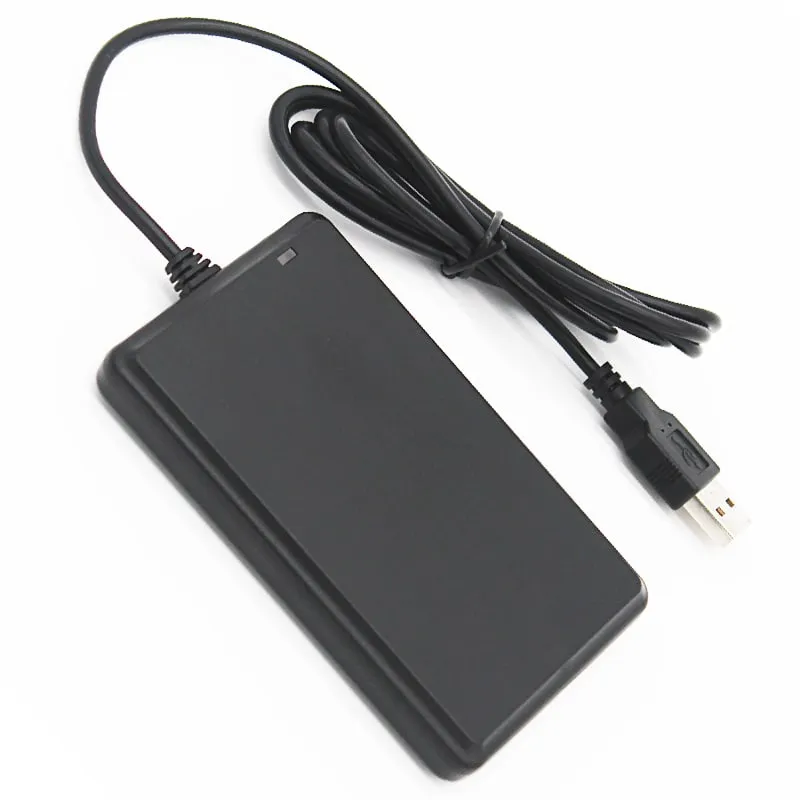
Many counters need a card and a number: a membership desk scans the card and keys a visit count, a canteen scans a staff card and enters an amount, a tool store scans a badge and types the item number. With a separate reader and keypad, the operator juggles two devices and two cables. The L310-U puts both on one 135 × 85 × 28 mm unit with a single 1400 mm USB cable.
The keypad and the reader both act as a USB keyboard, so card numbers and key presses arrive in the same application and no driver or SDK is needed.
The reader is meant for close presentation. Cards read at up to 50 mm, with 30 mm the distance for consistent reads, and key fobs at up to 15 mm. On a busy counter, that short range helps avoid reading a card that is simply lying nearby while the operator types.
Each read is typed as a 10-digit decimal number followed by Enter. If your system stores card numbers in another format, compare them with the card number converter and ask us before ordering.
The H310-U is the same keypad with a 13.56 MHz reader for MIFARE and NTAG cards. Choose by the cards your members or staff already carry; 125kHz vs 13.56MHz explains how to tell them apart. For card reading without a keypad, see the L120-U flat pad.
| Model | L310-U |
|---|---|
| Frequency | 125 kHz |
| Form factor | USB numeric keypad with built-in card reader |
| Keys | 0–9, F1–F5, Esc, Clear, Enter |
| Housing | ABS |
| Color | Black |
| Supported cards | EM4100, TK4100, SMC4001 and EM4100-compatible cards and key fobs |
|---|---|
| Card operation | Read-only (card ID number) |
| Read range, card | Up to 50 mm (30 mm for consistent reads) |
| Read range, key fob | Up to 15 mm |
| Read time | < 200 ms |
| Read interval | < 0.5 s |
| Interface | USB, keyboard emulation |
|---|---|
| Driver | Not required |
| Output | 10-digit decimal card number + Enter |
| Operating systems | Windows XP / Vista / 7 / 10, Linux, Android |
| Indicators | Blue LED and buzzer |
| Dimensions | 135 × 85 × 28 mm |
|---|---|
| Weight | Net 100 g; gross 150 g |
| Cable length | 1400 mm |
| Power supply | 5 V DC (USB) |
| Operating temperature | -10 °C to +70 °C |
| Storage temperature | -20 °C to +80 °C |
| Humidity | < 90 % RH |
Specifications of L310-U as supplied for the standard version. Read range depends on the card or tag, mounting surface and environment — we can test your own cards before you order.
Works with
Not designed for
Card not listed? Send us the card type or a photo and we will confirm compatibility before you buy.
Connect the USB cable to the POS terminal or PC. The keypad is detected as a keyboard; no driver is needed.
Click into the field for the card or member number.
Present the card within 30 mm: the buzzer and blue LED confirm the read and the 10-digit number is typed, followed by Enter.
Use the keypad for the next entry, such as an amount, quantity or member number, in the same application.
A 10-digit decimal card number followed by Enter, exactly as if it had been typed on a keyboard.
Cards read at up to 50 mm, with 30 mm the distance for consistent reads. Key fobs read at up to 15 mm.
0–9, F1–F5, Esc, Clear and Enter. They work like a standard USB numeric keypad alongside the card reader.
No. It enumerates as a USB human-input device on Windows XP, Vista, 7 and 10, Linux and Android.
Yes. The H310-U uses the same keypad with a 13.56 MHz reader for MIFARE and NTAG cards.
H310-U
Read range: Cards up to 50 mm (about 30 mm for consistent reads)
 125kHz
  125kHz
  125kHz
 Tell us your card, interface and quantity
Send the card or tag type, the host system and your volume. We reply within 1 business day with a suggested model and sample options.