Technology explained
EM4100 vs TK4100 Cards: How the 64-Bit ID Becomes a Card Number
By Henrium · · 9 min read
Quick answer
EM4100 and TK4100 are interchangeable read-only 125kHz chips. Each sends one thing to a reader: a fixed 64-bit code carrying a 32-bit ID number. The card has no writable memory and no security. Readers show the ID as a 10-digit decimal, 8-digit hex or Wiegand facility and card number, so pick the format your system stores.
Ask a card supplier for a “125kHz ID card” and you will usually receive an EM4100 card or a compatible chip such as TK4100. These cards do one job: they send a fixed ID number to any 125kHz reader that powers them. They hold no other data and have no password.
That simplicity is why they remain common in door access, time and attendance, lockers and parking. It is also why many questions about them are about numbers rather than radio: the reader shows one number, the card shows another, and the access controller logs a third. This guide explains what is inside the chip, how that code becomes the numbers you see, how EM4100 and TK4100 compare, and what to check before choosing a reader for these cards.
What an EM4100 card is
An EM4100 card is a passive, read-only 125kHz transponder, often sold under the chip names EM4100 or EM4102. It has no battery. Inside the card body is a small chip connected to a coil of fine copper wire.
- Power comes from the reader. When the card enters the reader’s 125kHz field, the coil picks up enough energy to run the chip.
- The card talks first. As soon as it is powered, the chip sends its 64-bit code over and over for as long as it stays in the field. The reader never sends it a command.
- The code is fixed. It is set when the chip is made and cannot be changed, extended or erased.
- There is no security layer. No password, no encryption and no authentication. Any EM4100-compatible reader in range receives the same code.
- One card at a time. EM4100 has no anti-collision. With two cards in the field their signals overlap, and the reader usually reports nothing.
The card sends data by switching its load on the reader’s field, which the reader sees as small changes in amplitude. The version used in most access cards uses Manchester coding at 64 carrier cycles per bit. At 125kHz that is 0.512 ms per bit, so one 64-bit frame takes about 33 ms, and the card repeats it roughly 30 times per second. The chip family also allows other data rates and codings; a reader must match the version used in your cards.
Inside the 64-bit code
Only 40 of the 64 bits carry data. The rest let the reader find the start of the frame and check for errors.
| Field | Bits | Content |
|---|---|---|
| Header | 9 | Nine 1s mark the start of the frame |
| Data rows | 50 | 10 rows of 4 data bits, each followed by an even-parity bit |
| Column parity | 4 | One even-parity bit for each of the 4 data-bit columns |
| Stop bit | 1 | Always 0 |
| Total | 64 | 40 data bits + 24 framing and parity bits |
The parity scheme ensures that nine 1s in a row cannot occur inside the data, so the header is always recognizable. The row and column parity bits let the reader reject a frame damaged by noise, which is why a reader may need a few frames before it reports a card. Our 125kHz desktop readers specify a read time under 200 ms.
The 40 data bits split into two parts:
- 8 bits: version number or customer code. Card makers use this byte to identify a batch or customer.
- 32 bits: the ID number. This is the part most readers and access systems use.
The largest 32-bit value is 4,294,967,295, which has ten digits. That is why the most common way to show an EM4100 ID is a 10-digit decimal number with leading zeros.
From chip to number: one card, six views
Take a card whose 40 data bits are, in hex, 1B 02 D4 31 8F. Here is the same card in the formats you are most likely to meet:
| Format | Built from | Result |
|---|---|---|
| 10-digit hex | All 40 data bits | 1B02D4318F |
| 8-digit hex | Last 32 bits (the ID) | 02D4318F |
| 10-digit decimal | Last 32 bits, zero-padded decimal | 0047460751 |
| Wiegand 26 | Last 24 bits: 8-bit facility code + 16-bit card number | 212,12687 |
| 8-digit decimal | Last 24 bits as one decimal number | 13906319 |
| Wiegand 34 | Last 32 bits: 16-bit + 16-bit | 724,12687 (32-bit value 47460751) |
Many EM4100 cards are printed with two of these: the 10-digit decimal and the Wiegand 26 pair, for example “0047460751 212,12687”. Most of our EM4100 USB readers type the 10-digit decimal by default, and other formats are available on request.
Wiegand 26 carries only 24 of the 32 ID bits, so different cards can collide. A second card with data 1B 00 D4 31 8F has a different 10-digit number (0013906319) but exactly the same Wiegand 26 value, 212,12687. On a small site that rarely matters; across thousands of cards it can create duplicates. Wiegand 34 carries all 32 ID bits and avoids this. Our L410-W 125kHz Wiegand 26/34 wall reader sends Wiegand 26 by default and Wiegand 34 when its purple wire is connected to GND. For bit layouts and parity, see Wiegand 26 vs 34.
Most 125kHz readers take the lowest 24 bits for Wiegand 26 and the lowest 32 bits for the 10-digit number, but conventions vary between card printers and reader vendors. Before enrolling a batch, read one sample card on both the desk reader and the door reader and compare the results in the card number converter. The card number formats guide covers byte order and the other formats.
EM4100 vs TK4100 and other 125kHz chips
| Chip or tag family | Frequency | Memory | Read by an EM4100 reader? |
|---|---|---|---|
| EM4100 / EM4102 | 125kHz | 64-bit fixed code, read-only | Yes |
| TK4100 | 125kHz | 64-bit fixed code, read-only, EM4100-compatible | Yes, same output |
| SMC4001 | 125kHz | EM4100-compatible, read-only | Yes (listed for our 125kHz readers) |
| FSK or PSK proximity formats used by some access-control systems | 125kHz | Vendor-specific | No |
| FDX-B animal microchips and ear tags (ISO 11784/11785) | 134.2kHz | 64-bit ID with country code | No; needs an animal ID reader |
| MIFARE Classic, NTAG | 13.56MHz | 144 bytes (NTAG213) to 4 KB (MIFARE Classic 4K) | No |
Is TK4100 the same as EM4100? For a reader and for your software, yes. TK4100 uses the same frequency, the same 64-bit structure and the same data layout, so the reader outputs the same kind of number. The practical differences between cards come from the coil size, the card construction and the quality of lamination rather than from the chip name.
What is EMID? The term is common on 125kHz animal tags and some industrial tags that carry an EM4100-style ID. Our 134.2kHz animal ID readers read both FDX-B and EMID tags. A card-only EM4100 reader does not read FDX-B.
Form factors and read range
The chip is identical across card, fob and wristband. What changes is the coil, and together with the reader antenna, the coil sets the range.
| Form factor | Construction | Range compared with an ISO card |
|---|---|---|
| ISO card (ID-1, 85.60 × 53.98 mm, 0.76 mm thick) | Thin PVC, printable on both sides | Reference |
| Clamshell card | Thicker ABS/PVC shell, often with a slot punch | Similar |
| Key fob | ABS or epoxy, small coil | Shorter |
| Wristband | Silicone or plastic strap | Shorter |
| Coin tag or sticker | Small disc | Shorter |
Our specs show the effect. The L310-U 125kHz USB keypad reader reads cards at up to 50 mm (30 mm for consistent reads) but key fobs at up to 15 mm. Our slim desktop pads, such as the L110-U 125kHz USB EM4100 reader, read cards at up to 80 mm; the L410-W wall reader at 0–100 mm; and the L220-C USB-C 125kHz reader for Android at 0–30 mm face-on.
Three habits prevent many “reader not reading” problems:
- Present one card at a time, face-on. Two cards in the field usually give no read, and a fast sideways swipe past the edge of the field may fail.
- Lift the card between reads. A reader needs a short gap between reads (0.5 s or less on our desktop pads), and many readers do not repeat the output while the same card stays in the field.
- Keep readers off bare metal and apart from each other. Metal detunes the antenna, and two readers side by side interfere.
What the reader outputs, by interface
The card sends the same code to every reader. The interface decides what your system receives:
| Interface | Our model | What the host receives |
|---|---|---|
| USB keyboard emulation | L110-U, L150-U angled desktop reader, L210-U USB stick reader | 10-digit decimal typed at the cursor, with no driver; other formats on request |
| USB keypad | L310-U | 10-digit decimal + Enter, plus a numeric keypad in the same device |
| RS232 (DB9) | L110-R slim RS232 pad, L120-R flat RS232 pad, L150-R angled RS232 reader | Serial frame from STX (0x02) to ETX (0x03), 9600 bps by default |
| Wiegand | L410-W | Wiegand 26 (default) or Wiegand 34 to an access controller |
| USB-C for Android | L220-C | 10-digit decimal typed into any app with USB OTG |
Keyboard emulation is the quickest to deploy: open a spreadsheet or a web form, click into a field and present the card. It needs the cursor in the right field, and the host keyboard layout should be English (US) so the digits arrive unchanged. RS232 suits background capture by software that reads a COM port. Wiegand goes straight into an access controller; the Wiegand access control readers page covers the door-side models. The keyboard emulation readers page lists every model that types into any application.
Checklist: choosing a reader for EM4100 cards
- Confirm the chip. “125kHz” alone is not enough. Ask for the chip name (EM4100, EM4102, TK4100 or a stated compatible), or test a sample card.
- Decide which number the system stores: 10-digit decimal, 8-digit hex, the Wiegand 26 facility and card pair, or the full Wiegand 34 value. If staff type printed numbers by hand, match the printing.
- Keep desk and door consistent. The card enrollment reader and the door reader must produce the same number for the same card, or enrolled cards will not open doors.
- Pick the interface for the host: USB for PC software, RS232 for serial devices, Wiegand for controllers, USB-C for Android phones and tablets.
- Check range against the credential. Plan for shorter range with fobs, wristbands and stickers.
- Check the environment. Our 125kHz desktop pads are specified for -10 °C to +70 °C or wider; the resin-potted L410-W for -25 °C to +75 °C. Avoid mounting on bare metal.
- Be realistic about security. EM4100 identifies a card; it does not authenticate it. For doors that need stronger protection, see 125kHz vs 13.56MHz before choosing cards.
- Plan volume orders early. A custom output format, logo and packaging can be set for your project. Terms are confirmed in your quotation.
Browse all 125kHz RFID readers to compare housings, or send a sample card with your inquiry and we will confirm the reader and output format before you order.
Frequently asked questions
What is the difference between EM4100 and TK4100?
For the reader and the software, none. Both are read-only 125kHz chips with the same 64-bit code structure, so an EM4100 reader reads TK4100 cards and outputs the same kind of number. Differences between cards usually come from the antenna coil and card construction, not from the chip name.
Can an EM4100 card be rewritten or given a new number?
No. The ID is fixed when the chip is made, and the card has no writable memory. Our 125kHz readers are read-only as well: they read the ID and pass it on, and they cannot change or program a card.
Why does my reader show a different number from the one printed on the card?
Usually because the reader and the printer use different views of the same ID. One card can appear as 0047460751 (10-digit decimal), 02D4318F (8-digit hex) or 212,12687 (Wiegand 26 facility and card number). Set the reader to the format your software stores; the card number converter shows all views of one ID.
Will an EM4100 reader read MIFARE or other 125kHz cards?
It will not read MIFARE or any other 13.56MHz card, and it will not read 125kHz proximity formats that use FSK or PSK modulation, or 134.2kHz FDX-B animal tags. It reads EM4100 and compatible chips such as TK4100 and SMC4001.
How far away can an EM4100 card be read?
It depends on the reader antenna and the card's coil. Our 125kHz desktop pads read ISO cards at up to 80 mm and the L410-W wall reader at 0–100 mm. Key fobs read closer: our keypad reader is specified at up to 50 mm for cards (30 mm for consistent reads) and up to 15 mm for fobs.
Readers mentioned in this guide
 125kHz
  125kHz
  125kHz
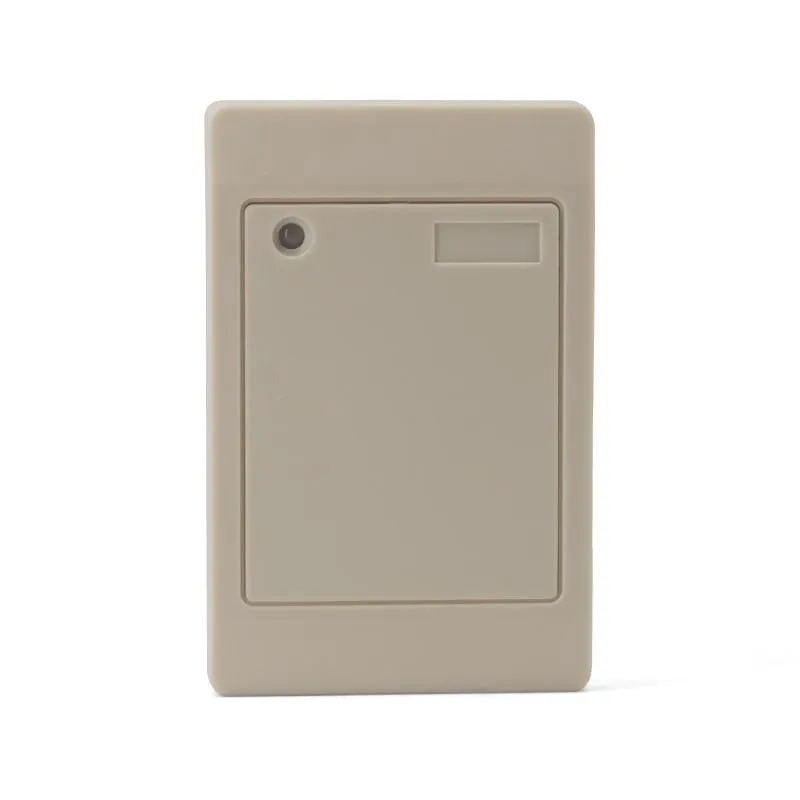
 L410-W+2 variants
Waterproof 125kHz Wiegand 26/34 RFID Access Reader, Resin-Potted
- Wiegand
- Wall-mount
Read range: 0–100 mm
 125kHz
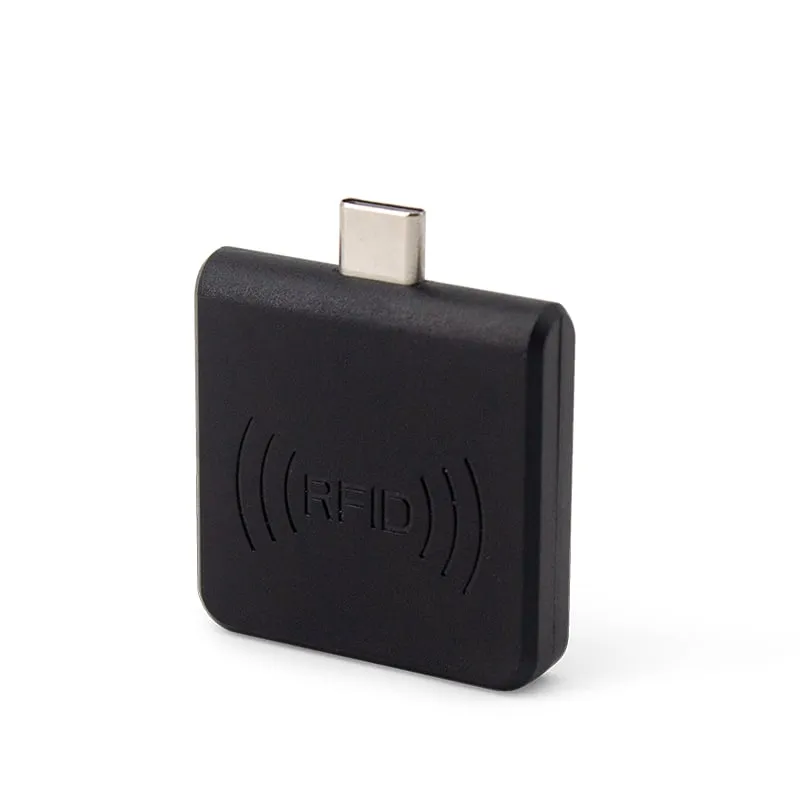
 L220-C
USB-C 125kHz EM4100 RFID Reader for Android Phones
- USB
- Plug-in
Read range: 0–30 mm front and back, 0–10 mm from the side