UHF RFID
How to Write UHF RFID Tags: EPC, TID, User Memory, Passwords and Lock
By Henrium · · 10 min read
Quick answer
Writing a UHF RFID tag means changing its Gen2 memory with a reader/writer: usually the EPC, sometimes user memory, then the passwords and lock state. The TID is programmed and locked by the chip maker, so on standard chips it cannot be rewritten. Encode one tag at a time at low power, read back every write, and set a nonzero access password before locking.
Writing a UHF RFID tag, often called encoding, means changing data in the chip’s memory with a reader/writer. In most projects that is one number: the EPC your software uses to identify an item, a card or a vehicle. Some projects also write user memory, set passwords and lock the tag so the number cannot be changed later.
Every passive tag built to EPC Gen2 (ISO/IEC 18000-63, formerly ISO 18000-6C) uses the same memory layout, so the rules below apply whatever chip or reader you use. This guide covers the four memory banks, what to write where, how passwords and lock work, and a routine for batch encoding without writing the wrong tag.
The four memory banks of a Gen2 tag
A Gen2 chip splits its memory into four banks. Memory is addressed in 16-bit words, and the basic Write command changes one word at a time. The full definitions are in the GS1 EPC UHF Gen2 air interface standard.
| Bank | Name | What it holds | Typical size | Writable? |
|---|---|---|---|---|
| 00 | Reserved | Kill password and access password, 32 bits each | 64 bits | Yes, unless locked |
| 01 | EPC | CRC-16, protocol control (PC) word, then the EPC | 96-bit or 128-bit EPC is common | Yes; the tag computes the CRC itself |
| 10 | TID | Chip class, chip maker and model codes; a serial number on most current chips | Fixed by the chip, often 96 bits | No; locked by the chip maker on standard chips |
| 11 | User | Optional memory for application data | None on many chips; up to several kilobits on others | Yes, unless locked |
The PC word matters when you write the EPC. Its first five bits give the EPC length in 16-bit words, from 0 to 31, so an EPC can be up to 496 bits long. If you write a 128-bit number while the PC still says 96 bits, readers report only the first 96. Good encoding software updates the PC for you; check it whenever an EPC reads back cut short or with extra characters at the end.
During an inventory, a tag sends only its PC, EPC and CRC. The TID and user memory need separate commands after the reader has singled out one tag, so reading them from hundreds of tags takes far longer than reading EPCs. The multi-tag read rate guide explains why.
EPC or TID: which number identifies the tag?
Both numbers are on every tag, and they do different jobs.
| Feature | EPC | TID |
|---|---|---|
| Set by | You, at encoding | The chip maker |
| Can be changed | Yes, unless locked | No |
| Sent in every inventory | Yes | No, needs a separate read |
| Unique | Only if you encode it that way | On chips with a serialized TID |
| Best used for | The item, asset or credential number in your software | Checking the chip and catching duplicate EPCs |
Blank tags leave the supplier with a default EPC that may repeat across a roll, so never treat an unencoded EPC as an ID. The usual pattern is to write a meaningful EPC and store the TID next to it at encoding time. If the same EPC later turns up with a different TID, your software knows it has found a duplicate or a replaced tag. If you plan to identify tags by TID alone, check that your reader’s output mode can deliver it; many keyboard-output readers send only one bank.
What to write into the EPC
Decide the numbering scheme before you encode the first tag. Changing it later means rewriting every tag in service.
| Scheme | First byte (hex) | Used for | Requires |
|---|---|---|---|
| SGTIN-96 | 30 | Trade items: GTIN plus serial number | GS1 Company Prefix |
| SSCC-96 | 31 | Logistic units such as pallets and cases | GS1 Company Prefix |
| GRAI-96 | 33 | Returnable assets such as crates and kegs | GS1 Company Prefix |
| GIAI-96 | 34 | Individual assets such as tools and IT equipment | GS1 Company Prefix |
| Internal number | Your choice | Closed systems: parking tags, staff cards, tool rooms | Your own numbering rules |
The GS1 schemes are defined in the GS1 EPC Tag Data Standard. Use one when tags leave your organization or trading partners must decode them. In a closed system a plain internal number works, provided you follow a few rules:
- Use one fixed length. A 96-bit EPC is 24 hex characters; a 128-bit EPC is 32. Mixed lengths break lookups and filters.
- Generate numbers from your database, not by hand, and check that each number is unused before it is written.
- Give each site or product family a common prefix. Readers can then filter on those first bytes, which also speeds up counts.
- Do not start internal numbers with a GS1 header such as 30 unless the number really is an SGTIN. Other software may try to decode it.
- Plan for short outputs. Wiegand 26 carries 24 bits and Wiegand 34 carries 32 bits, and some keyboard-output readers type a shortened number, so only part of a 96-bit EPC may reach the controller or host. Put the unique digits in the bytes the reader sends. See Wiegand 26 vs 34 and check sample numbers with the card number converter.
When user memory is worth using
User memory holds data that must travel with the item and be readable without a network: the last service date of a tool, a batch code, a short record for field checks. It has costs:
- Not every chip has it, and sizes range from none to several kilobits. Check the chip datasheet first.
- Each tag must be singled out before user memory can be read or written, which slows bulk counts.
- Writing needs more energy than reading, so the working distance is shorter.
- Data on the tag can drift out of step with your database.
If your database is reachable wherever tags are read, keep the data there and use the EPC as the key. Write user memory only for data that must be available offline.
Passwords, lock and kill
The Reserved bank holds two 32-bit passwords. The access password moves a tag into the “secured” state, which is needed to change password-locked memory. The kill password authorizes a command that silences the tag permanently.
Lock sets how each bank can be written:
| Lock setting for the EPC, TID or user bank | Who can write | Reversible? |
|---|---|---|
| Unlocked | Any reader | Yes |
| Password-locked | Only a reader that sends the access password | Yes, with the access password |
| Permanently unlocked | Any reader, forever | No |
| Permalocked | Nobody, ever | No |
The passwords have the same four settings, but for them the lock controls reading as well as writing. Five rules prevent most mistakes:
- Lock stops changes, not reads. A locked EPC can still be read by any Gen2 reader.
- Set a nonzero access password before locking. A tag whose access password is the default 00000000 enters the secured state without a password, so password-locking it protects nothing.
- Treat permalock as final. No command reverses it. Try your lock routine on spare tags first.
- Kill is permanent. A killed tag never answers again, and a tag with a zero kill password cannot be killed. Closed systems that never use kill often lock the kill password so nobody can set one later.
- Keep passwords in your back-end system, not in a file on the encoding PC. If every tag shares one password, anyone who learns it can rewrite them all; some systems derive a per-tag password from the TID and a secret key.
Gen2 version 2 adds optional features such as cryptographic authentication. Our reader specifications list ISO 18000-6C / EPC Gen2 and do not include them.
Step by step: encoding tags at a desk
- Lower the RF power to the lowest level that still writes reliably, so only the tag on the pad is in the field.
- Check that exactly one tag is present. Run an inventory first. If more than one EPC appears, move the other tags away. Never write while the count is above one.
- Read the TID and the current EPC of that tag.
- Write the new EPC, updating the PC length bits if the size changes.
- Read it back and compare. Retry once; if it still fails, set the tag aside.
- Write user memory, if you use it, and verify it the same way.
- Write the passwords, then lock. The order matters: once a bank is locked, changing it needs the password.
- Log the result: EPC, TID, time, operator and lock state.
- Test a sample on the production reader, such as the gate reader or handheld, before you issue the batch.
Encoding is much slower than reading. The basic Write command changes one 16-bit word, so a 96-bit EPC takes six writes, and the standard allows a tag up to 20 ms to finish each one. Read-back and handling add more time on top.
Common encoding errors
| Symptom | Likely cause | Fix |
|---|---|---|
| The wrong tag receives the new EPC | Another tag is within range | Lower RF power, keep blank and finished tags away, check the count before each write |
| Reads work but writes fail | Tag too far away, at an angle or on metal | Place the tag on the pad; writing needs more energy than reading |
| EPC reads back too short or padded | PC length bits not updated | Use software that sets the PC, then rewrite |
| A used tag rejects the write | The bank is password-locked or permalocked | Send the access password; permalocked banks cannot be rewritten |
| Two tags carry the same EPC | Numbers typed by hand or reused | Generate numbers from the database and check before writing |
| Keyboard output shows wrong characters | Host keyboard layout is not US English | See the keyboard-wedge reader guide |
Which readers can write UHF tags
Encoding needs two things: a reader that can write, and software that sends the write commands. Keyboard output cannot carry those commands, because keyboard emulation sends data one way, from reader to computer.
| Reader type | Models | Tag writing | How |
|---|---|---|---|
| USB desktop reader/writers | U120-U, U130-U, U140-U, U160-U | Yes: write up to 0.2 m, read up to 0.5 m | Keyboard output by default for reading; writing is done from host software, usually with the virtual serial port build. Software and command documentation are confirmed in your quotation |
| Integrated long-range readers | U610-M to U650-M | Yes | SDK with C#, VC, VB, Java and Delphi sample code, plus a read/write and tag-issuing demo, used over the serial, USB or TCP/IP (-N builds) link; Wiegand carries output only |
| Handheld, Bluetooth and USB-C readers | U510-B, U520-M, U540-M, U550-M, U220-C | Not listed in their specifications | They read tag IDs |
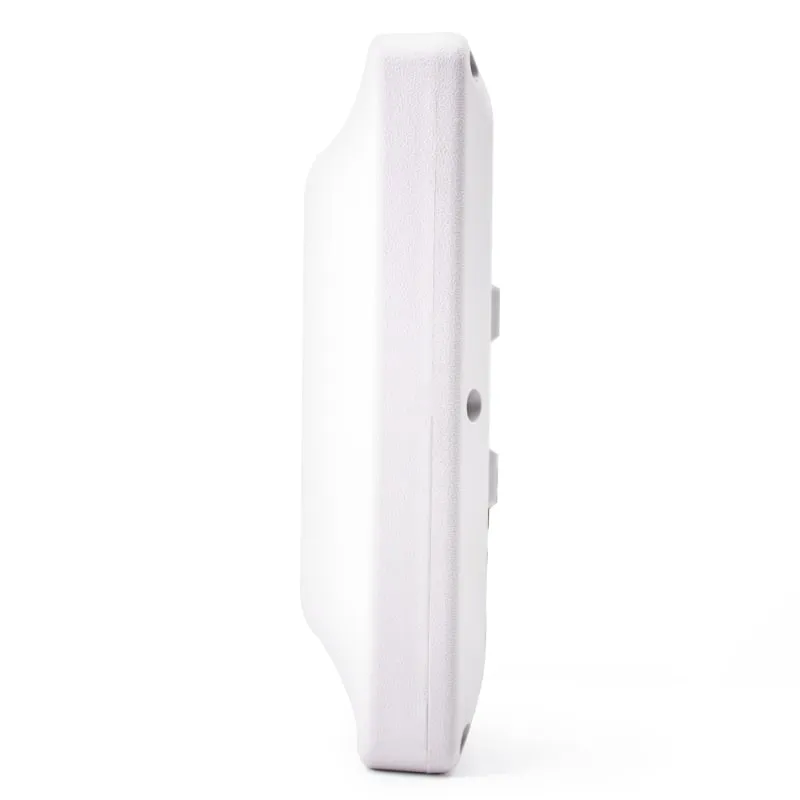
A desktop reader/writer is the natural encoding station. The four models share the same published RF specifications, a 2 dBi antenna and RF output adjustable from 12.5 to 26 dBm, so choose by the desk: the compact U140-U for a back-office encoding station, the flat U120-U USB UHF desktop reader/writer for an enrollment desk, or the square U160-U for the largest pad. Turning the output down pulls the field in toward the pad, which helps you write one tag at a time. Integrated readers such as the U610-M 7 dBi integrated UHF reader write through the SDK when your application already controls the reader, but their 7–12 dBi antennas read at several meters (0–5 m on the U610-M, 0–20 m on the U650-M 12 dBi long-range reader), so keep other tags well clear.
Our range has no RFID label printer-encoders, which print and encode large label runs in one pass; the desktop units suit cards, hard tags, lower-volume issuing and verification. None of our 125 kHz or 13.56 MHz readers write cards. Order the band for the country of use (see UHF frequency bands by country) and compare every model on the UHF RFID readers page.
Encoding station checklist
- Chip: EPC size, user memory size and serialized TID confirmed from the datasheet.
- Numbering: GS1 or internal scheme, one fixed EPC length, numbers from the database.
- Reader: band matches the country of use; write-capable build and software in place.
- Field: RF power at the lowest reliable level; other tags kept away.
- Process: one-tag check before every write, read-back after every write.
- Security: lock policy tested on spare tags; permalock only after sign-off.
- Records: EPC–TID pairs, time and operator logged.
- Acceptance: sample tags read on the production reader before issue.
To try the routine on your own tags, request an evaluation unit on the samples page.
Frequently asked questions
Can I change the TID of a UHF RFID tag?
No, not on standard Gen2 chips. The chip maker programs the TID and locks it before the tag is sold. You can write the EPC, user memory (if the chip has any) and the two passwords, but not the TID. That is why many systems store each tag's TID next to its EPC as a fixed reference.
Can a keyboard-output UHF reader write tags?
Not through the keyboard output itself, because keyboard emulation only carries data from the reader into the computer. A write has to be started by host software that sends commands to the reader. Our UHF desktop reader/writers type tag data as a keyboard by default; writing is done from host software, usually with the virtual serial port build, and the software and command documentation for your build are confirmed in your quotation.
Does locking a UHF tag stop other people from reading it?
No. In Gen2, lock controls who can change the EPC, TID and user memory. It does not hide them: any Gen2 reader can still read the EPC. With the standard lock command, only the two passwords can be protected against reading. To stop unauthorized changes, set a nonzero access password first, then lock.
Why is the write range shorter than the read range?
A passive tag needs more energy to program its memory than to answer a read, so writing works only closer to the antenna. Our desktop reader/writers, for example, are specified to read up to 0.5 m and write up to 0.2 m. For reliable encoding, place the tag flat on or just above the reader.
How long an EPC can I write?
It depends on the chip. 96-bit EPCs are the most common and 128-bit EPCs are widely supported. The Gen2 length field allows up to 496 bits, but only some chips have that much EPC memory. Check the chip datasheet, and make sure your software updates the length bits in the PC word when it changes the EPC size.
Readers mentioned in this guide
 UHF
UHF 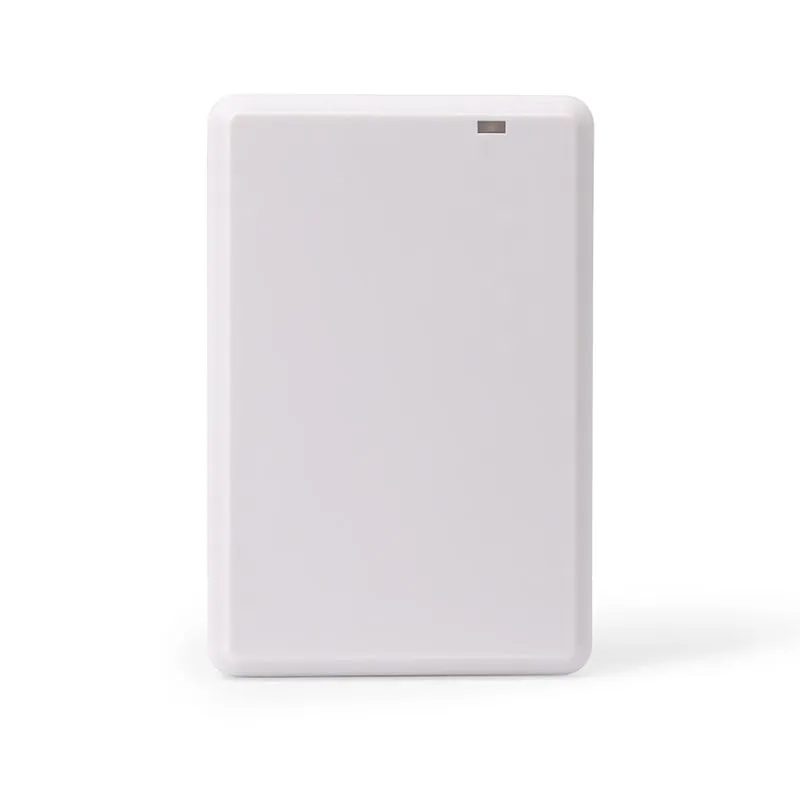 UHF
UHF U160-U
UHF RFID Desk Reader/Writer, USB, EPC Gen2, Square Housing
- USB
- Desktop
Read range: Up to 0.5 m
 UHF
UHF U610-M+1 variant
UHF Integrated RFID Reader, 7 dBi, 0–5 m, Wiegand/RS485/USB
- USB
- RS232
- RS485
- Fixed / long-range
Read range: 0–5 m