UHF RFID
Fixed vs Handheld UHF RFID Readers, and Where Integrated Readers Fit
By Henrium · · 8 min read
Quick answer
Choose by what moves. If tagged vehicles, pallets or people pass a fixed point, use a fixed or integrated reader. If staff walk to tags on shelves or assets, use a handheld. If a person presents one tag at a desk, use a desktop reader/writer. An integrated reader houses reader and antenna together, so it installs as one unit.
Every UHF RFID project reaches the same question early: should the reader stay in one place while tags come to it, or should a person carry the reader to the tags? The answer decides the hardware, the installation work, how data reaches your software and a large part of the budget.
This guide compares the four UHF reader types you will see in quotations: fixed readers with external antennas, integrated readers, handhelds and desktop reader/writers. It covers read zone, range, integration and installation, maps common jobs to reader types, and names the models in our line that fit. Where our catalogue has no product, it says so.
The short answer
- Tags move past a fixed point (vehicles at a gate, pallets through a dock door, people through an entrance): use an integrated reader, or a fixed reader with external antennas when one zone needs antennas on several sides.
- Tags stay put and a person moves (stock on shelves, assets in rooms, equipment in the field): use a handheld.
- A person presents one tag at a time (issuing, encoding or checking at a counter): use a desktop reader/writer.
- Nobody is there to start a read: the reader has to be fixed or integrated.
What each reader type is
Fixed readers with external antennas
A fixed reader is an electronics unit with antenna ports, usually several, connected to separate antennas by coaxial cable. Because the antennas can sit on both sides of a dock door, above a conveyor or inside a cabinet, one reader can cover a zone from several directions. The cost is installation and tuning work: antenna placement, cable runs, cable loss and more RF planning. Our current catalogue does not include a multi-port fixed reader with external antennas.
Integrated readers
An integrated reader puts the reader electronics and one antenna in a single housing on a pole or wall bracket. You run power and one data cable and aim it at the zone; there is no antenna cable to route or to lose power in. It covers one zone from one direction. Our integrated long-range readers, the U610-M to U650-M, have 7 to 12 dBi built-in antennas, RF power adjustable from 0 to 30 dBm, rated ranges from 0–5 m to 0–20 m, and one trigger input.
Handheld readers
A handheld takes its own battery and antenna to the tags. Three designs are common: rugged Android mobile computers with built-in UHF, companion readers that pair with a phone over Bluetooth, and standalone readers with their own display and memory. Our handheld UHF RFID readers cover the second and third. The U550-M Bluetooth UHF handheld is a pistol grip with a phone holder (0–3 m), the U510-B a pocket reader (0–50 cm), the U520-M a ring-antenna reader with an OLED display and 128-record memory (0–35 cm), and the U540-M adds a 1D/2D barcode imager. We do not offer an Android mobile computer with built-in UHF.
Desktop reader/writers and plug-ins
A desktop reader/writer sits next to a PC, where a person issues, encodes or checks tags one at a time. Our USB desktop reader/writers read at up to 0.5 m, write at up to 0.2 m and type tag data like a USB keyboard by default. The U220-C USB-C UHF reader for Android plugs into the USB-C port of an Android phone and reads at 0–5 cm.
Side-by-side comparison
| Feature | Fixed, external antennas | Integrated | Handheld | Desktop |
|---|---|---|---|---|
| What moves | Tags pass the antennas | Tags pass the reader | Operator walks to the tags | Person presents a tag |
| Read zone | Shaped by several antennas, from several sides | One beam, one direction | Wherever the operator points | Within about 0.5 m of the pad |
| Rated range, our models | Not in our catalogue | 0–5 m to 0–20 m | 0–35 cm to 0–3 m | Read 0.5 m, write 0.2 m |
| Power | Varies by product | 12 V DC supply | Rechargeable battery (U510-B, U520-M, U550-M) | 5 V from USB |
| Link to the host | Varies by product | Wiegand 26/34, RS232, RS485, USB; TCP/IP on -N builds | Bluetooth, 2.4G receiver or USB | USB keyboard emulation; virtual serial port build |
| Software control | Usually an SDK or API | SDK with C#, VC, VB, Java and Delphi samples | Keyboard-type input or stored records; no SDK documented | Keyboard input by default; host software, usually on the virtual serial port build, for writing |
| Writes tags | Depends on product | Yes, through the SDK | Not listed; specified to read tag IDs | Yes |
| Unattended reading | Yes | Yes, continuous or triggered | No | No |
| Installation work | Most: antennas, coax, tuning | Pole or wall, one cable run, power | Pairing and charging | Plug in |
Match the reader type to the job
| Job | Reader type | Why it fits | Our options |
|---|---|---|---|
| Parking barrier, single lane | Integrated | Unattended; Wiegand to the existing controller; trigger from a loop detector | U610-M (7 dBi, 0–5 m), U630-M (9 dBi, 0–6 m) |
| Wide site gate, or reader set back from the lane | Integrated, high gain | Longer, narrower zone | U640-M 10 dBi long-range UHF reader, U650-M 12 dBi long-range UHF reader |
| Staff doorway or tool-room exit | Integrated, low gain | Zone limited to the opening | U610-M (7 dBi), U620-M (8 dBi) |
| Dock door read from both sides, conveyor tunnel | Fixed with external antennas | Several antennas see several faces of the load | Not in our catalogue |
| Shelf and stockroom counts | Handheld | The reader goes down the aisle to the tags | U550-M with a phone in the holder |
| Tagged and barcoded items together | Handheld with imager | One device for both | U540-M, U550-M |
| Asset audits, single-item checks | Pocket or display handheld | Short range picks out one item | U510-B, U520-M |
| Issuing and encoding tags | Desktop reader/writer | Short range, write support, keyboard output | U120-U, U130-U, U140-U, U160-U |
| Tag lookups in an Android app | Plug-in or pocket reader | Nothing extra to set up in the app | U220-C, U510-B |
For vehicle projects, see parking and vehicle access; for stock and equipment, see inventory and asset tracking.
How the data reaches your system
Integrated readers give the most control. Wiegand 26 or 34 goes straight into the reader input of an access controller, but it carries only 24 or 32 data bits, not a full 96-bit EPC; see Wiegand 26 vs 34. RS232, RS485 and USB suit a PC or PLC, and TCP/IP on the -N builds puts the reader on the site network. Reading runs continuously or from the trigger input, and through the SDK your software can set RF power and read or write tags. The interface guide compares cable limits and wiring.
Handhelds are quicker to deploy and harder to control. The U510-B and U550-M send each ID as keyboard input over Bluetooth or a 2.4G receiver, so any app with a text field receives it. The U520-M shows IDs on its display and stores up to 128 records for real-time or batch upload. No SDK is documented for our handhelds, so if your software must set power, read tag memory or control large inventories, plan on an integrated reader.
Desktop reader/writers type tag data at the cursor by default. Keyboard output carries data one way, so writing is done from host software, usually with the virtual serial port build; the software and command documentation for your build are confirmed in your quotation. See keyboard-emulation readers and RS232 and RS485 readers.
Range and read zone
Range follows the reader type. Integrated readers use antenna gain to reach meters. Handhelds work with smaller antennas and battery power, and desk units are deliberately short so they read only the tag in front of them. More range is not better by default: choose the lowest gain that covers the zone, then trim RF power on site. UHF RFID read range explains the factors, including the legal power limits that cap high-gain readers. If many tags pass at once, as on a pallet or a full shelf, see multi-tag read rates.
Combining reader types in one project
Most projects use more than one type:
- Issue tags at a desk. A U120-U reads or writes the tag and types its number into the enrollment software.
- Detect tags where they move. An integrated reader at the gate or doorway reports each pass to the controller or software.
- Audit with a handheld. Staff check shelves, rooms or yards for tags that no fixed point sees.
Every device in the project needs the UHF band of the country where it operates; see UHF frequency bands by country. Our handhelds are specified at 915 MHz (U510-B, U520-M, U550-M) or 902–928 MHz (U540-M), so for a site on 865–868 MHz, confirm handheld availability before you plan.
What drives the cost
We do not publish a price list, but the cost structure is predictable:
- Integrated or fixed: the number of read points, antenna gain and housing size, poles or brackets, power and cable at each point, and integration with the controller or software.
- Handheld: the number of operators working at the same time, and the app or spreadsheet that collects the data.
- Desktop: the number of issuing or checking desks.
- Every project: tags, a site test before rollout, and any OEM options such as a logo or custom output format; see OEM and ODM options.
Price, MOQ and lead time are confirmed in your quotation.
Checklist before you order
- Does the tag move past a fixed point, or does a person go to the tag?
- Must reads happen with nobody present? Then choose fixed or integrated.
- What is the farthest distance you must read, and the nearest position you must not?
- What receives the data: an access controller (Wiegand), a PC or PLC (RS232, RS485, USB), a network server (TCP/IP), or an app on a phone or PC (keyboard input)?
- Do you need to write tags? Plan a desktop reader/writer or an integrated reader with the SDK.
- How many tags pass at once, and how fast?
- Is the site outdoor, cold or wet? The U630-M is rated from −40 °C, and no IP rating is published for the integrated readers, so state sealing needs in your RFQ.
- Which country’s UHF band applies?
- Do items carry barcodes as well as tags?
- Pilot with your own tags: order samples or send your layout through the contact page.
Frequently asked questions
What is the difference between a fixed and an integrated UHF RFID reader?
A fixed reader has antenna ports and drives separate antennas over coaxial cable, so one reader can cover a zone from several sides. An integrated reader has one antenna built into the same housing: it is easier to install and covers one read zone per unit. Our U610-M to U650-M are integrated readers; we do not currently offer a multi-port fixed reader.
Can a handheld UHF reader replace a fixed reader at a door or gate?
Not for unattended reads. A handheld reads only when an operator points it and presses the trigger, so it cannot log every pass through a doorway or open a barrier. Use handhelds for counts and audits, and an integrated reader wherever tags must be read automatically.
Can your handheld UHF readers write tags?
Not according to their current specifications. The U510-B, U520-M, U540-M and U550-M are specified to read tag IDs, and no write function is listed for them. To write EPC or user memory, use a USB desktop reader/writer (write range up to 0.2 m) or an integrated reader with the SDK.
Do you offer an Android UHF handheld computer?
No. Our UHF handhelds work alongside a phone, tablet or PC: the U550-M holds a phone and sends IDs over Bluetooth, the U510-B is a pocket Bluetooth reader, and the U520-M stores reads for later upload. A mobile computer with built-in UHF and its own apps is outside our current catalogue.
How many read zones can one integrated UHF reader cover?
One. Each integrated reader has a single built-in antenna, and no external antenna ports are listed in the specification. A high-gain unit such as the U640-M has a narrow beam, but mounted farther back that beam spreads over a wider area, so it can sometimes cover a wide gate; test it on site first. Otherwise, use one reader per zone and plan channels, power and trigger inputs so that neighboring readers do not interfere.
Readers mentioned in this guide
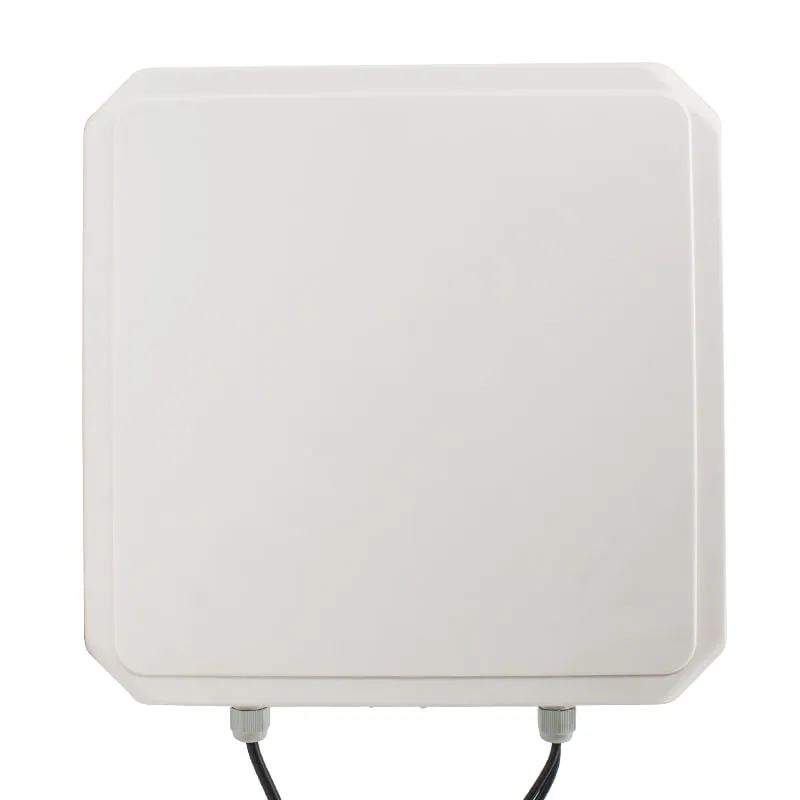 UHF
UHF U630-M+1 variant
9 dBi UHF Integrated RFID Reader, 0–6 m, Rated to -40 °C
- USB
- RS232
- RS485
- Fixed / long-range
Read range: 0–6 m
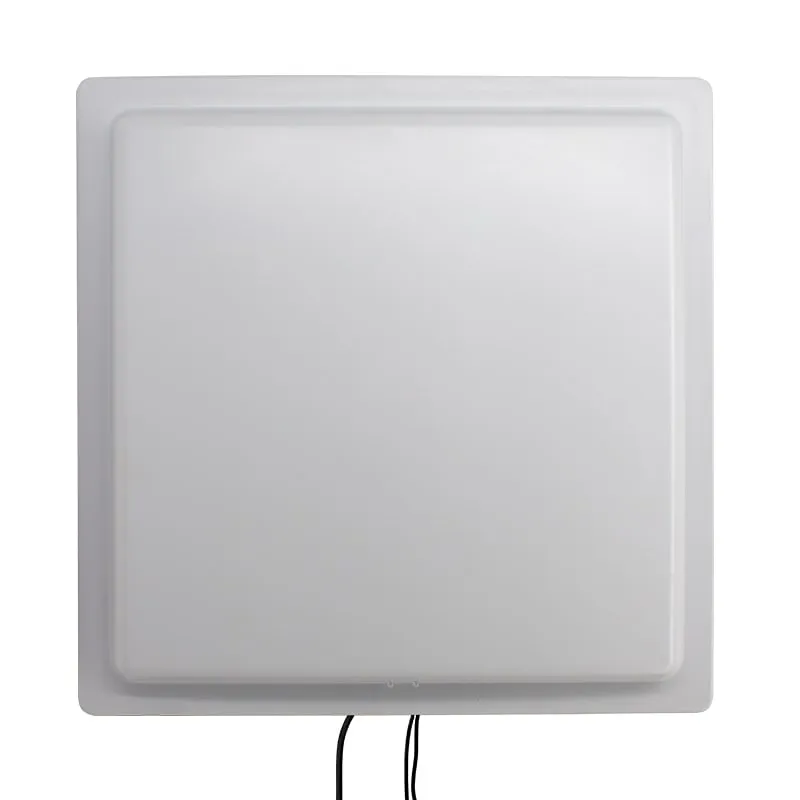 UHF
UHF U650-M+1 variant
12 dBi Long-Range UHF RFID Reader, 0–20 m, Wiegand/RS485/TCP/IP
- USB
- RS232
- RS485
- Fixed / long-range
Read range: 0–20 m
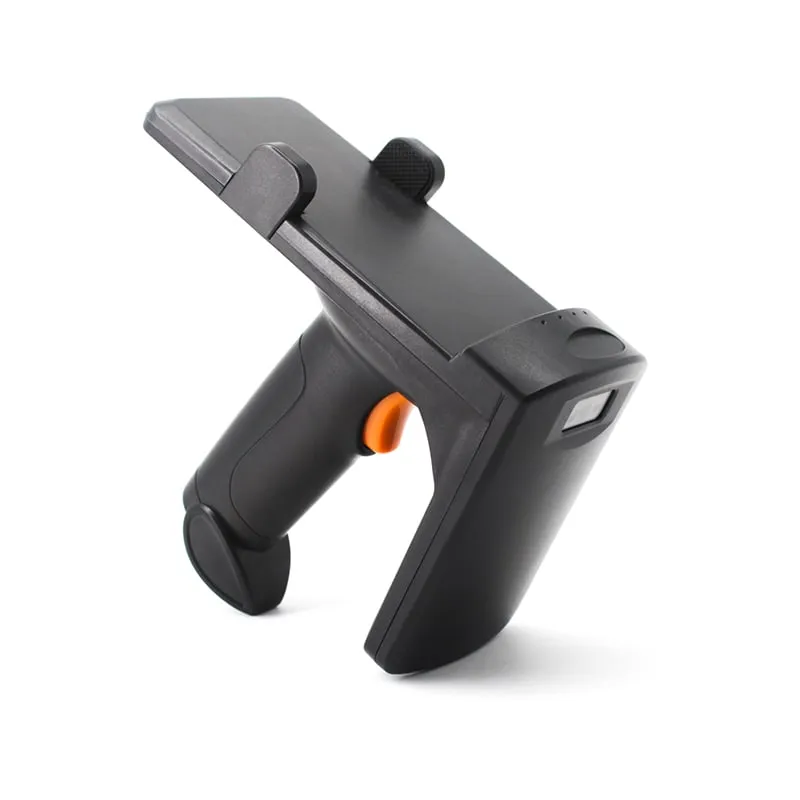 UHF
UHF U550-M
Bluetooth UHF RFID Pistol-Grip Reader with Phone Holder
- USB
- Wireless
- Handheld
Read range: 0–3 m
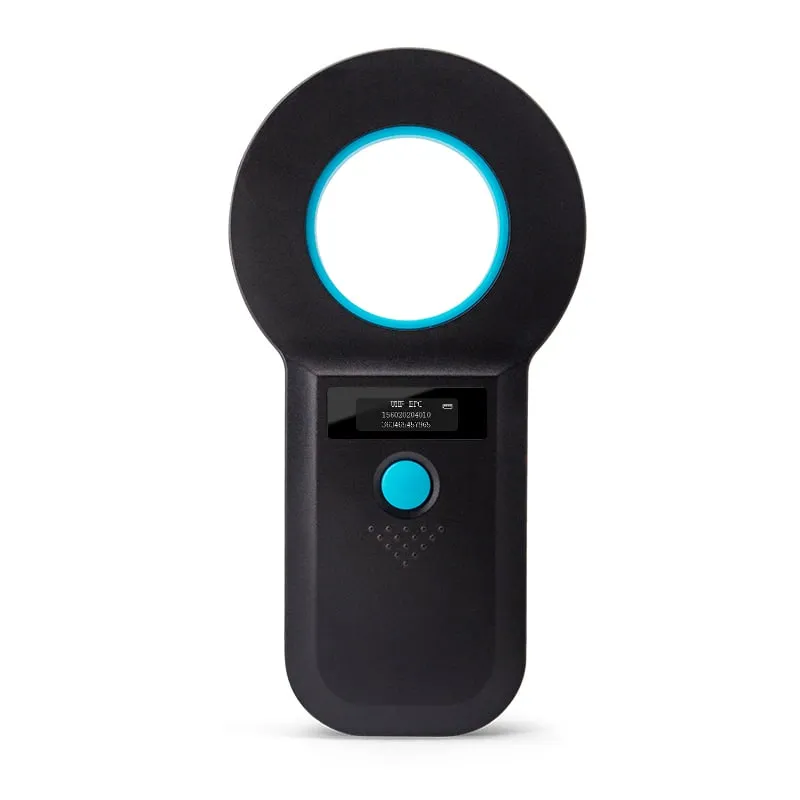 UHF
UHF