Technology explained
MIFARE Classic vs Ultralight vs NTAG213: Which Chips Will Your Reader Read?
By Henrium · · 9 min read
Quick answer
MIFARE Classic, MIFARE Ultralight and NTAG213 are all ISO/IEC 14443A chips at 13.56 MHz, so any 14443A reader can read their UID. They differ in UID length (usually 4 or 7 bytes), memory and security. Reading memory or NDEF records needs a read/write reader; a UID-only keyboard reader outputs the chip's serial number only.
MIFARE Classic, MIFARE Ultralight and NTAG213 all look alike: white 13.56 MHz cards, key fobs or stickers sold as “NFC compatible”. A reader handles all three the same way at the first step, then very differently after it. This guide compares the chips, explains what “compatible” means at each level and shows where UID readers most often fail, so you can match cards, reader and software before you place an order.
The short answer
All three chips use ISO/IEC 14443 Type A, which NFC calls NFC-A, at 13.56 MHz. Any 14443A reader can detect them, run anticollision and read the UID. A keyboard-output UID reader works at exactly this level, and so does every ISO 14443A model among our 13.56 MHz readers.
The differences start when a reader needs more than the UID:
- MIFARE Classic stores data in sectors protected by two 6-byte keys and a proprietary cipher. To read its memory, a reader needs the key and a reader chip that implements that cipher.
- MIFARE Ultralight and NTAG213 are NFC Forum Type 2 tags with simple page-based memory. Any NFC Forum device can read them, and that includes nearly every NFC phone.
- UID length differs. Classic cards usually carry a 4-byte UID, while Ultralight and NTAG213 carry a 7-byte UID. For UID readers, this matters more than any other difference.
Chip comparison
| Feature | MIFARE Classic 1K (S50) | MIFARE Classic 4K (S70) | MIFARE Ultralight / EV1 | NTAG213 |
|---|---|---|---|---|
| Air interface | ISO/IEC 14443A, parts 1–3 | ISO/IEC 14443A, parts 1–3 | ISO/IEC 14443A, parts 1–3 | ISO/IEC 14443A, parts 1–3 |
| NFC Forum tag type | None (proprietary) | None (proprietary) | Type 2 | Type 2 |
| UID | 4 bytes (7-byte versions exist) | 4 bytes (7-byte versions exist) | 7 bytes | 7 bytes |
| User memory | 752 bytes | 3,440 bytes | 48 bytes (EV1: 48 or 128 bytes) | 144 bytes |
| Memory layout | 16 sectors × 4 blocks × 16 bytes | 32 sectors of 4 blocks + 8 sectors of 16 blocks | 4-byte pages | 4-byte pages |
| Access protection | Key A / Key B per sector (Crypto1) | Key A / Key B per sector (Crypto1) | None (EV1: 32-bit password) | 32-bit password |
| SAK value | 08h | 18h | 00h | 00h |
| Typical use | Access, attendance, canteen, membership | Same, with more data per card | Event tickets, wristbands | NFC stickers, product tags, smart posters |
Some notes on the table. “S50” and “S70” are trade names widely used for cards compatible with Classic 1K and 4K. A reader treats them in the same way. MIFARE Classic EV1 is sold with either a 4-byte or a 7-byte UID, so check the card datasheet rather than assume. NTAG215 and NTAG216 are larger versions of NTAG213 with 504 and 888 bytes of user memory. The older NTAG203 also has 144 bytes but no password, originality signature or counter.
The SAK (Select Acknowledge) is a one-byte value that the chip returns when the reader selects it at the end of anticollision, and a reader uses it to tell chip families apart. An NFC tag-info app on an Android phone shows the SAK and UID length. It is the quickest way to identify a card whose type nobody remembers.
MIFARE Classic 1K and 4K
A Classic 1K card has 16 sectors of 4 blocks, 16 bytes per block. Block 0 holds the UID and manufacturer data. The last block of each sector, the sector trailer, holds Key A, the access bits and Key B. That leaves 752 bytes for application data. A Classic 4K card adds larger sectors and leaves 3,440 bytes.
A reader must authenticate with the sector key, using the Crypto1 cipher, before it can read or write a sector. Crypto1 was publicly broken in 2008. Classic cards are still common in attendance, canteen, parking and POS membership and loyalty systems, where the card identifies a person and the value sits in a database. They should not be treated as a secure credential.
MIFARE Ultralight and NTAG213
Ultralight and NTAG213 have no sectors or sector keys. Memory is organized in 4-byte pages, and a reader reads them with standard commands. The original Ultralight has 48 bytes of user memory. Ultralight EV1 comes in 48-byte and 128-byte versions with an optional 32-bit password, and Ultralight C adds 3DES authentication and 144 bytes.
NTAG213 is built for NFC phones. It ships ready for NDEF, the NFC Forum format for URLs, text and app links, and holds 144 bytes of user data. It adds a 32-bit password, an originality signature and a 24-bit counter of NFC reads. That feature set makes it the usual choice for smart posters, product tags and equipment stickers. The NFC Forum publishes the Type 2 Tag specification that both chips follow.
What “compatible” means: four levels
| What you need from the card | MIFARE Classic | Ultralight / NTAG213 | Reader requirement |
|---|---|---|---|
| UID as an ID number | Yes | Yes | Any ISO 14443A UID reader |
| Read or write memory | Sector key and Crypto1 support needed | Page commands; password if one is set | Read/write reader with SDK |
| NDEF record (URL, text) | Only on devices that support Classic | Yes, on NFC Forum devices | NFC phone app or NDEF-capable reader |
| Number in your software | Format and byte order must match | Format, byte order and 7-byte length must match | Matching output format |
Most compatibility disputes come from mixing up these levels. A buyer tests an NTAG213 sticker on an office reader, sees a number and assumes the reader can also read the stored URL. A UID reader cannot. The reverse happens too: a phone app opens the URL on an NTAG213 sticker but reports “tag not supported” for a Classic card.
The 7-byte UID trap
This is where UID readers fail in real projects. Many keyboard readers are set up for 4-byte Classic UIDs and output them as 10-digit decimal numbers. The highest 4-byte value is 4,294,967,295, which fits exactly in 10 digits. A 7-byte UID needs 14 hex digits or up to 17 decimal digits, so something has to change. Depending on its firmware, a reader may output all 7 bytes, only 4 of them, or the first cascade level of the anticollision exchange.
Here is what different settings produce for one NTAG213 with the UID 04 5A 3C 8E 12 6B 80:
| Output setting | What the reader types |
|---|---|
| Full UID, 14-digit hex | 045A3C8E126B80 |
| Full UID, decimal | 1225116034952064 |
| First 4 bytes, 10-digit decimal | 0073022606 |
| First cascade level, 8-digit hex | 88045A3C |
Watch for two things:
- Numbers that start with 88. If every NTAG or Ultralight number your reader types starts with 88 in hex, the reader is sending the cascade tag (88h) plus 3 UID bytes, not the UID. These numbers are not unique.
- Truncated numbers. The first UID byte is the chip maker’s code, 04h on genuine NTAG and Ultralight tags, so a 4-byte extract carries only 3 bytes (24 bits) that vary. Even if those bytes were random, the chance of at least one duplicate would pass 50% at about 4,800 tags.
Classic cards with 4-byte UIDs have their own issue: byte order. UID 5A 3C 8E 12 reads as 1513917970 in one byte order and 0311311450 in the other. The card number formats guide covers the common variants, and the card number converter shows every form of a number side by side. One more case: if a card gives a different UID on every tap and the hex value starts with 08, it uses a random ID. Some ePassports and smart cards do this for privacy, and a UID reader cannot identify them.
Phones and built-in NFC
Almost any NFC phone reads Ultralight and NTAG213, including their NDEF content. MIFARE Classic is different: Android treats Classic support as optional because it depends on the phone’s NFC controller. On a phone without it, a Classic card may not be detected at all, or may appear only as a generic NFC-A tag without access to its sectors.
This is one reason integrators add an external reader to tablets and phones. A USB-C plug-in reader such as the H220-C USB-C NFC reader for Android reads the UID of MIFARE Classic cards and NTAG203 tags and types it into the app, whatever NFC controller the device has, or on a device with no NFC at all. Its default output is a 4-byte, 10-digit decimal number. The USB-C reader OTG checklist covers the setup.
What our 13.56 MHz readers read
Every model below reads the UID of ISO/IEC 14443A cards and is read-only. “Listed” means the chip is named in the model’s specification. For the desktop, stick, keypad and USB-C models, “Not listed” means the chip falls under the general line “other ISO 14443A cards (UID read)”; the H410-W card list names MIFARE Classic only. Confirm unlisted chips on a sample before you order.
| Reader | Host link | MIFARE Classic 1K/4K | NTAG203 | NTAG213 | Default output |
|---|---|---|---|---|---|
| H110-U | USB slim pad | Listed | Listed | Not listed | 10-digit decimal (4 bytes) |
| H110-R | RS232 slim pad | Listed | Listed | Listed | 10-digit decimal or serial frame |
| H120-U | USB flat pad | Listed | Listed | Not listed | 10-digit decimal (4 bytes) |
| H130-U | USB glossy pad | Listed | Listed | Not listed | Not stated; confirm when ordering |
| H150-U | USB desktop | Listed | Listed | Listed | 10-digit decimal |
| H150-R | RS232 desktop | Listed | Listed | Listed | 10-digit decimal or serial frame |
| H210-U | USB-A stick | Listed | Listed | Not listed | 10-digit decimal (4 bytes) |
| H310-U | USB keypad | Listed | Listed | Not listed | 10-digit decimal + Enter |
| H220-C | USB-C, Android OTG | Listed | Listed | Not listed | 10-digit decimal (4 bytes) |
| H510-B | Bluetooth / 2.4G | Listed | Listed | Listed | 8-digit hex + Enter |
| H410-W | Wiegand wall reader | Listed | Not listed | Not listed | Wiegand 26 / 34 |
MIFARE Ultralight is not named in any of these card lists. It is a standard 14443A Type 2 tag, so the readers above are candidates, but test your exact tag first. Every stated default output is a 4-byte format. If your cards are NTAG or Ultralight, tell us which UID format your software stores; whether a full 7-byte output is available for your model is confirmed in your quotation. Wiegand output has its own limit: Wiegand 26 carries 24 bits of card data, so any 14443A UID is shortened, and Wiegand 34 carries 32 bits, so a 7-byte UID is shortened there too. The Wiegand 26 vs 34 guide explains the bit layout.
Outside our 13.56 MHz range: no model reads or writes Classic sectors, Ultralight or NTAG pages, or NDEF records, and no model lists MIFARE DESFire or Plus, ISO 14443B or FeliCa cards. For ISO 15693 (ICODE) tags, see the H155-U ISO 15693 USB reader and ISO 14443 vs ISO 15693.
How to choose: checklist
- Identify the chip. Read a card with an NFC tag-info app or ask the card supplier for the chip datasheet. Note the chip type, SAK and UID length.
- Decide what the reader must deliver. If the card only identifies a person or item, a UID reader is enough. If your software must read memory or NDEF records, you need a read/write device, not a UID reader.
- Fix the number format. Write down UID length, hex or decimal, byte order and leading zeros exactly as your database stores them. Compare a real card’s number in each format before you order.
- Match the host link. Choose USB keyboard output for PCs, RS232 for kiosks and controllers, Wiegand for access panels, USB-C for Android devices or Bluetooth for iPad and mobile use. The keyboard-emulation readers need no driver.
- Keep security realistic. A UID is not a secret. Use UID reading for enrollment, attendance, membership and asset identification, not as the only check on a high-security door.
- Test with production cards. Card and fob construction changes read range, and the exact chip variant decides UID length. Request samples and run them in your own software before a volume order.
If you are still deciding between frequencies, start with 125 kHz vs 13.56 MHz.
Frequently asked questions
Can a MIFARE Classic reader read NTAG213 tags?
If it is an ISO/IEC 14443A reader and you only need the UID, yes: NTAG213 uses the same Type A air interface. Check how the reader outputs a 7-byte UID, because a reader set up for 4-byte Classic numbers may send only part of it. Reading the NDEF data stored on the tag needs a reader or app that can read memory.
Why can some phones read NTAG213 but not MIFARE Classic?
NTAG213 and Ultralight are NFC Forum Type 2 tags, which all NFC phones are designed to read. MIFARE Classic uses a proprietary cipher that is not part of the NFC Forum specifications, and Android treats Classic support as optional. On a phone without it, a Classic card may not be detected, or may appear only as a generic NFC-A tag.
Is NTAG213 more secure than MIFARE Classic?
Neither should be used as a high-security credential. MIFARE Classic has sector keys, but its Crypto1 cipher was publicly broken in 2008. NTAG213 offers a 32-bit password against casual changes. For secure access, projects use chips with AES authentication and readers that support them. Our 13.56 MHz range does not include such readers.
Can your 13.56 MHz readers write NDEF records or encode MIFARE sectors?
No. Every 13.56 MHz reader in our range is read-only and reads the card UID. It does not read or write sectors, pages or NDEF records. Tags are usually encoded by the card supplier or with a separate read/write encoder.
Are S50 and S70 cards the same as MIFARE Classic 1K and 4K?
S50 and S70 are trade names widely used for cards compatible with MIFARE Classic 1K and 4K. A UID reader handles both the same way. All our ISO 14443A readers list MIFARE Classic 1K (S50) and 4K (S70) as supported cards.
Readers mentioned in this guide
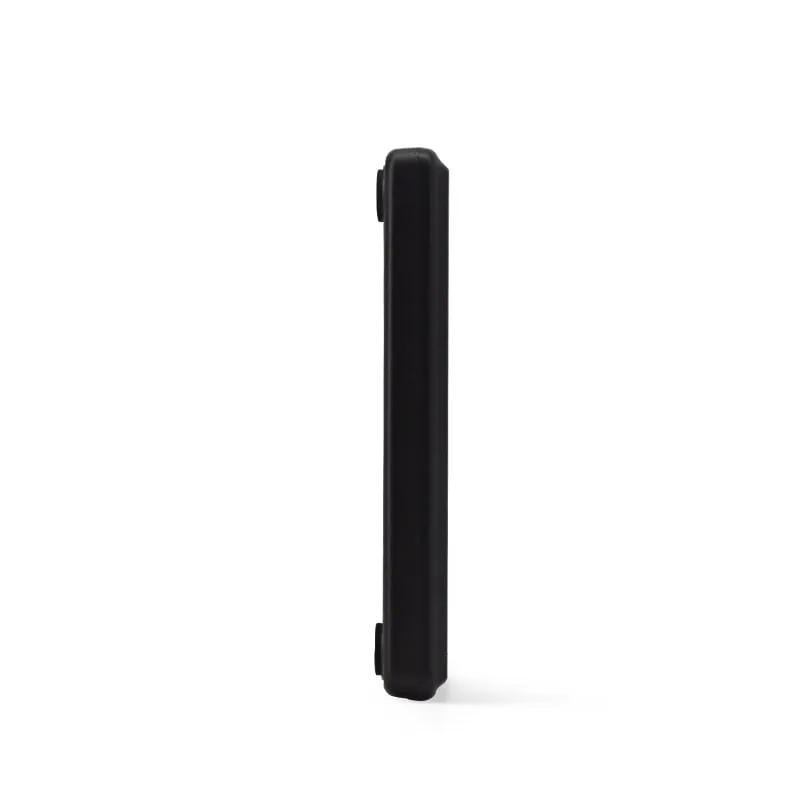 13.56MHz
 H110-U
13.56MHz USB NFC / MIFARE Card Reader, Slim Pad, No Driver
- USB
- Desktop
Read range: Up to 80 mm
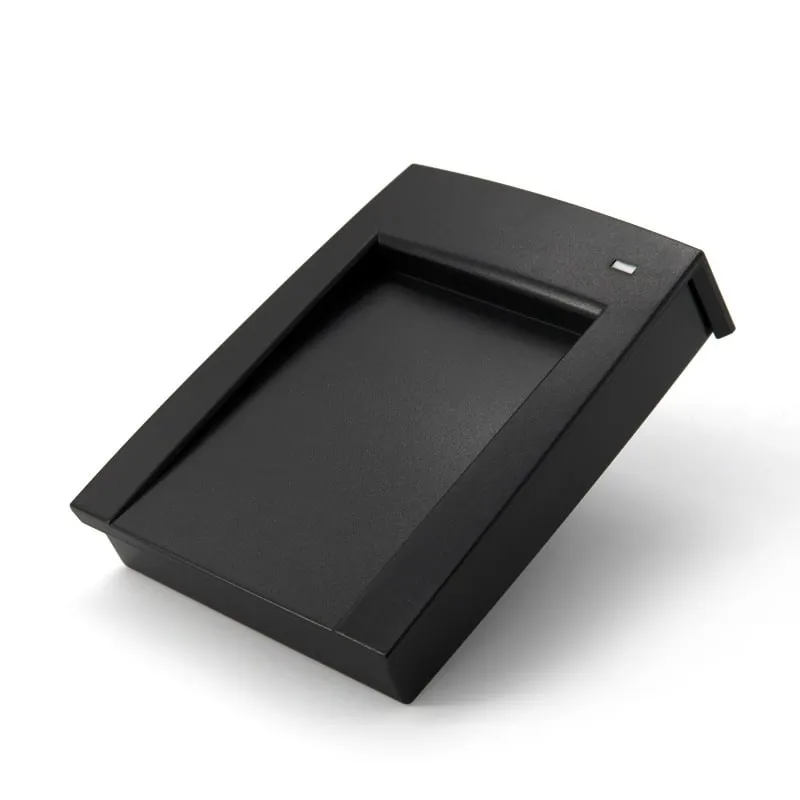 13.56MHz
 H150-U
13.56MHz USB MIFARE Reader, Angled Desktop with Card Recess
- USB
- RS232
- Desktop
Read range: Up to 80 mm
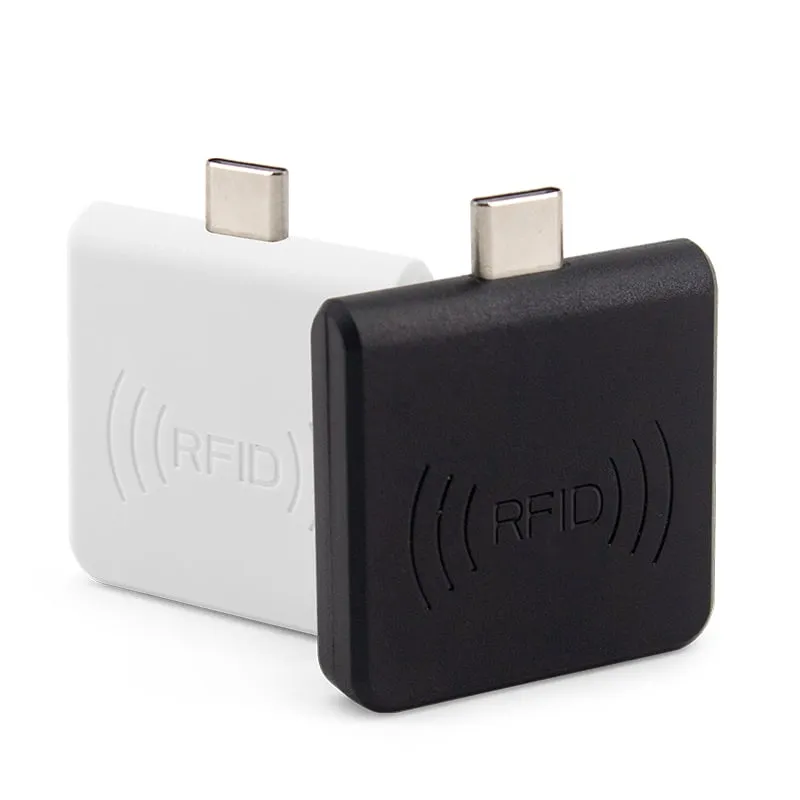 13.56MHz
 H220-C
USB-C 13.56MHz NFC Reader for Android Phones, MIFARE UID
- USB
- Plug-in
Read range: 0–30 mm front and back, 0–10 mm from the side
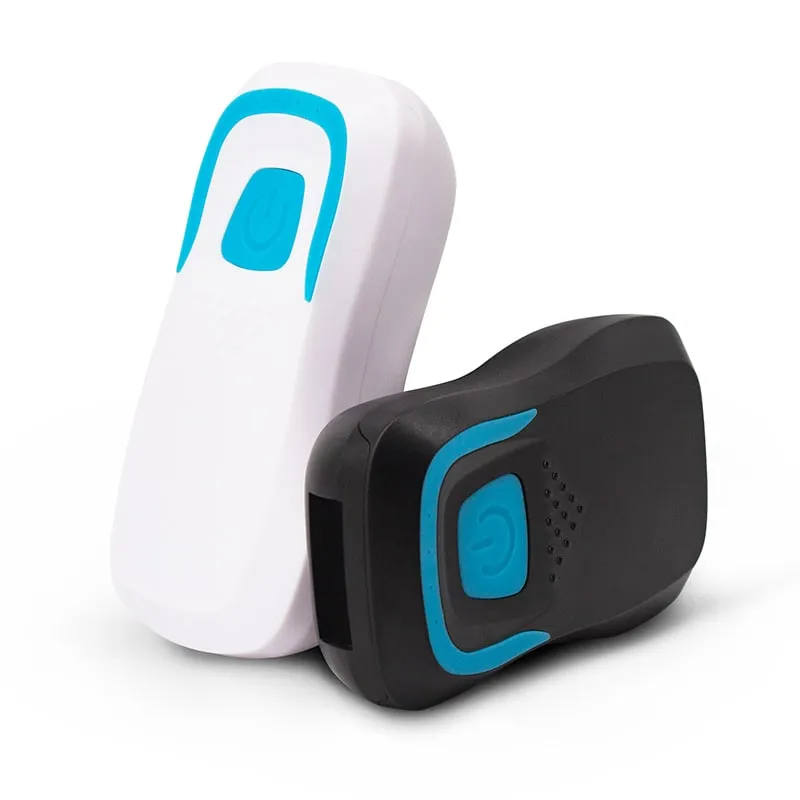 13.56MHz
 H510-B+2 variants
Bluetooth RFID Card Reader, 13.56MHz NFC / 125kHz, Pocket
- Wireless
- Handheld
Read range: 20–60 mm